YOGIDISHMAN
New member
- Local time
- 7:54 AM
- Messages
- 1
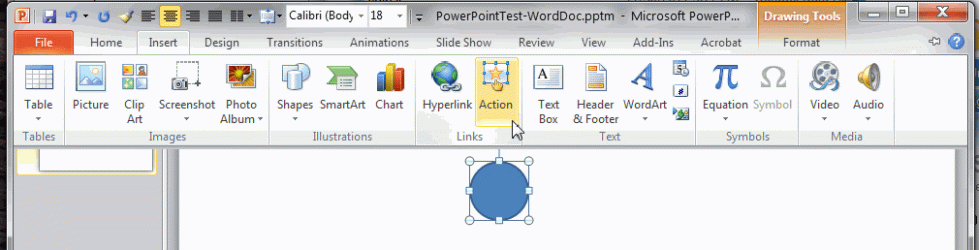
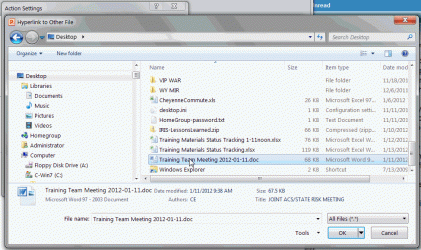
I am running MircroSoft Office 7 on a Windows 7 workstation. I am working in Powerpoint. I have attached a hyperlink to a circle that I inserted on my powerpoint slide and pointed it to a word document on my desktop. When I hit the slide show button and click on the circle with the hyperlink it opens the word document into a new window (this is good) but the new window is buried beneath the current powerpoint window that contains the object with the hyperlink (this is bad). Is there anyway that I can get the hyperlink file to open its window in front of the currently running powerpoint slide show window so that the user can see what they have linked to without having to use the Alt-Tab keys to go to that buried window.
Note that this same file runs perfectly on an XP workstation. When I click on the object with the hyperlink a new window is opened overtop of the currently running powerpoint slide show and the corresponding file is displayed in that window.
I have tried this on several workstations and it is consistent. Under Windows 7 it gets buried but on XP workstations it displays the hyperwindow in front of the powerpoint slide window. I've been working on this for a week and can't seem to find an answer. Can someone please help. Thankyou
Note that this same file runs perfectly on an XP workstation. When I click on the object with the hyperlink a new window is opened overtop of the currently running powerpoint slide show and the corresponding file is displayed in that window.
I have tried this on several workstations and it is consistent. Under Windows 7 it gets buried but on XP workstations it displays the hyperwindow in front of the powerpoint slide window. I've been working on this for a week and can't seem to find an answer. Can someone please help. Thankyou
My Computer
At a glance
Windows 7
- OS
- Windows 7