It is quite easy, in fact. In Outlook you do this using so called
Send / Receive Groups. A group can include just one or multiple mail accounts.
You can define Send / Receive Groups as you wish by following these simple steps:
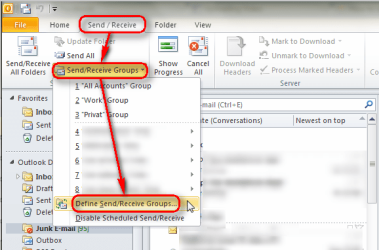
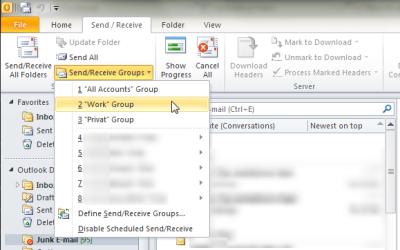
- On ribbon, select Send / Receive > Send / Receive Groups > Define Send / Receive Groups:
.

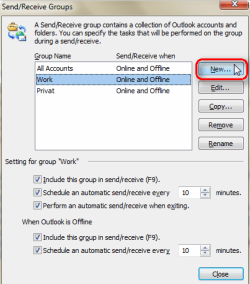
. - Click New to create a new Send / Receive Group:
.

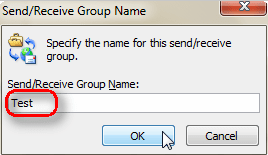
. - Give the group a name, click OK:
.

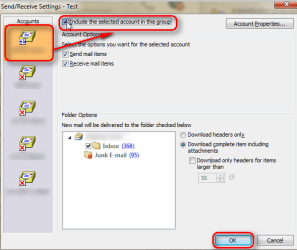
. - Select account you want to include in this group on the left pane, select Include the selected account in this group. Do this for each account you want to add in this group, finish by clicking OK:
.

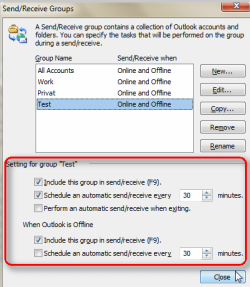
. - Set the online and offline send / receive values for each group:
.

. - Save settings by clicking Close button
That's it.
Notice that you can also send / receive each group manually:
Kari