

- Local time
- 2:33 PM
- Messages
- 568
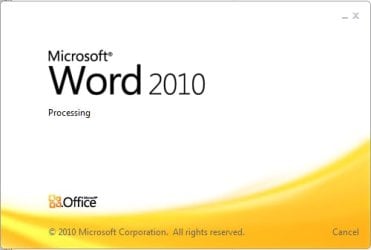
In my home network, 100MB/s fully switched with Windows 7 and Office 2010, opening documents from a network share takes 20-30 seconds. The size of the documents are small, in the range of 60-100KB. This is how Word 2010 looks like, after double-clicking the file name:

Once it finishes, it greats me with this:
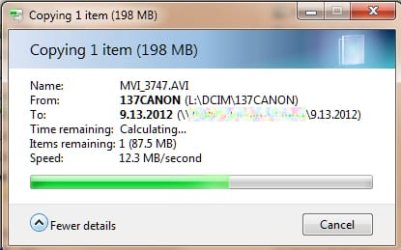
It's not like my network is slow; transferring a 200MBs video between the same machines gives me this:
All of the Office files experience the same issue, such as Excel, Power Point, Visio, etc. The very same file can be copy pasted to my machine and open it in less time than Office opens the same file directly.
This issue only impacts files without the "x" in the file extension, such as ".doc, .xls, .ppt, etc., even if these files were created by Office 2010. With the "x" in the extension, such as ".docx", ".xlsx", etc., the files open up just fine from the network share, like they should.
Is this issue relate to the "legacy" file format and can it be adjusted, other than using the "x" in the file extension?
TIA...
Once it finishes, it greats me with this:
It's not like my network is slow; transferring a 200MBs video between the same machines gives me this:
All of the Office files experience the same issue, such as Excel, Power Point, Visio, etc. The very same file can be copy pasted to my machine and open it in less time than Office opens the same file directly.
This issue only impacts files without the "x" in the file extension, such as ".doc, .xls, .ppt, etc., even if these files were created by Office 2010. With the "x" in the extension, such as ".docx", ".xlsx", etc., the files open up just fine from the network share, like they should.
Is this issue relate to the "legacy" file format and can it be adjusted, other than using the "x" in the file extension?
TIA...
My Computer
At a glance
Windows 7 64-bit, Windows 8.1 64-bit, OSX El ...Intel i5-3350P 3.1 GHz16 GBs GSkill SniperRadeon HD 7850
- Computer type
- PC/Desktop
- Computer Manufacturer/Model Number
- Custom built at Home
- OS
- Windows 7 64-bit, Windows 8.1 64-bit, OSX El Capitan, Windows 10 (VMware)
- CPU
- Intel i5-3350P 3.1 GHz
- Motherboard
- Gigabyte GA-Z77X-UP5 TH
- Memory
- 16 GBs GSkill Sniper
- Graphics Card(s)
- Radeon HD 7850
- Sound Card
- VIA HD Audio
- Monitor(s) Displays
- Dell U2410 24"
- Screen Resolution
- 1920x1200
- Hard Drives
- 1 x Intel 520 240 GBs
1 x Seagate 1TBs SATA 2.0,
1 x Seagate 1TBs eSATA 2.0
- PSU
- Thermaltake 850W
- Case
- Antec P183
- Cooling
- Noctua NH-D14 Heatsink 2 x 120mm fans, 4 x 120mm case fans
- Keyboard
- Dell Multimedia keyboard
- Mouse
- Logitech Trackball
- Internet Speed
- 28.5 Mb/s


