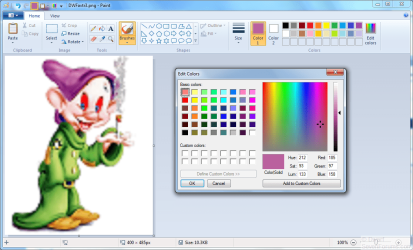
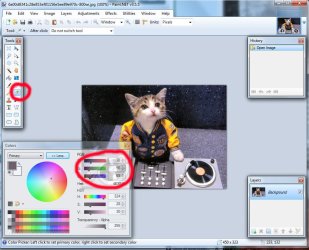
hmm, well i certainly wouldn't use paint (as supplied with windows 7), it just isn't sophisticated enough to display rgb values.
you could use the freebie (and very goodie
paint.net) to do the job, though.
ok, let's now explain RGB values:
in simple terms, colours on a computer can be measured by their rgb value - how much red, green and blue there is. each of these colours is given a number, generally between 0 and 255.
so a bright red would be 255,0,0 because there is a lot of red with no green and blue, whereas a bright yellow would be more like 255,255,0 as there's lots of red and green but no blue.
pure black is 0,0,0 and white is 255,255,255. a bright clean t-shirt (for example) would be closer to the high end than a dirty one (if they were the same colour to begin with, and were photographed under the same light conditions.)
you could take photos of shirts, load these photos up in paint.net or similar powerful photo-editing program, and use a tool to measure the rgb values of the photos.
however, i'm not sure if it's truly an accurate way to determine dirtiness...although it may do for a simple school project.
i've tried to keep it simple, and i hope i've explained things well.
do post back for more help or info.
oh, and welcome to sevenforums!