
Squirrelling
New member
- Local time
- 3:38 PM
- Messages
- 3
Recently I purchased a new laptop with Windows 7 Home Premium installed. I transferred my files over, but after a few weeks all the pictures disappeared from the My Pictures folder, though other pictures which weren't stored there didn't. I rebooted and they came back, but now they have disappeared again and show no signs of returning. I've done searches on them and looked through different folders, but haven't seen any. Is there any way to retrieve them again?
My Computer
At a glance
Windows 7 Home Premium 64 bit
- Computer Manufacturer/Model Number
- ASUS X52F
- OS
- Windows 7 Home Premium 64 bit

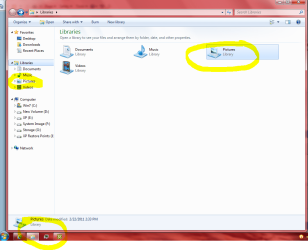


 Yipee, what a lifesaver that. While arranging images over the week-end , moving to new folders, etc. Suddenly a whole bunch of them were gone
  and now They're back.


