michaelyahu
New member
- Local time
- 9:24 PM
- Messages
- 3
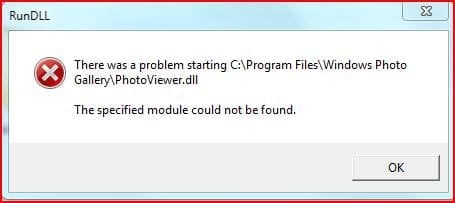
i did an upgrade install from vista, and it seems that c:\program files\windows photo gallery\photoviewer.dll (right click > edit on a picture) is missing? or gone.
Did they take this out of windows 7?
Did they take this out of windows 7?
My Computer
At a glance
Windows 7 Beta, Ubuntu JauntyIntel Core Two Duo @ 2.534 Gig (stock)NVIDIA GeForce 9600M GS
- Computer Manufacturer/Model Number
- Asus M70Vm-x1
- OS
- Windows 7 Beta, Ubuntu Jaunty
- CPU
- Intel Core Two Duo @ 2.53
- Memory
- 4 Gig (stock)
- Graphics Card(s)
- NVIDIA GeForce 9600M GS
- Sound Card
- Realtek with Dolby
- Monitor(s) Displays
- stock
- Screen Resolution
- 1920x1200
- Hard Drives
- WesternDigital Scorpio Blue 320g and Mybook Essential 750g
- PSU
- stock
- Case
- stock
- Cooling
- stock fans
- Keyboard
- stock full qwerty keyboard with numeric pad
- Mouse
- Logitech wireless mouse for notebooks/and the touchpad
- Internet Speed
- comcast. need i say more?