Schroff87
Banned
I want to make a digital copy of my favourite dvds and I would like to do a lossless conversion. Could someone tell me how? I tried googling but I didn't get what I wanted for lossless conversion or it was too technical for me to understand.
My Computer
At a glance
7 ultimate x64i7 920 @ 3.5ghz6gb corsair dominatorGigabyte Geforce GTX 460 1GB SLI
- Computer Manufacturer/Model Number
- Custom
- OS
- 7 ultimate x64
- CPU
- i7 920 @ 3.5ghz
- Motherboard
- P6t Deluxe
- Memory
- 6gb corsair dominator
- Graphics Card(s)
- Gigabyte Geforce GTX 460 1GB SLI
- Sound Card
- onboard
- Monitor(s) Displays
- samsung BX2450
- Screen Resolution
- 1920x1080
- Hard Drives
- Seagate 7200.11 1Tb; WD green EADS 1TB
- PSU
- corsair tx750
- Case
- CM HAF 922
- Cooling
- coolermaster V8 + standard case fans
- Keyboard
- Logitech Classic Keyboard
- Mouse
- Logitech G500
- Internet Speed
- 256k :P


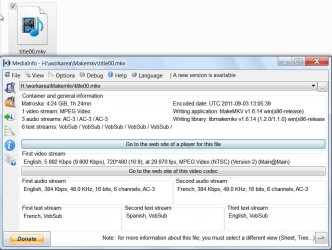


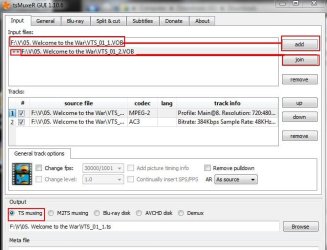
 I'll give TS muxer a try tomorrow. All I want is the dvd to in a single file and it should be lossless .. if .TS works that will be great!