There is a suggestion in one forum to convert the mkv to m2ts using PS3Muxer, stream it to your PS3 and copy it to the PS3. Thereafter you can play the same on the PS3........
I actually tried the PS3Muxer
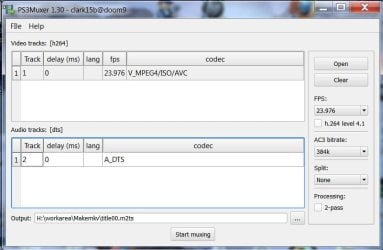
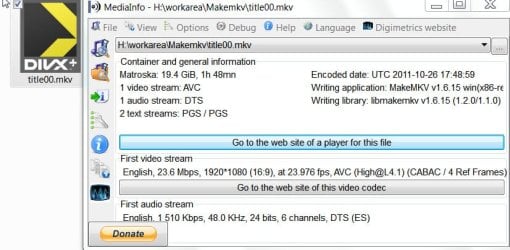
PS3Muxer today and converted a 20GB 1080p mkv file - a main movie BD rip with DTS audio and two subtitles - to m2ts.
Mediainfo of the mkv file:
Mediainfo of the output m2ts file:
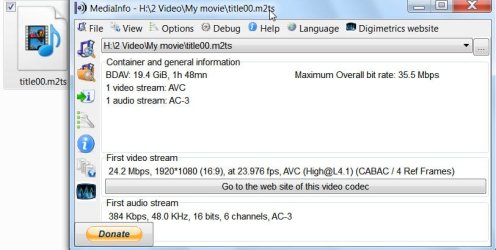
The process was fairly easy and took about 13' to create the m2ts file. (PS3Muxer uses tsmuxer and whereas the tsmuxer can output the m2ts with DTS sound, it converts the DTS to AC3 audio. )
Now to the PS3.
If one has set up Windows 7 Mediaplayer to stream media to the PS3 in the home network, one can see the Windows 7 (MP) PC in the PS3's XMB. (Here I put the title00.m2ts file in a folder named My Movie and added this to Windows Media Center library.)
Browse to the m2ts file under Video and then press the Triangle button on the controller or PS3 remote to bring the options menu, select the Copy command and press the X button to start copying the file from the Windows 7 PC. ( No need to press X and stream the m2ts from the PC)
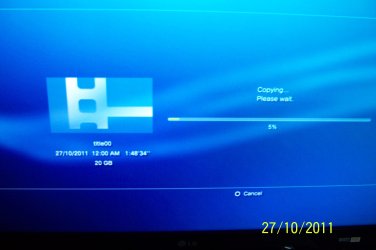
In my setup it took about three and a half hours to import the 20GB file to the PS3.
The file details in the PS3:
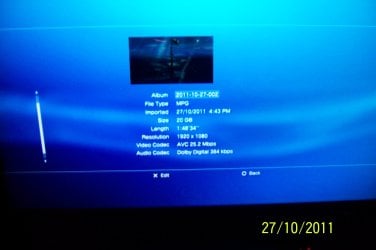
And thats it. One can play the m2ts from within the PS3. ( No subtitles for whatever reason.)
No loss in quality. 100% unadulterated.
The irony is that you cannot copy the 20GB file to the PS3 using a pendrive or external HDD since PS3 will recognise only FAT32 with the 4GB limit.
Personally though, I will prefer a BD9 AVCHD disk burnt on a DVD-DL that can be played on the PS3 instead of loading a large file into the PS3 HDD. Of course individual mileage varies.




