| Windows 7: Music Folder Won't Display By Album Or Artist |
04 Dec 2011
|
#1 | | Windows 7 Home Premium x64 |
Music Folder Won't Display By Album Or Artist In My Music folder when I try to arrange my music by the artist or by the album, all of the songs are grouped into an "Unspecified" tile by Windows. When I arrange them by folder, every song is in the proper folder for the artist and album, every song has the correct tag info entered for it.
Windows simply refuses to organize my songs by their album or artist. I've tried everything, re-edited all the tags, deleted the music from the computer and then transferred it over again. I'm at a loss and now it's just really frustrating me. | My System Specs |
| System Manufacturer/Model Number Dell Inspiron 1750 OS Windows 7 Home Premium x64 |
05 Dec 2011
|
#2 | | 64-bit Windows 7 Ultimate SP1 & Windows 8 Enterprise Texas |
Hello GTO86,
Could you set Music folder with "Arrange by" Folder, and "Sort by" album or artist for this. You could also drag say the "Album" column over to the far right if you like as well. Here's an example. http://www.sevenforums.com/tutorials...ort-stack.html
Hope this helps,
Shawn | My System Specs | | Computer type PC/Desktop System Manufacturer/Model Number Self built custom OS 64-bit Windows 7 Ultimate SP1 & Windows 8 Enterprise CPU Intel i7-3930K 3.2 Ghz (O/C 4 Ghz) Motherboard ASRock X79 Extreme11 Memory 32 GB (8GBx4) G.SKILL DDR3 Quad PC3-19200 2400MHz Graphics Card Sapphire HD5870 Eyefinity 6 2GB Sound Card SB Recon 3Di Integrated Chip Monitor(s) Displays 3x 27" Asus VE278Q Screen Resolution 1920x1080 Keyboard Logitech Cordless Desktop MX 5500 Revolution Mouse Logitech Cordless Desktop MX 5500 Revolution PSU OCZ Series Gold OCZZ1000M 1000W Case Thermaltake Level 10 GT Snow Edition Cooling Corsair Hydro H100 Hard Drives 256GB OCZ Vector
160GB OCZ RevoDrive X2
2 x 1TB Samsung HDD HD154UI SATA Internet Speed 50 Mb/s Download and 2 Mb/s Upload Other Info Microsoft LifeCam Cinema
Lite-On iHBS212 12x BD Writer
Samsung CLX-3175FW Printer
Netgear WNDR3800 Router
Motorola SBG6580 Cable Modem
2x APC Back-UPS XS 1500 |
05 Dec 2011
|
#3 | | Windows 7 Home Premium x64 |
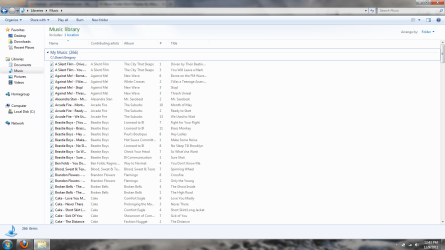
When I have the window set up that way, all of the proper information is in there, every song has an album and artist associated with it.
Really, having it arranged by artist is just an aesthetic issue, it looks much better that way than by folders or any of the other views like details.
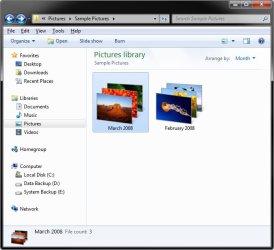
This is how I want it to look -
The problem is, there's only one tile and all it says is "Unspecified" even though every single song has all the proper info entered. | My System Specs | | System Manufacturer/Model Number Dell Inspiron 1750 OS Windows 7 Home Premium x64 |
05 Dec 2011
|
#4 | | Windows 7 Pro x64 (1), Win7 Pro X64 / WinXP Pro x86 on (2) |
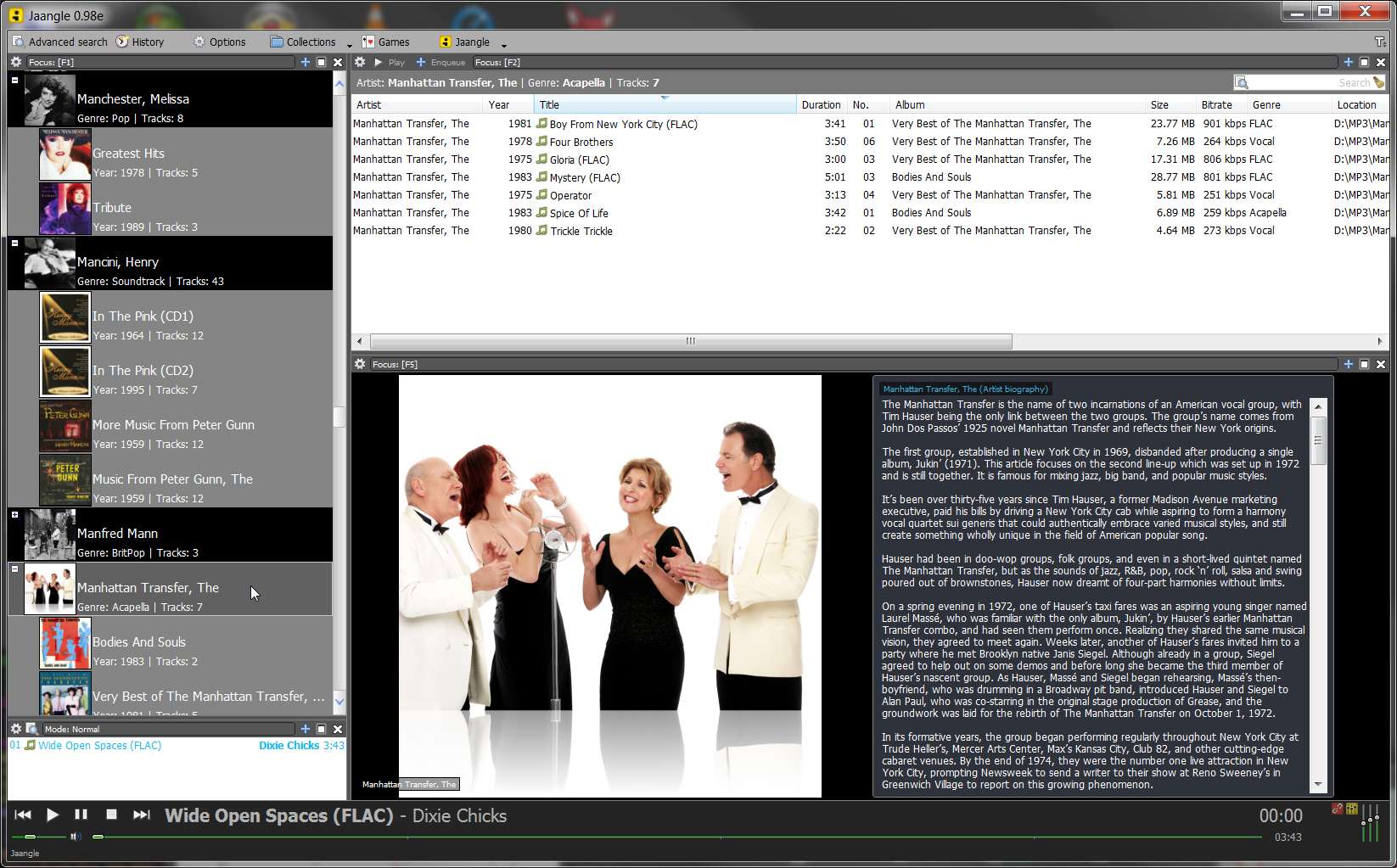
Just in passing... you might consider alternatives to Windows Music Library if you are a serious music collector who gets great joy from multiple "organization" and presentation options, album art, artist bios and pictures, playing MP3 and FLAC, simple and advanced search, etc., etc.
I myself do NOT use Windows' Music Library functionality, nor do I use Windows Media Player for music. I generally use Winamp as my "external player" for playing music (and displaying album my high-quality 500x500 album art in a 500x500 window).
And... I also use Jaangle, as my music collection organizer. It will do EVERYTHING you're asking of Music Library and much much much more. It has a built-in music/video player (which plays MP3, FLAC, and much else) or you can invoke an external player (e.g. Winamp) if you prefer.
But it's Jaangle's organization and presentation options (e.g. 10 different sort sequence arrangements which all music collectors inevitably use at different times, multiple "themes" for display of artist/album/title, etc.), automatic retrieval of album reviews, artist bios and pictures, cover art (if you don't have your own), etc., that make this product such a treat.
I know... you're probably a long-time user of Windows functionality. But you should at least consider other options, and Jaangle is terrific. | My System Specs | | System Manufacturer/Model Number Home-built, two systems (1) and (2) OS Windows 7 Pro x64 (1), Win7 Pro X64 / WinXP Pro x86 on (2) CPU i5-3350p 3.1Ghz/6MB-cache (1); E8400 3.0Ghz/6MB-cache (2) Motherboard ASUS P8Z77-V Pro (1); ASUS P5Q3 (2) Memory 8GB PC3-12800 DDR3 (1); 4GB PC3-10600 DDR3 (2) Graphics Card ATI HD5770 dual-DVI (1), (see TV cards); ATI HD4850 (2) Sound Card Realtek ALC892 HD Audio (1); Realtek ALC1200 HD Audio (2) Monitor(s) Displays Eizo HD2441W LCD, Eizo S2433W (1); Eizo 24" S2433W (2) Screen Resolution 1920x1200, 1920x1200 (1); 1920x1200 (2) Keyboard IBM PS/2 (1) and (2) Mouse Logitech MX Revolution wireless (1); Microsoft wired (2) PSU Nesteq ECS-6001 600W (1); Nesteq ECS-5001 500W (2) Case Acousti-Case 360 (1) and (2) Cooling Noctua NH-U12P SE2 for CPU, 2x120mm case fans (1) and (2) Hard Drives (1) 1TB SATA-II (7200RPM), 2TB SATA-II (7200RPM), 2TB SATA-III (7200RPM), 250GB SATA-III (10000RPM) for OS;
(2) 320GB SATA-II (7200RPM), 750GB SATA-II (7200RPM), 150GB SATA-II (10000RPM) for OS Internet Speed 15mbps down / 2mbps up Other Info Ceton InfiniTV 4-tuner cablecard-enabled TV card as well as Hauppauge HVR-2250 OTA/ATSC 2-tuner TV card in (1), running under Win7 WMC |
05 Dec 2011
|
#5 | | 64-bit Windows 7 Ultimate SP1 & Windows 8 Enterprise Texas |

Quote: Originally Posted by GT086 When I have the window set up that way, all of the proper information is in there, every song has an album and artist associated with it.
Really, having it arranged by artist is just an aesthetic issue, it looks much better that way than by folders or any of the other views like details.
This is how I want it to look -
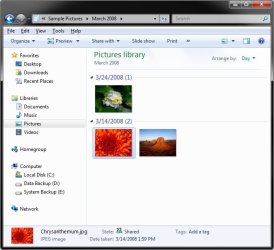
The problem is, there's only one tile and all it says is "Unspecified" even though every single song has all the proper info entered. If you click on a group of arranged files by Artists, it will then give you a "Group by" view of those "Arranged by" files in more detail like below.  | My System Specs | | Computer type PC/Desktop System Manufacturer/Model Number Self built custom OS 64-bit Windows 7 Ultimate SP1 & Windows 8 Enterprise CPU Intel i7-3930K 3.2 Ghz (O/C 4 Ghz) Motherboard ASRock X79 Extreme11 Memory 32 GB (8GBx4) G.SKILL DDR3 Quad PC3-19200 2400MHz Graphics Card Sapphire HD5870 Eyefinity 6 2GB Sound Card SB Recon 3Di Integrated Chip Monitor(s) Displays 3x 27" Asus VE278Q Screen Resolution 1920x1080 Keyboard Logitech Cordless Desktop MX 5500 Revolution Mouse Logitech Cordless Desktop MX 5500 Revolution PSU OCZ Series Gold OCZZ1000M 1000W Case Thermaltake Level 10 GT Snow Edition Cooling Corsair Hydro H100 Hard Drives 256GB OCZ Vector
160GB OCZ RevoDrive X2
2 x 1TB Samsung HDD HD154UI SATA Internet Speed 50 Mb/s Download and 2 Mb/s Upload Other Info Microsoft LifeCam Cinema
Lite-On iHBS212 12x BD Writer
Samsung CLX-3175FW Printer
Netgear WNDR3800 Router
Motorola SBG6580 Cable Modem
2x APC Back-UPS XS 1500 |
08 Dec 2011
|
#6 | | Windows 7 Home Premium x64 |
I think I'm doing a poor job trying to explain what's wrong and how I want my music displayed.
Right now, when I try to arrange my music by artist, it simply shows one tile, stating unspecified, even though every song has its full information entered for it. Below is a screenshot showing what it looks like now.
This is what I want it to look like.
Notice, each artist has its own tile and has several tiles displayed showing the album covers for their respective albums.
I can not figure out why my music will not display like that, even though all of the appropriate information is entered. | My System Specs | | System Manufacturer/Model Number Dell Inspiron 1750 OS Windows 7 Home Premium x64 |
08 Dec 2011
|
#7 | | Windows 7 Pro x64 (1), Win7 Pro X64 / WinXP Pro x86 on (2) |
Why does the existing music library definition screenshot show "unspecified" for the library definition itself, where as your desired goal screenshot music library shows "2 locations"?
What's different about how you've defined "Music Library" in both situations?
Does "unspecified" mean you have ZERO locations defined for the so-called "music library" situation which is your problem? | My System Specs | | System Manufacturer/Model Number Home-built, two systems (1) and (2) OS Windows 7 Pro x64 (1), Win7 Pro X64 / WinXP Pro x86 on (2) CPU i5-3350p 3.1Ghz/6MB-cache (1); E8400 3.0Ghz/6MB-cache (2) Motherboard ASUS P8Z77-V Pro (1); ASUS P5Q3 (2) Memory 8GB PC3-12800 DDR3 (1); 4GB PC3-10600 DDR3 (2) Graphics Card ATI HD5770 dual-DVI (1), (see TV cards); ATI HD4850 (2) Sound Card Realtek ALC892 HD Audio (1); Realtek ALC1200 HD Audio (2) Monitor(s) Displays Eizo HD2441W LCD, Eizo S2433W (1); Eizo 24" S2433W (2) Screen Resolution 1920x1200, 1920x1200 (1); 1920x1200 (2) Keyboard IBM PS/2 (1) and (2) Mouse Logitech MX Revolution wireless (1); Microsoft wired (2) PSU Nesteq ECS-6001 600W (1); Nesteq ECS-5001 500W (2) Case Acousti-Case 360 (1) and (2) Cooling Noctua NH-U12P SE2 for CPU, 2x120mm case fans (1) and (2) Hard Drives (1) 1TB SATA-II (7200RPM), 2TB SATA-II (7200RPM), 2TB SATA-III (7200RPM), 250GB SATA-III (10000RPM) for OS;
(2) 320GB SATA-II (7200RPM), 750GB SATA-II (7200RPM), 150GB SATA-II (10000RPM) for OS Internet Speed 15mbps down / 2mbps up Other Info Ceton InfiniTV 4-tuner cablecard-enabled TV card as well as Hauppauge HVR-2250 OTA/ATSC 2-tuner TV card in (1), running under Win7 WMC |
08 Dec 2011
|
#8 | | 64-bit Windows 7 Ultimate SP1 & Windows 8 Enterprise Texas |
Good catch Darryl.
@GTO86,
You will need to include the folders that you have your images saved at for the library. The defaults are the C:\Users\Public\Music and C:\Users\(user-name)\Music folders, with the C:\Users\(user-name)\Music folder set as the default Save to folder for the library. | My System Specs | | Computer type PC/Desktop System Manufacturer/Model Number Self built custom OS 64-bit Windows 7 Ultimate SP1 & Windows 8 Enterprise CPU Intel i7-3930K 3.2 Ghz (O/C 4 Ghz) Motherboard ASRock X79 Extreme11 Memory 32 GB (8GBx4) G.SKILL DDR3 Quad PC3-19200 2400MHz Graphics Card Sapphire HD5870 Eyefinity 6 2GB Sound Card SB Recon 3Di Integrated Chip Monitor(s) Displays 3x 27" Asus VE278Q Screen Resolution 1920x1080 Keyboard Logitech Cordless Desktop MX 5500 Revolution Mouse Logitech Cordless Desktop MX 5500 Revolution PSU OCZ Series Gold OCZZ1000M 1000W Case Thermaltake Level 10 GT Snow Edition Cooling Corsair Hydro H100 Hard Drives 256GB OCZ Vector
160GB OCZ RevoDrive X2
2 x 1TB Samsung HDD HD154UI SATA Internet Speed 50 Mb/s Download and 2 Mb/s Upload Other Info Microsoft LifeCam Cinema
Lite-On iHBS212 12x BD Writer
Samsung CLX-3175FW Printer
Netgear WNDR3800 Router
Motorola SBG6580 Cable Modem
2x APC Back-UPS XS 1500 |
09 Dec 2011
|
#9 | | Windows 7 Home Premium x64 |

Quote: Originally Posted by dsperber Why does the existing music library definition screenshot show "unspecified" for the library definition itself, where as your desired goal screenshot music library shows "2 locations"?
What's different about how you've defined "Music Library" in both situations?
Does "unspecified" mean you have ZERO locations defined for the so-called "music library" situation which is your problem? No, I have only the "My Music" folder included because that's where all of my music is stored, there is nothing in "Public Music" to display. I did include it though, just to see what happened and its the same thing, still unspecified.
This is such a minor issue but it's just driving me crazy that I can't figure it out. | My System Specs | | System Manufacturer/Model Number Dell Inspiron 1750 OS Windows 7 Home Premium x64 |
09 Dec 2011
|
#10 | | Windows 7 Pro x64 (1), Win7 Pro X64 / WinXP Pro x86 on (2) |
Though I don't normally use Explorer and Music Library and Windows Media Player for my music collection (as I've said before, I use Jaangle and Winamp), my experience trying to duplicate your experience doesn't produce the same results.
Starting off with NOTHING defined (i.e. deleting the two default folders, i.e. "2 locations", which are there by default when you install Windows 7), it looks like this:
Then I add just the "My Music" folder as the one and only location (shows as "1 location", not "unspecified" as your screenshot shows):
And with that "1 location" defined for Music Library, and with the only contents of the My Music folder being whatever Microsoft places there by default for demonstration purposes, the arrange by "artist" looks like this:
Yes, it shows "unspecified" under the generic folder icon... but the entire contents of the My Music folder is from Microsoft, and actually contains no real music.
Can you show us what is the content of your My Music folder?
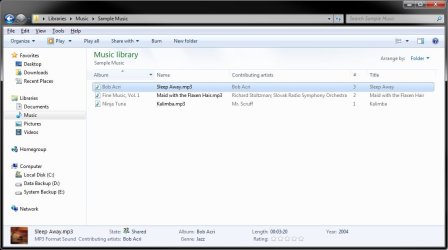
I also tried adding ONE MP3 FILE to the My Music folder:
And now the Music Library presentation looks different: | My System Specs | | System Manufacturer/Model Number Home-built, two systems (1) and (2) OS Windows 7 Pro x64 (1), Win7 Pro X64 / WinXP Pro x86 on (2) CPU i5-3350p 3.1Ghz/6MB-cache (1); E8400 3.0Ghz/6MB-cache (2) Motherboard ASUS P8Z77-V Pro (1); ASUS P5Q3 (2) Memory 8GB PC3-12800 DDR3 (1); 4GB PC3-10600 DDR3 (2) Graphics Card ATI HD5770 dual-DVI (1), (see TV cards); ATI HD4850 (2) Sound Card Realtek ALC892 HD Audio (1); Realtek ALC1200 HD Audio (2) Monitor(s) Displays Eizo HD2441W LCD, Eizo S2433W (1); Eizo 24" S2433W (2) Screen Resolution 1920x1200, 1920x1200 (1); 1920x1200 (2) Keyboard IBM PS/2 (1) and (2) Mouse Logitech MX Revolution wireless (1); Microsoft wired (2) PSU Nesteq ECS-6001 600W (1); Nesteq ECS-5001 500W (2) Case Acousti-Case 360 (1) and (2) Cooling Noctua NH-U12P SE2 for CPU, 2x120mm case fans (1) and (2) Hard Drives (1) 1TB SATA-II (7200RPM), 2TB SATA-II (7200RPM), 2TB SATA-III (7200RPM), 250GB SATA-III (10000RPM) for OS;
(2) 320GB SATA-II (7200RPM), 750GB SATA-II (7200RPM), 150GB SATA-II (10000RPM) for OS Internet Speed 15mbps down / 2mbps up Other Info Ceton InfiniTV 4-tuner cablecard-enabled TV card as well as Hauppauge HVR-2250 OTA/ATSC 2-tuner TV card in (1), running under Win7 WMC Music Folder Won't Display By Album Or Artist problems? All times are GMT -5. The time now is 10:26 PM. | |