|
Welcome to Windows 7 Forums. Our forum is dedicated to helping you find solutions with any problems, errors or issues you are experiencing with Windows 7. The Windows 7 forum also covers news and updates and has an extensive Windows 7 tutorial section that covers a wide range of tips and tricks.
Windows 7 - Flac files incorrectly displayed as mp3 file type in explorer!?!? |
12-13-2011
|
#1 | | |
Flac files incorrectly displayed as mp3 file type in explorer!?!? OK. Having kind of a bad PC day today. I've been using a flac codec from xiph.org (has a tiny fish head icon). Tried the Winamp media player yesterday and it just wasn't for me. Long story short. Uninstalled Winamp and did a ccleaner registry cleanup. (Probably cleaned too much.) My flac files in explorer now have an mp3 logo and under the 'type' column it shows, "Mp3 Format Sound" I uninstalled, reinstalled the xiph codec and it still shows the mp3 logo and description. Funny thing is they play just fine with the xiph codec installed. Without it, no playback is possible so I know that they're still flac not mp3. These flac files were never converted but now they're labeled/displayed incorrectly as mp3 format and the tiny little xiph fish head logo is no longer there. I've tried a system restore but it didn't work. Ideas? Suggestions? Much obliged and greatly appreciated! Thanks again! Todd
| My System Specs | | |
12-14-2011
|
#2 | | Windows 7 Pro x64 / WinXP Pro x86 on (1), Win7 Pro X64 / WinXP Pro x86 on (2) |
Don't know what issues you had with using Winamp, for FLAC or other audio media formats, that you didn't like. Perhaps you didn't install it with some customized choices that would give you what you really wanted. I've been using Winamp for 15 years and would be glad to help provide some insights, both for installation and use.
However the use of Winamp for FLAC playback doesn't involve installation of a codec (which would allow other players such as Windows Media Player to be used for FLAC). Winamp itself can simply play FLAC itself with its own built-in capabilities, and that's all I care about since the installation of Winamp associates FLAC with Winamp and that's what I want. I generally don't use WMP to play music, I use Winamp.
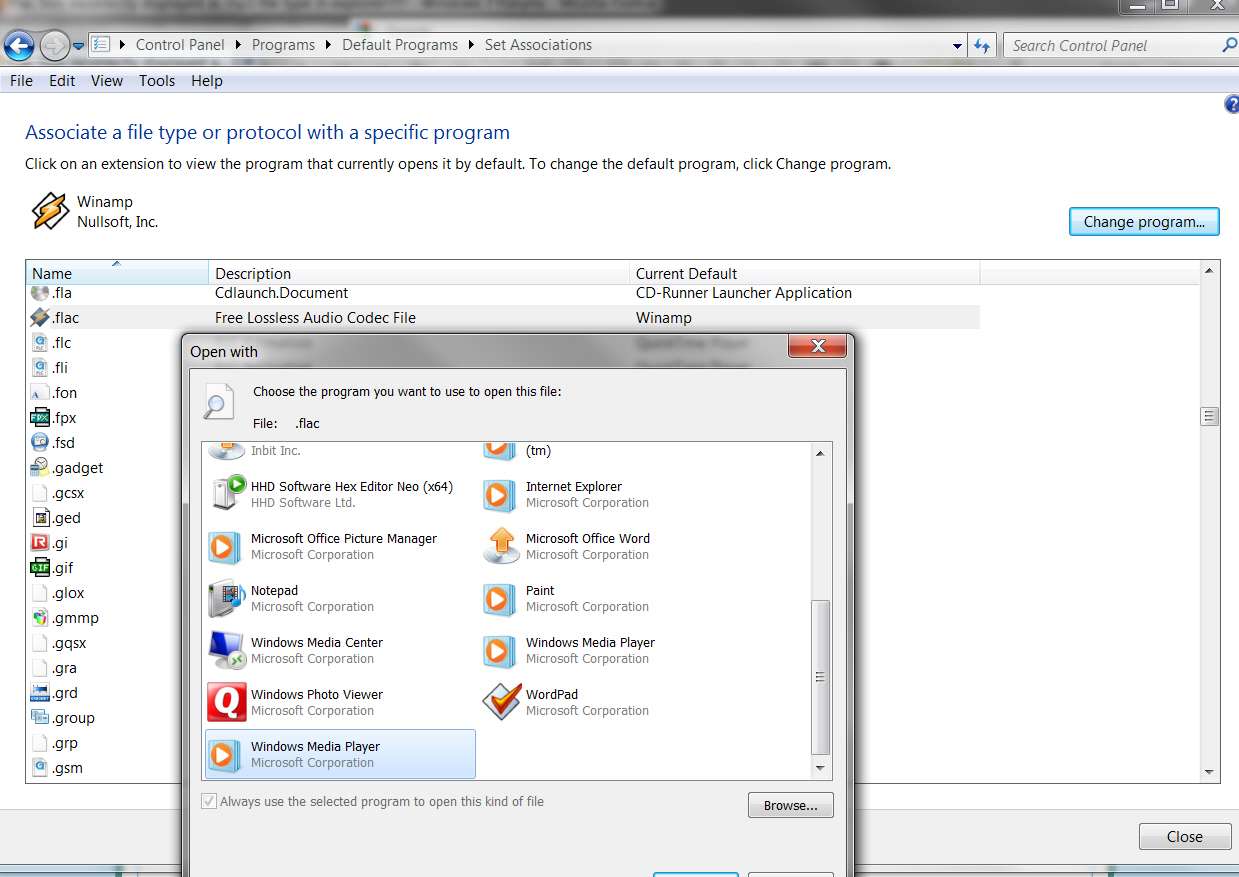
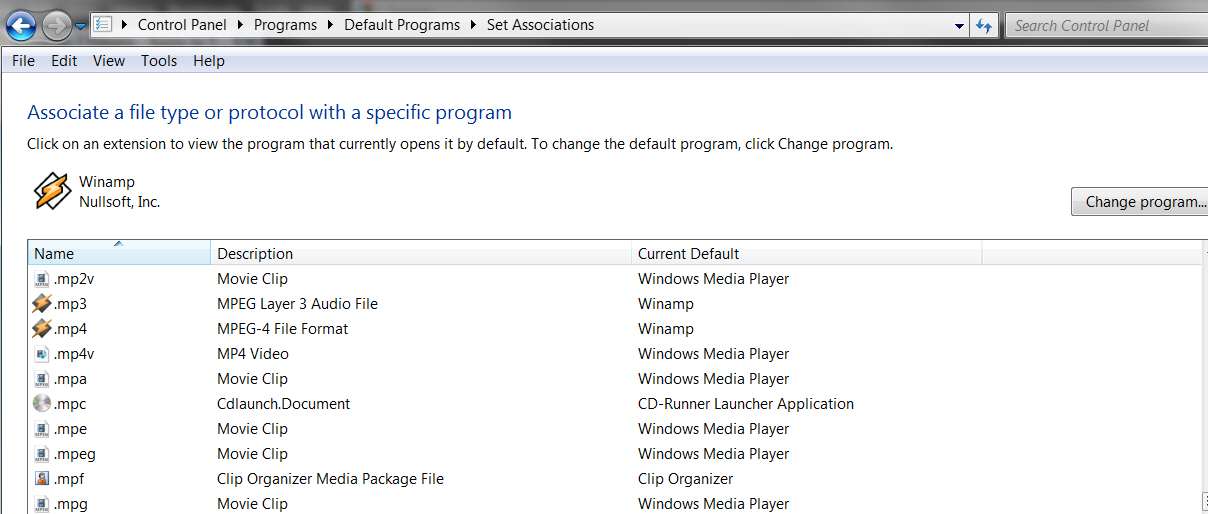
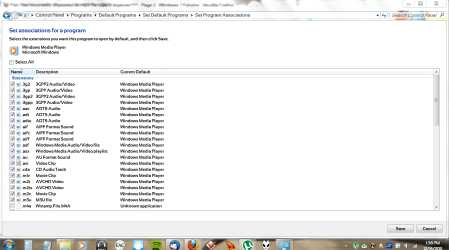
Anyway, using the "Default Programs" program (from the Start menu) you should be able to set the default program associated with FLAC (forget about the icon for the moment). What program name shows there now? Do you want it to be Windows Media Player? It would have been Winamp if you'd installed Winamp and left it installed (as you can see in my screenshot below), but you can change the default program to say be WMP if you want.
Now if you do change the default program to specify WMP for FLAC, I would think you'd then get the WMP icon for FLAC files.
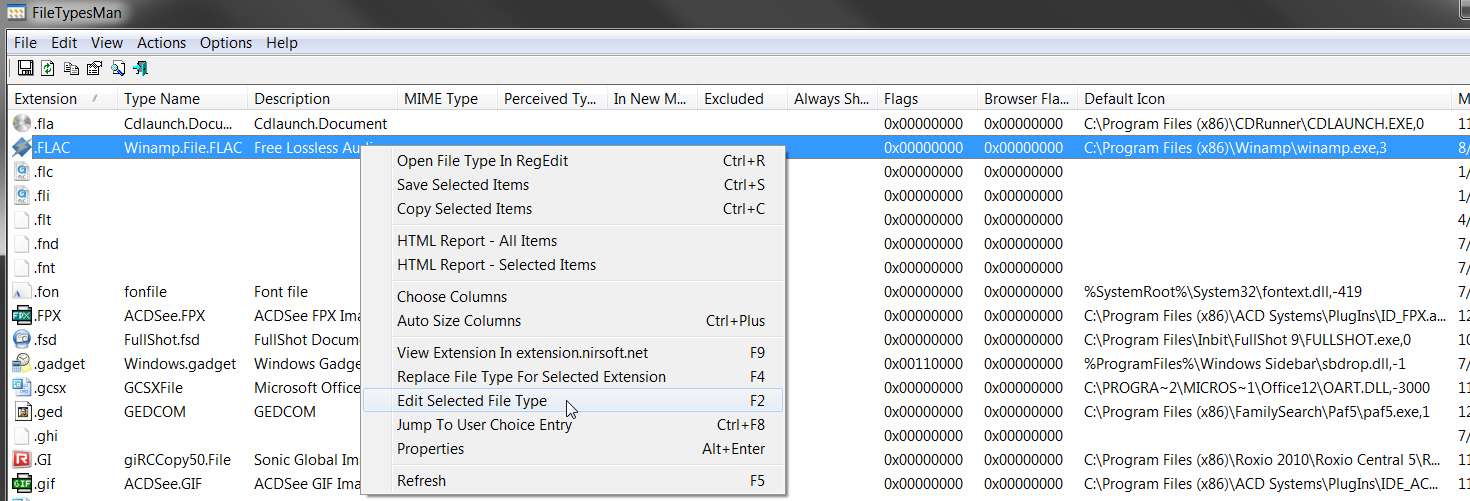
You can change the icon associated with a file type by using a nifty 3rd-party program from NirSoft, a program named FileTypesMan. This program makes it trivial to modify things in Windows 7 that used to be easy to modify in WinXP (e.g. file type icons) which are far more difficult and challenging in Windows 7.
Assuming you have a valid "fish" ICO from your xiph FLAC codec install, you can easly use FileTypesMan to set that ICO as the associated file type icon for FLAC. Don't forget to log off/on (or re-boot) after setting it in order to see the effect of that icon change.
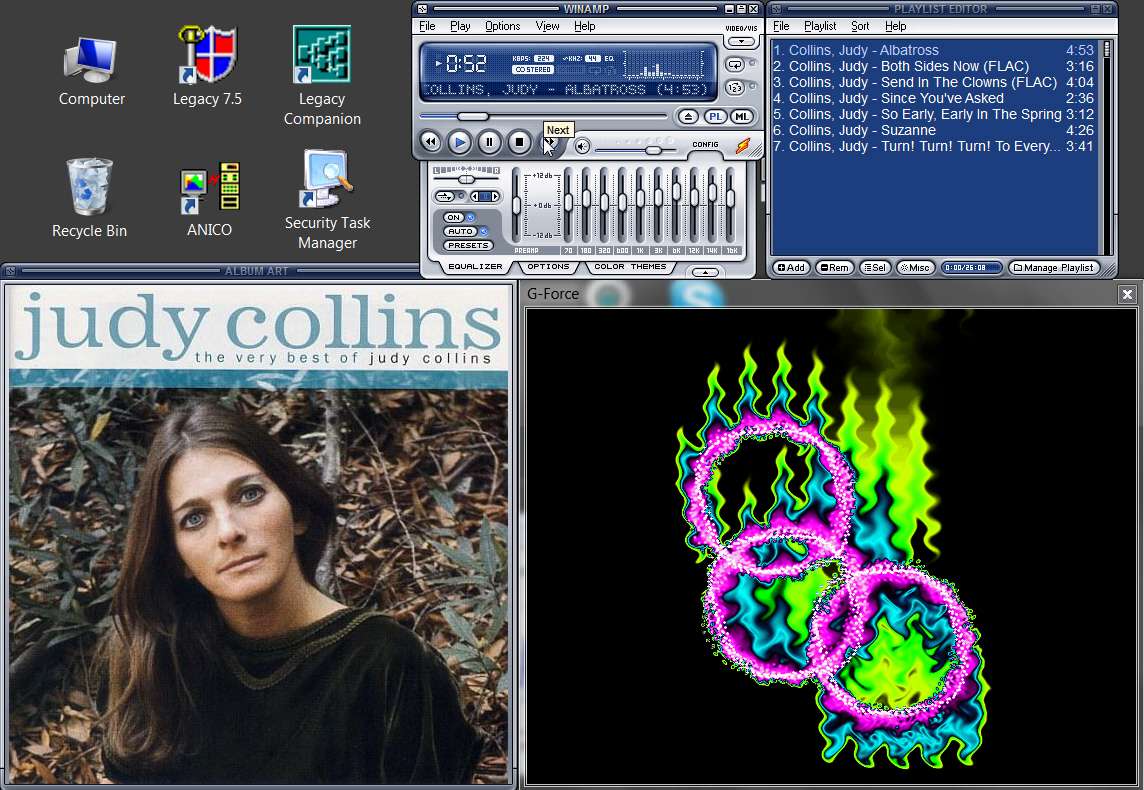
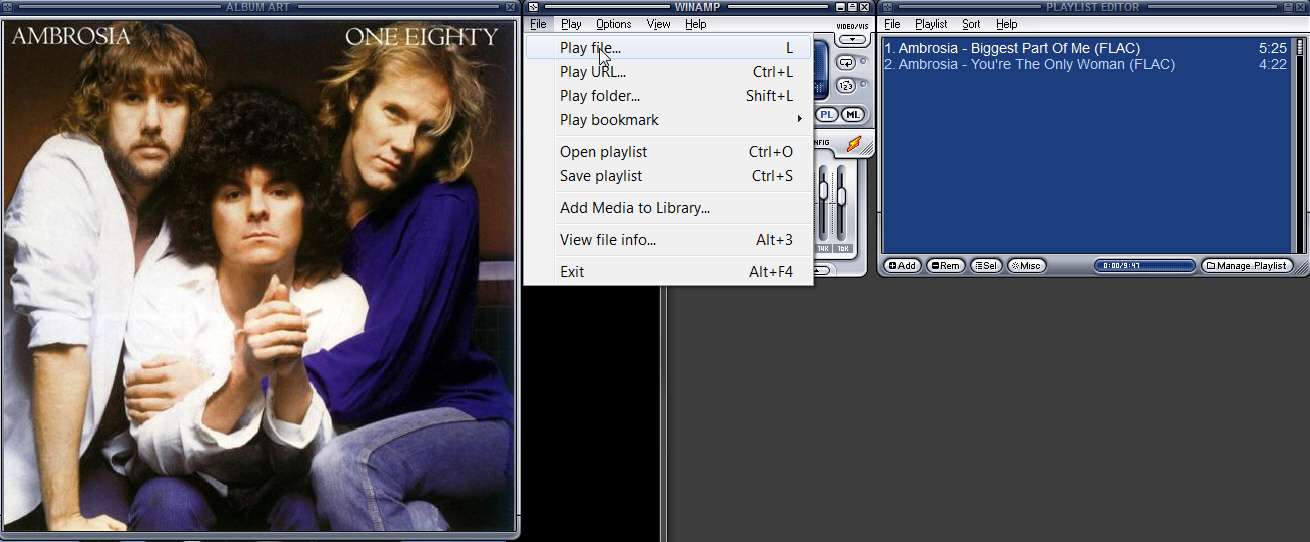
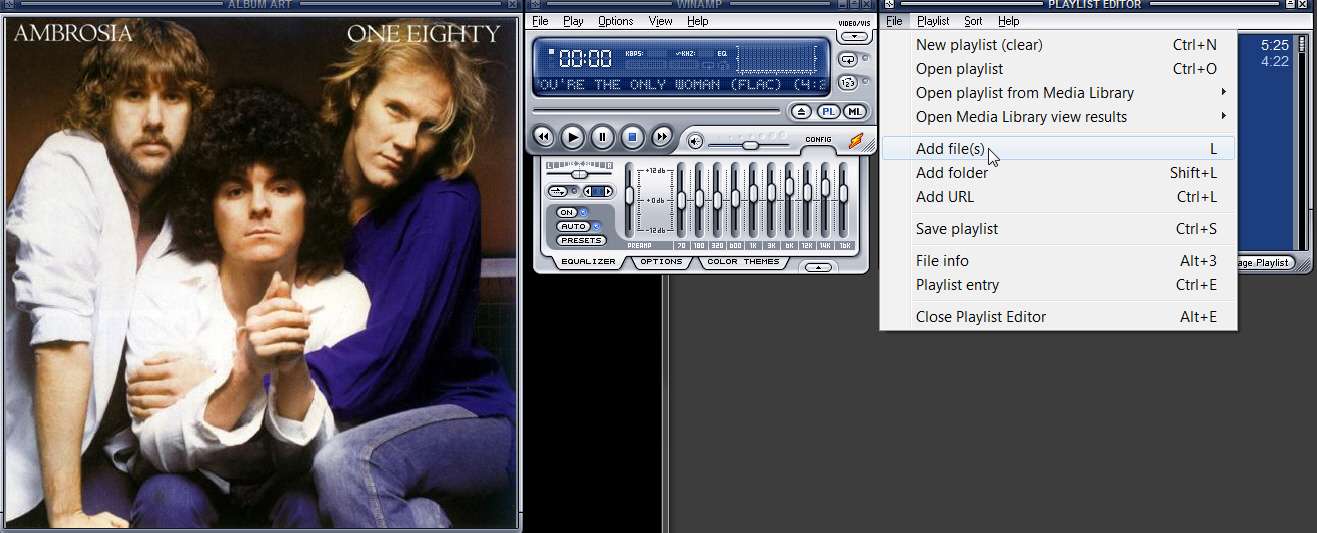
But... again, I would be glad to provide any help or answer any questions you have about Winamp. I love it, including its presentation of an Album Art window (to show off my collection of high-quality 500x500 "cover.jpg" images that I have in each of my album folders). I also use a 3rd-party visualization plug-in named G-Force Platinum, that "dances along with the music, both in beat and mood". | My System Specs | | System Manufacturer/Model Number Home-built, two systems (1) and (2) OS Windows 7 Pro x64 / WinXP Pro x86 on (1), Win7 Pro X64 / WinXP Pro x86 on (2) CPU E6850 3.0Ghz/4MB-cache (1); E8400 3.0Ghz/6MB-cache (2) Motherboard SuperMicro C2SBX (1); ASUS P5Q3 (2) Memory 4GB PC3-8500 DDR3 (1); 4GB PC3-10600 DDR3 (2) Graphics Card ATI HD4850 (1); ATI HD5770 (dual-DVI) (2) (see TV cards) Sound Card Realtek ALC883 HD Audio (1); Realtek ALC1200 HD Audio (2) Monitor(s) Displays Eizo 24" S2433W (1); Eizo HD2441W LCD, Eizo S2433W (2) Screen Resolution 1920x1200 (1); 1920x1200, 1920x1200 (2) Keyboard IBM PS/2 (1) and (2) Mouse Microsoft wired (1); Logitech MX Revolution wireless (2) PSU Nesteq ECS-6001 600W (1); Nesteq ECS-5001 500W (2) Case Acousti-Case 360 (1) and (2) Cooling Zalman CNPS9700-NT for CPU, 2x120mm case fans (1) and (2) Hard Drives (1) 1x1TB SATA (7200 RPM), 1x300GB U320 SCSI (10000RPM), 1x750GB SATA (7200RPM), 1x150GB SATA (10000RPM) for OS;
(2) 1x320GB SATA (7200RPM), 1x140GB SCSI 10000RPM U320, 1x150GB SATA (10000RPM) for OS Internet Speed 15mbps down / 2mbps up Other Info Ceton InfiniTV 4-tuner cablecard-enabled TV card as well as ATI TV Wonder 650 Combo PCIe OTA/ATSC 2-tuner TV card in (2), running under Win7 WMC |
12-14-2011
|
#3 | | |
This is to confirm what dspreber has said. Both the "File Type" description and the icon used in the listing are determined by the program associated with the file extension. | My System Specs | | System Manufacturer/Model Number Acer Aspire 7750G-9657 OS Win 7 Pro x64 CPU i7 2630QM @ 2Ghz Memory 6 GB Graphics Card Mobile Intel HD / Radeon 6650M Screen Resolution 1600x900 Mouse Logitech M305 USB Wireless Mouse Case Laptop Hard Drives Toshiba 750GB Internet Speed Whatever I can get for free. :) |
12-14-2011
|
#4 | | Microsoft Windows 7 Home Premium 64-bit 7600 |
also you could try rebuilding the icons cache. Icon Cache - Rebuild - Windows 7 Forums | My System Specs | | System Manufacturer/Model Number Hewlett packard/p6512uk OS Microsoft Windows 7 Home Premium 64-bit 7600 CPU IIx4 amd athelon 635 processor Motherboard FOXCONN 2AA9 Memory 2x2gb Graphics Card ati radeon HD 5450 Sound Card (1) Realtek High Definition Audio (2) AMD High Definition Monitor(s) Displays samsung lcd tv 32" Screen Resolution 1360x 768 Keyboard wireless hp Mouse wireless Hp,optical PSU ? Cooling air! Hard Drives (1) WDC WD10 01FAES-60Z2A0 SATA Disk Device (2) Maxtor OneTouch USB Device (3) ST310003 33AS USB Device (4) WD My Book 1111 USB Device Internet Speed 1.10mb/s Other Info at last i got a decent off the shelf upgrade, haha i dont even know what a psu is,
UPDATE: of course now im a guru i know its a power supply unit! |
12-14-2011
|
#5 | | Windows 7 Pro x64 / WinXP Pro x86 on (1), Win7 Pro X64 / WinXP Pro x86 on (2) |
I've used this process (manually entered using a command-prompt as follows, not through a BAT file which I wasn't able to get to work for me... perhaps because I thought it was shutdown /r /t 0 in that last line): taskkill /IM explorer.exe /F
CD /d %userprofile%\AppData\Local
DEL IconCache.db /a
shutdown /r /t 0 But on a number of occasions the "DEL iconcache.db /a" failed because the file was claimed to be "not found". Looking deeper, the "H" (hidden) attribute was on for the file and I had to un-hide it in order to delete it.
However even after deleting the file and then rebooting, the re-boot did not rebuild the iconcache.db file for some inexplicable reason!
Almost always the above commands and the re-boot works perfectly. But again, every so often it doesn't work and I have to be "creative" to get iconcache.db to be rebuilt correctly by the system (even when it didn't get rebuilt automatically by the re-boot even after deleting it).
I've learned that a way to guarantee and force Windows to rebuild iconcache.db is to change the display properties color characteristics:
(1) right-click on desktop, select "Screen resolution", click on "Advanced settings" to get your display driver's properties/setup dialog, select "monitor" tab or wherever your "colors" item lives, change from "true color (32-bit)" to "high color (16-bit)", and OK all the way back out.
(2) re-boot. The change in color from 32-bit to 16-bit will force Windows to re-build iconcache.db automatically.
(3) repeat the (1) process but this time going from 16-bit back to the original 32-bit color.
(4) re-boot. Again, the change in color from 16-bit to 32-bit will again force Windows to re-build iconcache.db automatically.
This color-depth change "trick" method to trigger Windows itself to automatically do the iconcache.db re-build seems to work 100% reliably, even if the earlier command method described in the forum tutorial inexplicably fails occasionally (as it has for me several time) as I've described. | My System Specs | | System Manufacturer/Model Number Home-built, two systems (1) and (2) OS Windows 7 Pro x64 / WinXP Pro x86 on (1), Win7 Pro X64 / WinXP Pro x86 on (2) CPU E6850 3.0Ghz/4MB-cache (1); E8400 3.0Ghz/6MB-cache (2) Motherboard SuperMicro C2SBX (1); ASUS P5Q3 (2) Memory 4GB PC3-8500 DDR3 (1); 4GB PC3-10600 DDR3 (2) Graphics Card ATI HD4850 (1); ATI HD5770 (dual-DVI) (2) (see TV cards) Sound Card Realtek ALC883 HD Audio (1); Realtek ALC1200 HD Audio (2) Monitor(s) Displays Eizo 24" S2433W (1); Eizo HD2441W LCD, Eizo S2433W (2) Screen Resolution 1920x1200 (1); 1920x1200, 1920x1200 (2) Keyboard IBM PS/2 (1) and (2) Mouse Microsoft wired (1); Logitech MX Revolution wireless (2) PSU Nesteq ECS-6001 600W (1); Nesteq ECS-5001 500W (2) Case Acousti-Case 360 (1) and (2) Cooling Zalman CNPS9700-NT for CPU, 2x120mm case fans (1) and (2) Hard Drives (1) 1x1TB SATA (7200 RPM), 1x300GB U320 SCSI (10000RPM), 1x750GB SATA (7200RPM), 1x150GB SATA (10000RPM) for OS;
(2) 1x320GB SATA (7200RPM), 1x140GB SCSI 10000RPM U320, 1x150GB SATA (10000RPM) for OS Internet Speed 15mbps down / 2mbps up Other Info Ceton InfiniTV 4-tuner cablecard-enabled TV card as well as ATI TV Wonder 650 Combo PCIe OTA/ATSC 2-tuner TV card in (2), running under Win7 WMC |
12-14-2011
|
#6 | | Microsoft Windows 7 Home Premium 64-bit 7600 |
clever workaround ,thanks for the tip | My System Specs | | System Manufacturer/Model Number Hewlett packard/p6512uk OS Microsoft Windows 7 Home Premium 64-bit 7600 CPU IIx4 amd athelon 635 processor Motherboard FOXCONN 2AA9 Memory 2x2gb Graphics Card ati radeon HD 5450 Sound Card (1) Realtek High Definition Audio (2) AMD High Definition Monitor(s) Displays samsung lcd tv 32" Screen Resolution 1360x 768 Keyboard wireless hp Mouse wireless Hp,optical PSU ? Cooling air! Hard Drives (1) WDC WD10 01FAES-60Z2A0 SATA Disk Device (2) Maxtor OneTouch USB Device (3) ST310003 33AS USB Device (4) WD My Book 1111 USB Device Internet Speed 1.10mb/s Other Info at last i got a decent off the shelf upgrade, haha i dont even know what a psu is,
UPDATE: of course now im a guru i know its a power supply unit! |
12-14-2011
|
#7 | | |
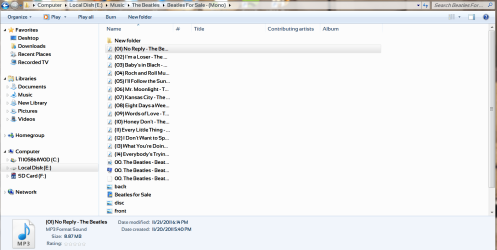
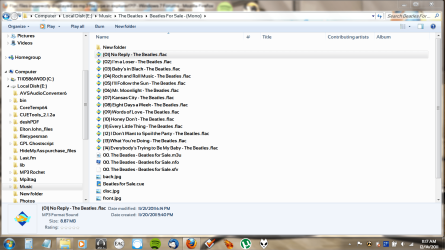
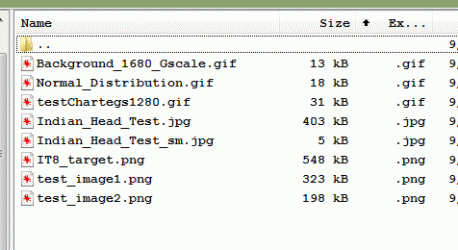
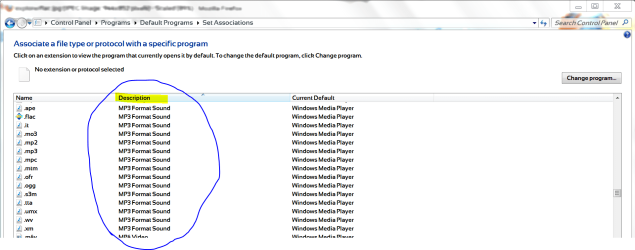
Here's a couple of screenshots. I have maybe 5% or so of my music files in a flac format. It makes it a lot easier to discern between mp3 and flac. Here's is what it looks like now:
Here's the xiph.org icon.
This was once a part of all my flac files and now it isn't. When I first installed the xiph codec, this was attached by default to all flac files. (I only had one at the time because I was just beginning to use flac.) Any other flac files that were either ripped or downloaded had this by default. vNow I have them listed as, "MP3 Format Sound". What? Before there was no mention of mp3. They have the .flac extension and only playback in WMP using the xiph codec, so there is NO WAY these files have anything to do with mp3. What happened? | My System Specs | | |
12-14-2011
|
#8 | | |
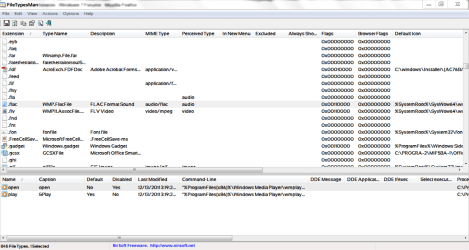
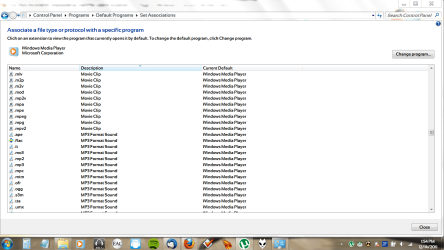
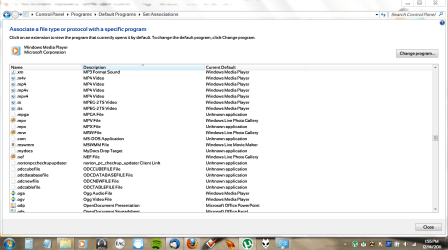
OK. Downloaded FileTypesMan. Now, how do I use it?
It's pretty wide so it'll take two screenshots.
Your assistance is greatly appreciated. Thanks! | My System Specs | | |
12-14-2011
|
#9 | | Windows 7 Pro x64 / WinXP Pro x86 on (1), Win7 Pro X64 / WinXP Pro x86 on (2) |

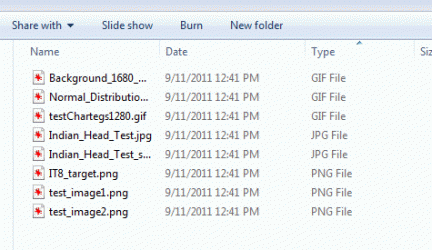
Quote: Originally Posted by Gums Here's a couple of screenshots. I have maybe 5% or so of my music files in a flac format. It makes it a lot easier to discern between mp3 and flac. Here's is what it looks like now: Attachment 188226 If you could spread that first column so that the complete file name and extension is visible in the screenshot, that would be most helpful. I'd like to see if you have all FLAC or a mix of MP3 and FLAC, or what. Seeing the full name and extension would clarify things.
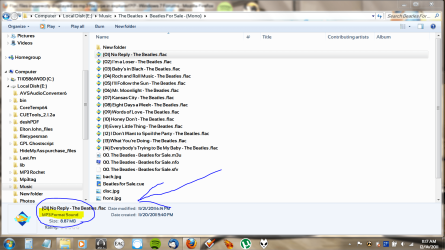
For example, here's one of my album folders containing BOTH MP3 and FLAC files. Since I have Winamp installed and set (during the Winamp install) to be the default player for both file types, its icon shows at the left for all MP3 and FLAC files in this folder.
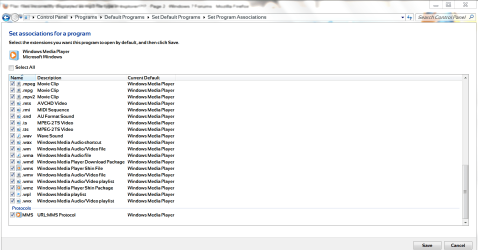
Also, I'm interested in seeing seeing what your default programs are that are associated with FLAC and MP3. That's not shown by Explorer, but rather by using the Default Programs program.
For example, here are my Default Program entries for both FLAC and MP3, that I'd like to see in your system. Again, for me both of these show that Winamp is the default program associated with each file type. I'd like to see what it is on your system. | My System Specs | | System Manufacturer/Model Number Home-built, two systems (1) and (2) OS Windows 7 Pro x64 / WinXP Pro x86 on (1), Win7 Pro X64 / WinXP Pro x86 on (2) CPU E6850 3.0Ghz/4MB-cache (1); E8400 3.0Ghz/6MB-cache (2) Motherboard SuperMicro C2SBX (1); ASUS P5Q3 (2) Memory 4GB PC3-8500 DDR3 (1); 4GB PC3-10600 DDR3 (2) Graphics Card ATI HD4850 (1); ATI HD5770 (dual-DVI) (2) (see TV cards) Sound Card Realtek ALC883 HD Audio (1); Realtek ALC1200 HD Audio (2) Monitor(s) Displays Eizo 24" S2433W (1); Eizo HD2441W LCD, Eizo S2433W (2) Screen Resolution 1920x1200 (1); 1920x1200, 1920x1200 (2) Keyboard IBM PS/2 (1) and (2) Mouse Microsoft wired (1); Logitech MX Revolution wireless (2) PSU Nesteq ECS-6001 600W (1); Nesteq ECS-5001 500W (2) Case Acousti-Case 360 (1) and (2) Cooling Zalman CNPS9700-NT for CPU, 2x120mm case fans (1) and (2) Hard Drives (1) 1x1TB SATA (7200 RPM), 1x300GB U320 SCSI (10000RPM), 1x750GB SATA (7200RPM), 1x150GB SATA (10000RPM) for OS;
(2) 1x320GB SATA (7200RPM), 1x140GB SCSI 10000RPM U320, 1x150GB SATA (10000RPM) for OS Internet Speed 15mbps down / 2mbps up Other Info Ceton InfiniTV 4-tuner cablecard-enabled TV card as well as ATI TV Wonder 650 Combo PCIe OTA/ATSC 2-tuner TV card in (2), running under Win7 WMC |
12-14-2011
|
#10 | | Windows 7 Pro x64 / WinXP Pro x86 on (1), Win7 Pro X64 / WinXP Pro x86 on (2) |
Well, that may be the icon associated with the EXE itself, assuming the "application" shown is actually an EXE file, which is not visible since I think you still have "hide extensions for known file types" checked in your Folder Options -> View". I find it very useful to UN-CHECK this option, so that I can see the full file name and extension of ANY FILE I look at (or take a screenshot of).
Is that an actual EXE? For the installer file? Or is there actually an executable program that runs somehow, somewhere, sometime?? Seems mysterious. With Winamp as the default program associated with FLAC files, the Winamp icon is shown for FLAC files because that is exactly how Windows works. But XIPH is not a "player" I don't think, so I don't know what this thing is that you've taken a screenshot of and which has this icon?
To associate a different icon with a file type, other than that of the associated default program (e.g. using FileTypesMan, or other well-known but involved Windows Registry hacks) you need an actual ICO file. So you'd need to extract that icon from within that EXE file and save it as an actual ICO file. There are a large number of free and non-free products out there to extract icons from within an EXE, and save it as an ICO.
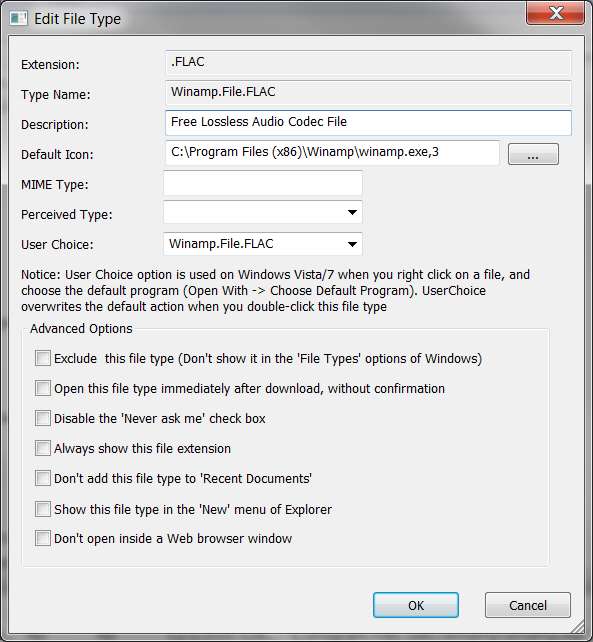
However, looking more closely at what FileTypesMan shows on my setup as the default icon for FLAC, it's specified as: c:\Program Files (X86)\Winamp\winamp.exe,3 so it would appear you can point directly to an EXE file (at least in windows) and there will automatically be a Windows-implemented extraction of the imbedded icon whenever needed in Explorer. In the case of Winamp, there were a set of possible icons the user could choose between, and I'm guessing that the ",3" suffix implies the third of the set of icons.
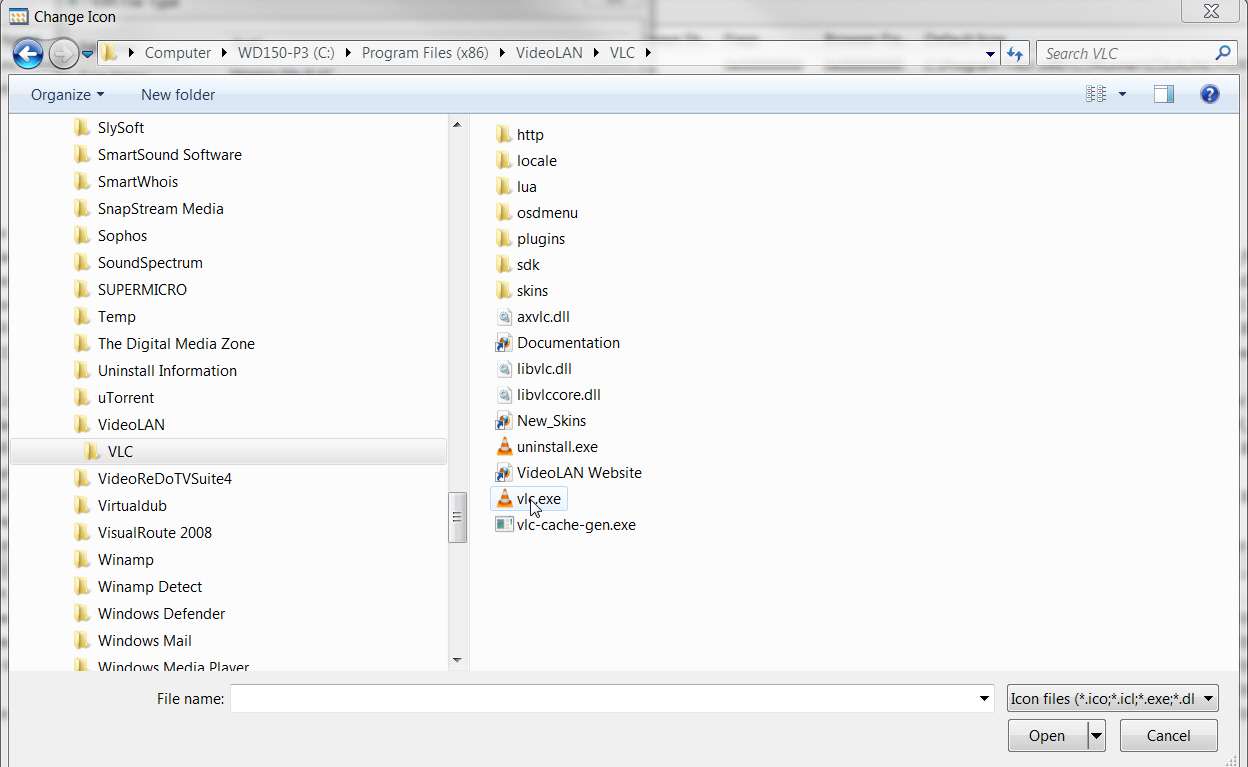
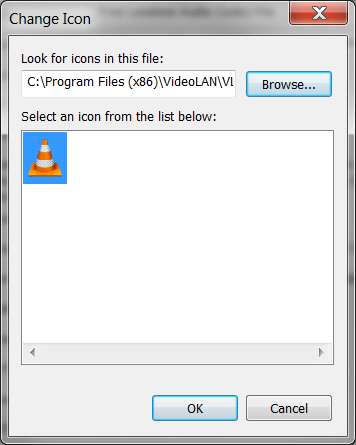
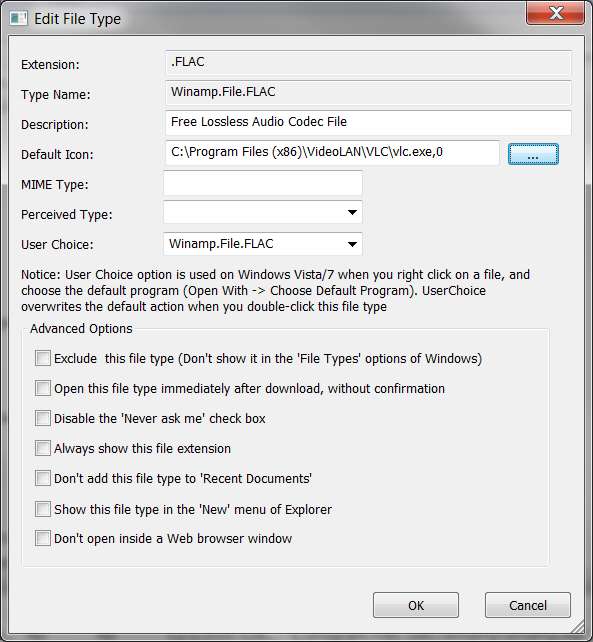
Anyway, maybe you can simply point to that XIPH.ORG EXE file and let Windows pick up its icon... using FileTypesMan. | My System Specs | | System Manufacturer/Model Number Home-built, two systems (1) and (2) OS Windows 7 Pro x64 / WinXP Pro x86 on (1), Win7 Pro X64 / WinXP Pro x86 on (2) CPU E6850 3.0Ghz/4MB-cache (1); E8400 3.0Ghz/6MB-cache (2) Motherboard SuperMicro C2SBX (1); ASUS P5Q3 (2) Memory 4GB PC3-8500 DDR3 (1); 4GB PC3-10600 DDR3 (2) Graphics Card ATI HD4850 (1); ATI HD5770 (dual-DVI) (2) (see TV cards) Sound Card Realtek ALC883 HD Audio (1); Realtek ALC1200 HD Audio (2) Monitor(s) Displays Eizo 24" S2433W (1); Eizo HD2441W LCD, Eizo S2433W (2) Screen Resolution 1920x1200 (1); 1920x1200, 1920x1200 (2) Keyboard IBM PS/2 (1) and (2) Mouse Microsoft wired (1); Logitech MX Revolution wireless (2) PSU Nesteq ECS-6001 600W (1); Nesteq ECS-5001 500W (2) Case Acousti-Case 360 (1) and (2) Cooling Zalman CNPS9700-NT for CPU, 2x120mm case fans (1) and (2) Hard Drives (1) 1x1TB SATA (7200 RPM), 1x300GB U320 SCSI (10000RPM), 1x750GB SATA (7200RPM), 1x150GB SATA (10000RPM) for OS;
(2) 1x320GB SATA (7200RPM), 1x140GB SCSI 10000RPM U320, 1x150GB SATA (10000RPM) for OS Internet Speed 15mbps down / 2mbps up Other Info Ceton InfiniTV 4-tuner cablecard-enabled TV card as well as ATI TV Wonder 650 Combo PCIe OTA/ATSC 2-tuner TV card in (2), running under Win7 WMC Flac files incorrectly displayed as mp3 file type in explorer!?!? problems? All times are GMT -5. The time now is 03:16 PM. |  |