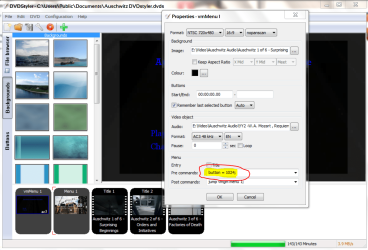
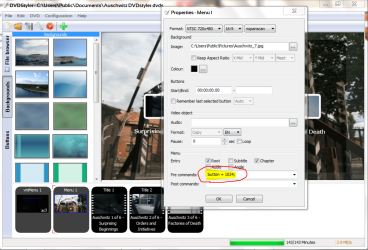
There is a forum for DVDStyler itself but that place is a veritable ghost town. My menu setup is basically very simple. I have a main menu (vmMenu) which shows the title and beneath that two buttons, "Play All" and "Chapters". Page two (Menu 1) has three titles on it. When I select "Chapters" on the vmMENU, I'm taken to page two (Menu 1) and I'm highlighted on the second title, not the first title as one would think. Shouldn't one be taken by default to select the first title, first? I have to move or select backward one title every time I select Chapters. Can't seem to get it to start with title 1. It does work if it plays automatically but you'd never get to see the rest of the chapters menu. Everything else works as it should, even added a video loop and music to the main menu. It's just that I'm taken to Title 2 every time I select Chapters. If anyone has any DVDStyler insight, I'd be most appreciative in hearing from you. Thank you.
My Computer
At a glance
Windows 7 64 bit
- OS
- Windows 7 64 bit