Windows 7 Forums Search
Welcome to Windows 7 Forums. Our forum is dedicated to helping you find solutions with any problems, errors or issues you are experiencing with Windows 7. The Windows 7 forum also covers news and updates and has an extensive Windows 7 tutorial section that covers a wide range of tips and tricks.


Windows 7 - Deleting sample files from Windows Media Player

 
11-05-2009   #11


Windows 7 x64 / Same


Quote   Quote: Originally Posted by rsvr85 View Post
It was a suggestion, you don't have to follow it. I thought that maybe reinstalling WMP may iron out some of the problems encountered for pakZ.
I understand that. And perhaps it would. I'm just stating the consequences of it.

My System SpecsSystem Spec
11-05-2009   #12


Windows 7 Ultimate x64


Quote   Quote: Originally Posted by Win7User512 View Post
Quote   Quote: Originally Posted by rsvr85 View Post
It was a suggestion, you don't have to follow it. I thought that maybe reinstalling WMP may iron out some of the problems encountered for pakZ.
I understand that. And perhaps it would. I'm just stating the consequences of it.
The consequences may not be what you're expecting. Did you actually try?
My System SpecsSystem Spec
11-05-2009   #13


Windows 7 Pro 64 SP1


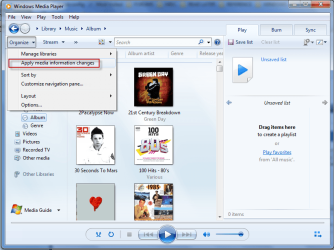
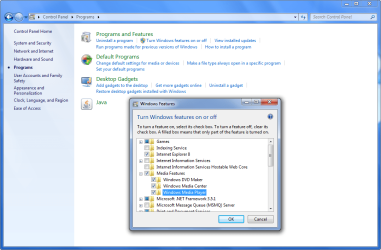
This has been bugging me too, so I went to the organize-manage libraries, and removed all the folders being watched, closed WMP, then opened it and all signs of the sample media that I had already deleted were gone. So I then added the folders to watch backto the media libraries and let it update. No more sample media.
Attached Thumbnails
Deleting sample files from Windows Media Player-scr1.jpg   Deleting sample files from Windows Media Player-capture.png  
My System SpecsSystem Spec
.


11-05-2009   #14


Windows 7 x64 / Same


Quote   Quote: Originally Posted by rsvr85 View Post
Quote   Quote: Originally Posted by Win7User512 View Post
Quote   Quote: Originally Posted by rsvr85 View Post
It was a suggestion, you don't have to follow it. I thought that maybe reinstalling WMP may iron out some of the problems encountered for pakZ.
I understand that. And perhaps it would. I'm just stating the consequences of it.
The consequences may not be what you're expecting. Did you actually try?
No, I didn't try. Because I'm not having any issues. But as with many of MS's install packages, when you re-install, everything is re-installed (all "dependencies").

Why you are getting so upset with me is beyond me. Chill out.
My System SpecsSystem Spec
11-05-2009   #15


Win7 x64


i'm getting rather upset at the moment.

i did re-install and i did configure the folders to watch.
nothing helped.

and still... even though i told wmp to watch e:\musik - none of the music in there finds its way to my library... this is after refreshing the view and after the re-install, ofc.

halpz meh =(
My System SpecsSystem Spec
11-05-2009   #16


Windows 7 Pro 64 SP1


Quote   Quote: Originally Posted by pakZ View Post
i'm getting rather upset at the moment.

i did re-install and i did configure the folders to watch.
nothing helped.

and still... even though i told wmp to watch e:\musik - none of the music in there finds its way to my library... this is after refreshing the view and after the re-install, ofc.

halpz meh =(
Sorry that didn't work for you , that's what worked for me . I hope you figure it out I know how irritating it was for me before I got rid of them. good luck with that.
My System SpecsSystem Spec
11-06-2009   #17


Win7 x64


well, thanks anyway =)

does anybody else have some suggestion?
solutions preferd, ofc ;P
My System SpecsSystem Spec
11-08-2009   #18


Win7 x64


finally found a solution elsewhere..

if someone happens to run into the same problem -

it helped to delete the content of the following folder:
"%Userprofile%\AppData\Local\Microsoft\Media Player"
My System SpecsSystem Spec
11-08-2009   #19


Windows 7 x64 / Same


Quote   Quote: Originally Posted by pakZ View Post
finally found a solution elsewhere..

if someone happens to run into the same problem -

it helped to delete the content of the following folder:
"%Userprofile%\AppData\Local\Microsoft\Media Player"
Good job! Glad you found resolution. I've simply deleted the media from Music without issue every time. Wish I could explain why it doesn't work for you.
My System SpecsSystem Spec
Reply

 Deleting sample files from Windows Media Player problems?


Thread Tools


Similar Threads for: Deleting sample files from Windows Media Player
Thread Forum
Windows Media Player want add files. Music, Pictures & Video
Windows Media Player: Where are the MP3 Files? Media Center
Windows Media Player deleting library Music, Pictures & Video
Windows media player won't list mp4 files Music, Pictures & Video
Windows Media Player & Center, problems with .mkv files & .srt files Media Center


All times are GMT -5. The time now is 03:31 PM.


Windows 7 Forums is an independent web site and has not been authorized,
sponsored, or otherwise approved by Microsoft Corporation.
"Windows 7" and related materials are trademarks of Microsoft Corp.
© Designer Media Ltd
  

1 2 3 4 5 6 7 8 9 10 11 12 13 14 15 16 17 18 19 20 21 22 23 24 25 26 27 28 29 30