| Windows 7: Video Encoding Problem |
03 Jan 2010
|
| | Windows 7 Home Premium 64 Bit SP 1 21,462 posts |
Video Encoding Problem I use handbreak to condvrt my dvds to .avi format to store in PC, as it requires less space. But sometimes the pc restarts unpredictably when this program is running, not always. Have any solution? | My System Specs |
| Computer type PC/Desktop System Manufacturer/Model Number Self Assembled OS Windows 7 Home Premium 64 Bit SP 1 CPU Intel Core i3 2120 @ 3.30GHz Motherboard Gigabyte Technology Co., Ltd. H61M-DS2 DVI Memory Corsair 2GB x2 (Single-Channel DDR3 @ 665MHz) Graphics Card 2047MB GeForce GTS 450 (ZOTAC International) Sound Card Onboard (Realtek High Definition Audio) Monitor(s) Displays LG Flatron E2040T Screen Resolution 1600x900 Keyboard Logitech MK220 Mouse Logitech MK220 PSU uMAX 750 watt. Case iBall Cooling Air/ Fans Hard Drives Western Digital 1 TB
Seagate 500 GB Internet Speed BSNL Broadband Antivirus Microsoft Security Essentials Browser Waterfox Other Info Dell Studio 15" Laptop |
03 Jan 2010
|
| | Windows 7 Ultimate x64 SP1 396 posts Coimbatore/India Doha/Qatar |
What is your RAM size ?
* Alternatively, you can just give 'High Priority' for the application, using the task manager !!! | My System Specs | | System Manufacturer/Model Number Dell Inspiron N5010 OS Windows 7 Ultimate x64 SP1 CPU Intel Core i3 Memory 4 GB DDR3 Screen Resolution 1366 X 768 Hard Drives Seagate 500 GB Internet Speed 4 MBPS |
03 Jan 2010
|
| | Windows 7 Home Premium 64 Bit SP 1 21,462 posts |

Quote: Originally Posted by Venths What is your RAM size ?
* Alternatively, you can just give 'High Priority' for the application, using the task manager !!! Ram is 2 GB. The program runs in high priority, too. | My System Specs | | Computer type PC/Desktop System Manufacturer/Model Number Self Assembled OS Windows 7 Home Premium 64 Bit SP 1 CPU Intel Core i3 2120 @ 3.30GHz Motherboard Gigabyte Technology Co., Ltd. H61M-DS2 DVI Memory Corsair 2GB x2 (Single-Channel DDR3 @ 665MHz) Graphics Card 2047MB GeForce GTS 450 (ZOTAC International) Sound Card Onboard (Realtek High Definition Audio) Monitor(s) Displays LG Flatron E2040T Screen Resolution 1600x900 Keyboard Logitech MK220 Mouse Logitech MK220 PSU uMAX 750 watt. Case iBall Cooling Air/ Fans Hard Drives Western Digital 1 TB
Seagate 500 GB Internet Speed BSNL Broadband Antivirus Microsoft Security Essentials Browser Waterfox Other Info Dell Studio 15" Laptop |
03 Jan 2010
|
| | Windows 7 Ultimate x64 SP1 396 posts Coimbatore/India Doha/Qatar |
Please know that encoding process requires high RAM/resource usage. Hence, I would advice you not to run any other applications during the encoding process. Sometimes, it might be a bug of the application !!!
Hope this info is helpful
Cheers ♠ | My System Specs | | System Manufacturer/Model Number Dell Inspiron N5010 OS Windows 7 Ultimate x64 SP1 CPU Intel Core i3 Memory 4 GB DDR3 Screen Resolution 1366 X 768 Hard Drives Seagate 500 GB Internet Speed 4 MBPS |
03 Jan 2010
|
| | Windows 7 Home Premium 64 Bit SP 1 21,462 posts |

Quote: Originally Posted by Venths Please know that encoding process requires high RAM/resource usage. Hence, I would advice you not to run any other applications during the encoding process. Sometimes, it might be a bug of the application !!!
Hope this info is helpful
Cheers ♠ Thanx ! See what happens next time. | My System Specs | | Computer type PC/Desktop System Manufacturer/Model Number Self Assembled OS Windows 7 Home Premium 64 Bit SP 1 CPU Intel Core i3 2120 @ 3.30GHz Motherboard Gigabyte Technology Co., Ltd. H61M-DS2 DVI Memory Corsair 2GB x2 (Single-Channel DDR3 @ 665MHz) Graphics Card 2047MB GeForce GTS 450 (ZOTAC International) Sound Card Onboard (Realtek High Definition Audio) Monitor(s) Displays LG Flatron E2040T Screen Resolution 1600x900 Keyboard Logitech MK220 Mouse Logitech MK220 PSU uMAX 750 watt. Case iBall Cooling Air/ Fans Hard Drives Western Digital 1 TB
Seagate 500 GB Internet Speed BSNL Broadband Antivirus Microsoft Security Essentials Browser Waterfox Other Info Dell Studio 15" Laptop |
03 Jan 2010
|
| | Windows 7 Home Premium 64bit 4,269 posts Southern Ohio |
Its also possible there could be a hardware/stability issue while the PC is under heavy stress.
And video encoding can at times show these instabilities where as normal PC use will not.
You can try a stress test to find out. If it restarts/BSODS under a stress test then you'll know for sure. At which time you can begin pinpointing the culprit.
If this is the case, it could be anything from instable overclock (IF OCing), a bad RAM module, power supply ... | My System Specs | | System Manufacturer/Model Number Custom (Self Build) OS Windows 7 Home Premium 64bit CPU Intel Core i7 2700k Motherboard eVGA P67 SLI Memory 8GB Mushkin Redline Ridgebacks @1866 Graphics Card EVGA GTX570 SC Sound Card XiFi Titanium HD Monitor(s) Displays LG W2453V Screen Resolution 1920x1080 Keyboard Saitek Cyborg PSU Seasonic x750 Case Corsair 600T SE White Cooling eVGA Superclocked CPU Cooler Hard Drives Intel 320 80GB -- Intel X25-V 40GB --WD Black 1TB x2 -- WD Blue 640GB Antivirus Kaspersky Browser IE Other Info LG BD/DVD |
03 Jan 2010
|
| | Windows 7 Home Premium 64 Bit SP 1 21,462 posts |
Hi Wishmaster. Thanks for your advice. Can u plz make me know how can I get a stress test? | My System Specs | | Computer type PC/Desktop System Manufacturer/Model Number Self Assembled OS Windows 7 Home Premium 64 Bit SP 1 CPU Intel Core i3 2120 @ 3.30GHz Motherboard Gigabyte Technology Co., Ltd. H61M-DS2 DVI Memory Corsair 2GB x2 (Single-Channel DDR3 @ 665MHz) Graphics Card 2047MB GeForce GTS 450 (ZOTAC International) Sound Card Onboard (Realtek High Definition Audio) Monitor(s) Displays LG Flatron E2040T Screen Resolution 1600x900 Keyboard Logitech MK220 Mouse Logitech MK220 PSU uMAX 750 watt. Case iBall Cooling Air/ Fans Hard Drives Western Digital 1 TB
Seagate 500 GB Internet Speed BSNL Broadband Antivirus Microsoft Security Essentials Browser Waterfox Other Info Dell Studio 15" Laptop |
03 Jan 2010
|
| | Windows 7 Home Premium 64bit 4,269 posts Southern Ohio |

Quote: Originally Posted by Arc Hi Wishmaster. Thanks for your advice. Can u plz make me know how can I get a stress test? What CPU do have? Are you overclocking?
Intel Burn test is likely the fastest and most accurate.
Run it for 5-10 passes at MAX stress. If there's is a instability causing your problems, it will find it.
Read the Notes about the program!! IntelBurnTest v2.3 download from Guru3D.com
Also, watch your TEMPs closely!!! IBT will produce much higher Tempratures than you will ever see in any real world situation.
However, TEMPS should never reach the danger zone.
If they do... STOP IBT immediatly. Theres other issues that need to be addressed.
If your PC can survive IBT, then stabilty shouldn't be the problem. | My System Specs | | System Manufacturer/Model Number Custom (Self Build) OS Windows 7 Home Premium 64bit CPU Intel Core i7 2700k Motherboard eVGA P67 SLI Memory 8GB Mushkin Redline Ridgebacks @1866 Graphics Card EVGA GTX570 SC Sound Card XiFi Titanium HD Monitor(s) Displays LG W2453V Screen Resolution 1920x1080 Keyboard Saitek Cyborg PSU Seasonic x750 Case Corsair 600T SE White Cooling eVGA Superclocked CPU Cooler Hard Drives Intel 320 80GB -- Intel X25-V 40GB --WD Black 1TB x2 -- WD Blue 640GB Antivirus Kaspersky Browser IE Other Info LG BD/DVD |
03 Jan 2010
|
| | Vista, Windows7, Mint Mate, Zorin, Windows 8 17,871 posts Florida in winter, Black Forest/Germany |
Try free Format Factory for the conversions ( Format Factory - Free media file format converter ). It never gave me a problem and does an excellent job in terms of speed and quality. | My System Specs | | System Manufacturer/Model Number HP, Dell, Gateway, Toshiba - 4 laptops and 2 desktops OS Vista, Windows7, Mint Mate, Zorin, Windows 8 CPU from 1.6GHz Duo to i7 Monitor(s) Displays 2x HP w2207 Keyboard with trackball - no mices Mouse Trackball mice Hard Drives 5x HDD, 7x SSD, 12x Externals Internet Speed DSL 6000 |
04 Jan 2010
|
| | Windows 7 Home Premium x64 2,095 posts Belgrade, Serbia |
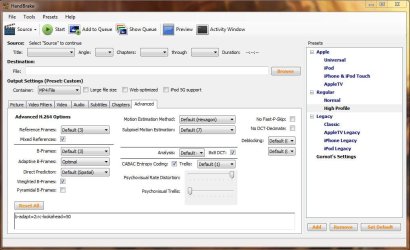
Never use any encoders in High priority. Depending on the setup of your rips, the encoder itself will calculate the encoding speed and changing the priority won't speed up the rip, all that happens is needless stress on the RAM and CPU. You should realize that setting up an encoding of any video requires that the encoder has a lot of knowledge about the video, so setting the encoder to a lower priority is actually more efficient because it allows more time for the encoder to scan every aspect of the video and calculate exactly how it should be compressed: B-frames, reference frames, frame structure, motion prediction, motion estimation, color, amount of blocking and deblocking it should use, amount of noise and denoising it should use, and one of the most important things: are the frames interlaced and how, also which is the best way to deinterlace those frames. Quote: Try free Format Factory for the conversions ( Format Factory - Free media file format converter ). It never gave me a problem and does an excellent job in terms of speed and quality. Never use a software that doesn't allow you to set up at least some of these options no matter how free or cheap it is and no matter how much other people tell you it's good; the resulting quality of the video will never be as good as with programs that allow these settings to be tweaked and optimized to your liking.
Handbrake is my best choice, but I'm sidestepping the answer here. Just lower the priority of the encoder, you don't need and shouldn't change it... ever! | My System Specs | | Computer type Laptop System Manufacturer/Model Number Acer Aspire V3-531G OS Windows 7 Home Premium x64 CPU Intel B960 Sandy Bridge (2.2GHz, 2MB L3 cache) Motherboard Intel® HM77 Express Memory 6GB DDR3 Graphics Card nVidia GeForce GT630M with 1GB dedicated VRAM + Intel HD Sound Card Integrated audio with 2xHigh Definition Dolby® v4 speakers Monitor(s) Displays 15.6" HD LED Acer CineCrystal™ (high-brightness 200-nit) Screen Resolution 1.366 x 768 (WXGA) Keyboard Acer FineTip & MultiTouch Touchpad Case Custom Midi Tower Hard Drives 500GB SATA Other Info HDMI, VGA D-sub, USB 3.0, 2xUSB 2.0, RJ-45, 2x3.5mm audio (1x headphones, 1x microphone), card reader 5-in-1, Acer InviLink™ Nplify™ IEEE 802.11a/g/n, Wi-Fi, Bluetooth™ 4.0 + HS Video Encoding Problem problems? All times are GMT -5. The time now is 04:43 AM. | |