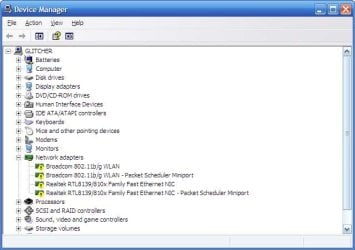
I have a linksys router in the other room... my internet goes on and off. Is there anything that I can do to tweak it up a little without having to pay?
And also.. whenever my wireless goes down I usually have to restart my laptop to get it connected again.
Last edited:
My Computer
At a glance
Windows 7 Home Premium 64Bit
- Computer Manufacturer/Model Number
- Toshiba
- OS
- Windows 7 Home Premium 64Bit
- Hard Drives
- 320 GB