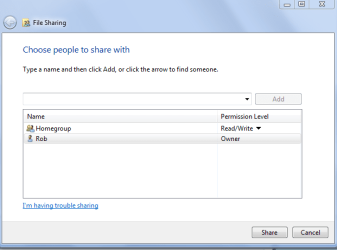
I had a homegroup on my network, composed of one desktop computer and 4 laptops (I'll call them Desktop, H, D, M and K for clarity). For a few weeks, everything was working fine.
However, today I was on K and it was for some reason unable to connect to any of the other computers. I ran the HG troubleshooter, which didn't help whatsoever, then left and rejoined the homegroup. Now K and Desktop could both see each other, and Desktop could access all of K's shared folders, but K could only see Desktop's libraries and not access them. The library icons looked like this (link) and when I click on them nothing happens. K had full access to all the folders on H, but couldn't see M or G at all.
Frustrated, I had every computer leave the homegroup and started a new one on Desktop. Or, I tried. On M, it said "Windows was unable to remove you from the homegroup" with no further explanation as to why.
So now, Desktop, K, G and H are all on the same, brand new homegroup.
Desktop and G have full access to all the other computers and their files, no problem.
K has full access to H, but has the same problem as before when trying to access Desktop, with the folders visible but somehow inaccessible. K can't see G at all.
H has full access to G, and can see Desktop and K and their folders, but can't open any of them.
M is still stuck in the old homegroup, and can't leave for some reason.
I've run the HG troubleshooter on all of them, and had them all leave and rejoin the current homegroup at least once.
WHAT is going on?
However, today I was on K and it was for some reason unable to connect to any of the other computers. I ran the HG troubleshooter, which didn't help whatsoever, then left and rejoined the homegroup. Now K and Desktop could both see each other, and Desktop could access all of K's shared folders, but K could only see Desktop's libraries and not access them. The library icons looked like this (link) and when I click on them nothing happens. K had full access to all the folders on H, but couldn't see M or G at all.
Frustrated, I had every computer leave the homegroup and started a new one on Desktop. Or, I tried. On M, it said "Windows was unable to remove you from the homegroup" with no further explanation as to why.
So now, Desktop, K, G and H are all on the same, brand new homegroup.
Desktop and G have full access to all the other computers and their files, no problem.
K has full access to H, but has the same problem as before when trying to access Desktop, with the folders visible but somehow inaccessible. K can't see G at all.
H has full access to G, and can see Desktop and K and their folders, but can't open any of them.
M is still stuck in the old homegroup, and can't leave for some reason.
I've run the HG troubleshooter on all of them, and had them all leave and rejoin the current homegroup at least once.
WHAT is going on?
My Computer
At a glance
Win 7 Home Premium x32Intel Celeron 2.2GHz2.00 GBMobile Intel(R) 45 Express Chipset
- Computer Manufacturer/Model Number
- Compaq CQ60-410us
- OS
- Win 7 Home Premium x32
- CPU
- Intel Celeron 2.2GHz
- Memory
- 2.00 GB
- Graphics Card(s)
- Mobile Intel(R) 45 Express Chipset
- Sound Card
- Conexant High Definition Smart Audio 221