alienalias
New member
- Local time
- 7:00 AM
- Messages
- 28
Nothing but PC problems last 2 weeks and completely unable to do any work at home. Writing my book after quitting my job and NOTHING done this last 2 weeks.
SO STINKING frustrated. So unproductive.
 And not a PC whiz.
 PLEASE help me!
Couple weeks ago my Dell Optiplex GX620 started freezing in the middle of work, causing reboots, and major signs of dying. Backed everything up at iDrive, and good thing because then she died. Got it working again to surf Internet for about an hour or two at a time before further crashes, not much else.
Researched online and decided to go cheap until I could afford a premium unit, so bought an eMachine which was: Desktop / AMD Athlon™ II X2 Processor / 4GB Memory / 500GB Hard Drive / NVIDIA GeForce 6150 SE graphics.
I was unaware that the eMachine would not support dual monitors, so I returned it and bought a brand new HP that did. This model has been out for only a month or 2 at most, and I thought I was going a little more "premium", as it was double the cost of my cheap eMachine. I figured I would just man up (girl up) and get a good PC. After returning the eMachine, this new HP I was buying had absolutely everything I needed!
Well, now the Internet connection is so absurdly slow that it makes it impossible to work. BOTH my old Dell and the returned eMachine had Internet speeds and download speeds that were 100 times faster than this "premium" PC! I frequently download different resources and programs to help in my research, and a fast Internet connection and fast download speeds are an absolute and unquestionable necessity for me.
What I don't understand is that every spec on this PC is superior to either of the former PC's I had, of which those PC's surfed the Internet and downloaded at lightning speeds compared to this. I can go to sites like seattletimes.com or miamiherald.com and it will take 5 minutes to load! How can this be???
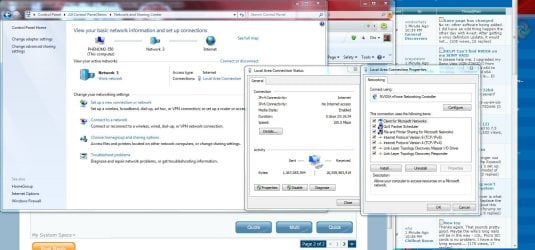
I have no wireless network, or routers, etc. I have a direct cable modem to PC connection, and it is slow as molasses. How is that possible in a brand new PC in 2011?!
I was so thrilled to get this PC because it has everything I need and is superior in specs to any I've ever had. Now, I want to cry. Can anyone PLEASE help me? I am going into 2 weeks of failure and incompetence because of PC troubles.
From system info:
OS Name Microsoft Windows 7 Home Premium
Version 6.1.7600 Build 7600
System Manufacturer Hewlett-Packard
System Model p6774y
System Type x64-based PC
Processor AMD Phenom(tm) II X4 840T Processor, 2900 Mhz, 4 Core(s), 4 Logical Processor(s)
BIOS Version/Date American Megatrends Inc. 6.04, 9/7/2010
SMBIOS Version 2.6
Windows Directory C:\Windows
System Directory C:\Windows\system32
Boot Device \Device\HarddiskVolume1
Locale United States
Hardware Abstraction Layer Version = "6.1.7600.16385"
Installed Physical Memory (RAM) 6.00 GB
Total Physical Memory 5.75 GB
Available Physical Memory 3.98 GB
Total Virtual Memory 11.5 GB
Available Virtual Memory 9.30 GB
Page File Space 5.75 GB
I am not particularly tech or PC savvy, but do have basic knowledge and understanding, and can figure stuff out usually! After an hour or 2 online, I usually find a solution, but not today. Today I need a kind and compassionate expert to help me. 
Please help me!
SO STINKING frustrated.
So unproductive. And not a PC whiz. PLEASE help me!Couple weeks ago my Dell Optiplex GX620 started freezing in the middle of work, causing reboots, and major signs of dying. Backed everything up at iDrive, and good thing because then she died. Got it working again to surf Internet for about an hour or two at a time before further crashes, not much else.
Researched online and decided to go cheap until I could afford a premium unit, so bought an eMachine which was: Desktop / AMD Athlon™ II X2 Processor / 4GB Memory / 500GB Hard Drive / NVIDIA GeForce 6150 SE graphics.
I was unaware that the eMachine would not support dual monitors, so I returned it and bought a brand new HP that did. This model has been out for only a month or 2 at most, and I thought I was going a little more "premium", as it was double the cost of my cheap eMachine. I figured I would just man up (girl up) and get a good PC. After returning the eMachine, this new HP I was buying had absolutely everything I needed!
Well, now the Internet connection is so absurdly slow that it makes it impossible to work. BOTH my old Dell and the returned eMachine had Internet speeds and download speeds that were 100 times faster than this "premium" PC! I frequently download different resources and programs to help in my research, and a fast Internet connection and fast download speeds are an absolute and unquestionable necessity for me.
What I don't understand is that every spec on this PC is superior to either of the former PC's I had, of which those PC's surfed the Internet and downloaded at lightning speeds compared to this. I can go to sites like seattletimes.com or miamiherald.com and it will take 5 minutes to load! How can this be???
I have no wireless network, or routers, etc. I have a direct cable modem to PC connection, and it is slow as molasses. How is that possible in a brand new PC in 2011?!
I was so thrilled to get this PC because it has everything I need and is superior in specs to any I've ever had. Now, I want to cry. Can anyone PLEASE help me? I am going into 2 weeks of failure and incompetence because of PC troubles.
From system info:
OS Name Microsoft Windows 7 Home Premium
Version 6.1.7600 Build 7600
System Manufacturer Hewlett-Packard
System Model p6774y
System Type x64-based PC
Processor AMD Phenom(tm) II X4 840T Processor, 2900 Mhz, 4 Core(s), 4 Logical Processor(s)
BIOS Version/Date American Megatrends Inc. 6.04, 9/7/2010
SMBIOS Version 2.6
Windows Directory C:\Windows
System Directory C:\Windows\system32
Boot Device \Device\HarddiskVolume1
Locale United States
Hardware Abstraction Layer Version = "6.1.7600.16385"
Installed Physical Memory (RAM) 6.00 GB
Total Physical Memory 5.75 GB
Available Physical Memory 3.98 GB
Total Virtual Memory 11.5 GB
Available Virtual Memory 9.30 GB
Page File Space 5.75 GB
I am not particularly tech or PC savvy, but do have basic knowledge and understanding, and can figure stuff out usually! After an hour or 2 online, I usually find a solution, but not today.
Today I need a kind and compassionate expert to help me. Please help me!
My Computer
At a glance
Windows 7 Home Premium 64 bitAMD Phenom II x4 840t processor, 2900 Mhz, 4 ...Installed physical: 6 GB / Total virtual 11.5 GBATI Radeon HD 4200
- Computer Manufacturer/Model Number
- HP p6774y
- OS
- Windows 7 Home Premium 64 bit
- CPU
- AMD Phenom II x4 840t processor, 2900 Mhz, 4 core...
- Motherboard
- N-Alvorix-RS880-uATX (Alvorix)
- Memory
- Installed physical: 6 GB / Total virtual 11.5 GB
- Graphics Card(s)
- ATI Radeon HD 4200
- Monitor(s) Displays
- Acer 23 inch & Dell 19 inch dual monitor set-up
- Hard Drives
- SATA (7200 rpm), 1 TB.
- PSU
- Processor speed? 2.93 Ghz. Bus speed: 4000 Mhz HT