
The are 3 PCs, all Windows 7, all the same workgroup, two of them same homegroup.
Problem. Try to share a folder on RAFALEK-PC, created account user/password, set permission etc. And one PC (not in the homegroup) when try to connect , gets window asking for user/password and when enter user/password everything is OK. got access to the shared folder.
Problem with another pc : Jacubek-PC (same homegroup with RAFALEK-PC) when try to get access to that folder gets network error:
I tried : "net use* /delete" but it does not help.
Only when I connect via: "\\ip of server\folder name" everything works as it should.
Please how to get rid of this annoying error.
PS. same problem when RAFALEK-PC try to access some folders on JACUBEK-PC.
Problem. Try to share a folder on RAFALEK-PC, created account user/password, set permission etc. And one PC (not in the homegroup) when try to connect , gets window asking for user/password and when enter user/password everything is OK. got access to the shared folder.
Problem with another pc : Jacubek-PC (same homegroup with RAFALEK-PC) when try to get access to that folder gets network error:
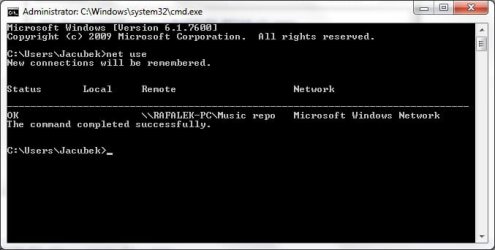
checked cmd - use net (see attached picture).You do not have permission to access \\server\folder name. Contact your server administrator to request access.
I tried : "net use* /delete" but it does not help.
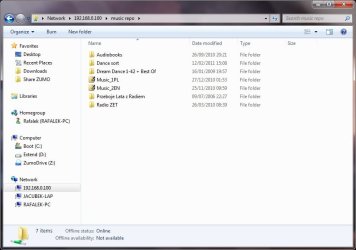
Only when I connect via: "\\ip of server\folder name" everything works as it should.
Please how to get rid of this annoying error.
PS. same problem when RAFALEK-PC try to access some folders on JACUBEK-PC.
Attachments

My Computer
At a glance
Windows 7 Ultimate x64
- OS
- Windows 7 Ultimate x64


