Windows 7 Forums


Windows 7: Is it possible to set up NETGEAR wireless router without a modem?

22 Apr 2011   #1

Windows 7 Home Premium
 
 
Is it possible to set up NETGEAR wireless router without a modem?

I use cabled internet connection. I have only one internet cable. I plug in to my laptop, write the MAC address of the internet, open the log-in page of the internet service, write down the username and password and then I surf the internet. The question is how can I set up my wireless router?


I tried it but there was no internet access. I know the password of my wireless router's password but when it connects it says 'No Internet Access'. So I went to my laptop's wireless port advanced settings and wrote down the MAC address in the Network Address tab. Still no connection.

So I am asking, what can I do in such situation like this? Do I need a modem to do this or the MAC address/log-in page is causing problem. I need answers ASAP, thank you.
My System SpecsSystem Spec

22 Apr 2011   #2

Windows 8 Pro 9200 x64 w/Media Center
Austin, Texas


go to the router web page... 192.168.0.1 (or similar), set up a wireless network, then try your adapter...
Attached Thumbnails
Is it possible to set up NETGEAR wireless router without a modem?-wirelessrtrpg.jpg  
My System SpecsSystem Spec
22 Apr 2011   #3

Windows 7 Home Premium


sorry can you be more specific about it. this is the first time I set up a wireless router and have no experience what so ever.
My System SpecsSystem Spec
.


22 Apr 2011   #4

Windows 8 Pro 9200 x64 w/Media Center
Austin, Texas


notice in the image... you have to give the network a SSID name, your choice, then select the enable broadcast button...and save.
My System SpecsSystem Spec
22 Apr 2011   #5

Windows 7 Home Premium


the problem is that I can't go to the 192.168.1.1 address
My System SpecsSystem Spec
22 Apr 2011   #6

Windows 8 Pro 9200 x64 w/Media Center
Austin, Texas


check your local area connection for the gateway address...
Attached Thumbnails
Is it possible to set up NETGEAR wireless router without a modem?-ipv4.jpg  
My System SpecsSystem Spec
22 Apr 2011   #7

Windows 7 Home Premium


Ok I got the gateway address now what? Also where do I plug in the cable? In the internet port or the LAN 1/2/3... port on the router?
My System SpecsSystem Spec
22 Apr 2011   #8

Windows 8 Pro 9200 x64 w/Media Center
Austin, Texas


you should be wired from the network card ethernet port to the router number 1 port...reboot and the card should pick up the router, then open a browser, put in the address, password/user, go to the wireless tab...
My System SpecsSystem Spec
22 Apr 2011   #9

Windows 7 Home Premium


the problem is that I have only 1 cable. No modems nor ethernet cables at all.
My System SpecsSystem Spec
22 Apr 2011   #10

Windows 8 Pro 9200 x64 w/Media Center
Austin, Texas


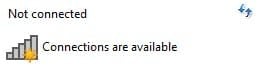
In you first post, you say you have cable internet, that would imply that you have an internet service provider, and you plug a cable into your laptop to get online...that cable would connect to a cable modem, dsl modem or router attached to one of those...some modems are wireless capable, others have to be connected to a wireless router...does your laptop wireless show any available networks?
My System SpecsSystem Spec
Reply

 Is it possible to set up NETGEAR wireless router without a modem? problems?


Thread Tools


Similar help and support threads for: Is it possible to set up NETGEAR wireless router without a modem?
Thread Forum
how to use DSL Wireless modem as Router? Network & Sharing
Netgear WNR 2000 Router losing wireless signal daily Network & Sharing
Wireless N Router + ADSL2 Modem/Router Network & Sharing
windows 7 and netgear dg83g v3 wireless router Network & Sharing
Netgear's wireless router goes mobile Network & Sharing


All times are GMT -5. The time now is 04:12 PM.


Seven Forums Android App Seven Forums IOS App Follow us on Facebook

Windows 7 Forums is an independent web site and has not been authorized,
sponsored, or otherwise approved by Microsoft Corporation.
"Windows 7" and related materials are trademarks of Microsoft Corp.
© Designer Media Ltd
  

1 2 3 4 5 6 7 8 9 10 11 12 13 14 15 16 17 18 19 20 21 22 23 24 25 26 27 28 29 30 31 32