
edenforge
New member
Hi folks
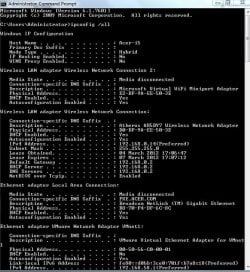
I've got an Aspire 5750 laptop and am having network problems.
My network is a Workgroup, all machines running flavours of Win7.
FROM the Aspire I can log into the other comps and access the disks on them.
TO the Aspire: in explorer on another machine I can see the symbol and name (ACER-I5) of the Aspire but cannot connect to it.
Network diagnostics states:
------------------------------------
Problems found
Your computer appears to be correctly configured, but the
device or recsource (ACER-I5) is not responding.
------------------------------------
Any suggestion as to what to look for to solve this would be most welcome as I am somewhat of a network novice.
Regards
Bob
I've got an Aspire 5750 laptop and am having network problems.
My network is a Workgroup, all machines running flavours of Win7.
FROM the Aspire I can log into the other comps and access the disks on them.
TO the Aspire: in explorer on another machine I can see the symbol and name (ACER-I5) of the Aspire but cannot connect to it.
Network diagnostics states:
------------------------------------
Problems found
Your computer appears to be correctly configured, but the
device or recsource (ACER-I5) is not responding.
------------------------------------
Any suggestion as to what to look for to solve this would be most welcome as I am somewhat of a network novice.
Regards
Bob
Attachments
My Computer
At a glance
XP Pro and Windows 7core2/quad Q9550 2.83GHz4 GB DDR3 1333MHz?
- Computer Manufacturer/Model Number
- Self Build
- OS
- XP Pro and Windows 7
- CPU
- core2/quad Q9550 2.83GHz
- Motherboard
- Asustek P5E3
- Memory
- 4 GB DDR3 1333MHz
- Graphics Card(s)
- ?
- Sound Card
- on board
- Monitor(s) Displays
- 1x 22" Wide + 1x 19"
- Hard Drives
- 4x Hitachi 500Gb SATA-II
- Case
- Antec Sonata
- Keyboard
- MS
- Mouse
- MS


