TrojanHorse27
Banned
- Local time
- 6:22 PM
- Messages
- 30
Hi
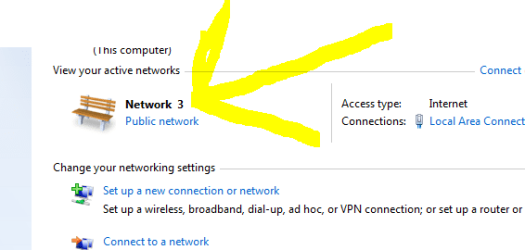
When i drag my mouse pointer i get Network 3 Internet access near network icon on my right hand side of my PC screen (After i configured my modem) previously i did not use to get it and get as Network, how to retain the notification as network internet access back.
Regards
Trojanhorse27
When i drag my mouse pointer i get Network 3 Internet access near network icon on my right hand side of my PC screen (After i configured my modem) previously i did not use to get it and get as Network, how to retain the notification as network internet access back.
Regards
Trojanhorse27
Attachments
Last edited:
My Computer
At a glance
Windows 7 Ultimate x644GBRAM
- OS
- Windows 7 Ultimate x64
- Motherboard
- DH55TC Intel
- Memory
- 4GBRAM
- Monitor(s) Displays
- LG W2053TP
- Internet Speed
- 512 Kbps