cynicalanddisgu
New member
- Local time
- 3:05 PM
- Messages
- 10
I have an acer x3400 desktop - no wifi card. I installed a 6db gain usb wifi antenna. Everything looks good but...
I cannot connect to one of the local networks - It is WPA preshared key TKIP/AES
The realtek wireless lan utility never gets an IP address despite excellent signal strength. I have an acer netbook running xp with built in wireless connects perfectly.
There is a second local network that is not encrypted. I have connected to the system - acquired IP address, Subnet mask and gateway. Network and sharing show the connection PC to Network, but no connection to the internet. My netbook does not have enough gain to access that network but I am sure that it is working fine.
The initial firewall setup was using Mcafee. Mcafee wouldn't let me in without an internet connection. So I uninstalled Mcafee. I have disabled the windows 7 firewall.
I have tried to connect using the Realtek utility and with the windows 7 wireless network connection screen.
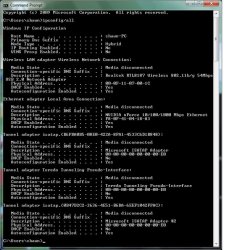
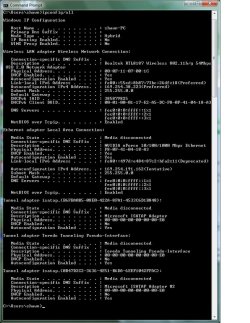
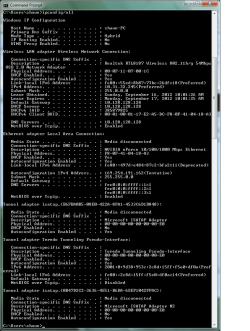
IPconfig
media state ... media disconnected
connection specific DNS suffix ... blank
description ... Realtek RTL8187 Wireless 802.11b/g 54MBPS USB 2.0 Network adapter
physical address ,,, 00-0F-11-07-00-1C
DHC enabled ... yes
autoconfiguration enabled ... yes
Device properties indicates that it is working properly.
such is life - Any ideas?
I cannot connect to one of the local networks - It is WPA preshared key TKIP/AES
The realtek wireless lan utility never gets an IP address despite excellent signal strength. I have an acer netbook running xp with built in wireless connects perfectly.
There is a second local network that is not encrypted. I have connected to the system - acquired IP address, Subnet mask and gateway. Network and sharing show the connection PC to Network, but no connection to the internet. My netbook does not have enough gain to access that network but I am sure that it is working fine.
The initial firewall setup was using Mcafee. Mcafee wouldn't let me in without an internet connection. So I uninstalled Mcafee. I have disabled the windows 7 firewall.
I have tried to connect using the Realtek utility and with the windows 7 wireless network connection screen.
IPconfig
media state ... media disconnected
connection specific DNS suffix ... blank
description ... Realtek RTL8187 Wireless 802.11b/g 54MBPS USB 2.0 Network adapter
physical address ,,, 00-0F-11-07-00-1C
DHC enabled ... yes
autoconfiguration enabled ... yes
Device properties indicates that it is working properly.
such is life - Any ideas?
My Computer
At a glance
windows 7
- OS
- windows 7