Windows 7 Forums


Windows 7: Local files showing in Network Locations in My Computer?

23 Oct 2012   #1

Windows 7 Home Premium x64
 
 
Local files showing in Network Locations in My Computer?

How can I get rid of this files/shortcuts showing in Network Locations located in My Computer?


This image might explain more
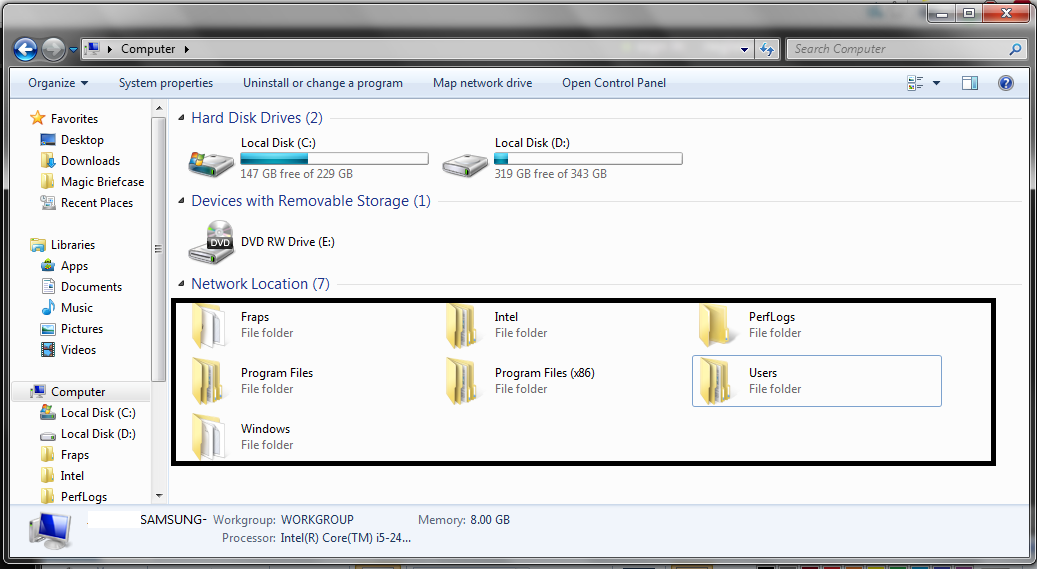


If I try deleting the files, it deletes the file in the C drive as well.
My System SpecsSystem Spec

23 Oct 2012   #2

Windows 7 Ult, Windows 8 Pro,
San Diego


Option 2 method 1 in the link below is to unmap network locations, not so sure about network folders which have no drive letter but the tutorials should help.

Map Network Drive

Last edited by chev65; 23 Oct 2012 at 10:41 AM..
My System SpecsSystem Spec
24 Oct 2012   #3

Windows 7 Home Premium x64


Local files showing in Network Locations in My Computer?-testt.png

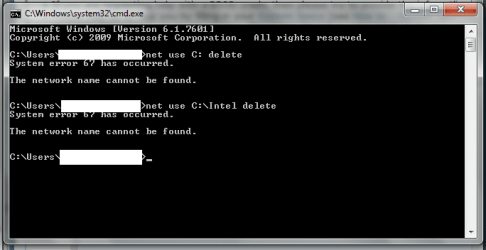
Still doesn't disconnect the folders. I've tried system restore as well and still doesn't work. I guess I'll have to do a reformat.
My System SpecsSystem Spec
.


24 Oct 2012   #4

Windows 7 Ultimate 64 bit
NC


Do you have "show hidden files and folders" enabled?

Show hidden files
My System SpecsSystem Spec
24 Oct 2012   #5

Windows 7 Ultimate 64 bit
NC


I noticed you have a folder called magic briefcase. That might have something to do with it....from what I've found it has to do with syncing mobile devices, all of them over the network, so they all can be accessed. The program is called "SugarSync".

https://sugarsync.custhelp.com/app/a...-what-is-it%3F
My System SpecsSystem Spec
24 Oct 2012   #6

Windows 7 Home Premium x64


Quote   Quote: Originally Posted by bassfisher6522 View Post
I noticed you have a folder called magic briefcase. That might have something to do with it....from what I've found it has to do with syncing mobile devices, all of them over the network, so they all can be accessed. The program is called "SugarSync".

https://sugarsync.custhelp.com/app/a...-what-is-it%3F
I've used sugarsync before and haven't had this problem. And I don't have show hidden folders enabled. Sugarsync is sort of like dropbox but it automatically backs up the files on your computer. Magic Breifcase is for when you have a document you want to sync with, like you said, all your devices.

Since theres hardly anyone that faced this issue, I'll be making a backup and reinstalling windows, thanks for the help.
My System SpecsSystem Spec
Reply

 Local files showing in Network Locations in My Computer? problems?


Thread Tools


Similar help and support threads for: Local files showing in Network Locations in My Computer?
Thread Forum
Local Area Network is not showing in my Dell Inspiron N5010 Network & Sharing
Setting up a 2-way sync between local files and network drive Network & Sharing
Solved Can't print through local network to printer attached to XP computer. Network & Sharing
Unable to open local(network) files through an applet. General Discussion
local network - the same computer seen twice Network & Sharing


All times are GMT -5. The time now is 12:39 AM.


Seven Forums Android App Seven Forums IOS App Follow us on Facebook

Windows 7 Forums is an independent web site and has not been authorized,
sponsored, or otherwise approved by Microsoft Corporation.
"Windows 7" and related materials are trademarks of Microsoft Corp.
© Designer Media Ltd
  

1 2 3 4 5 6 7 8 9 10 11 12 13 14 15 16 17 18 19 20 21 22 23 24 25 26 27 28 29 30 31 32