Windows 7 Forums


Windows 7: Is it OK if i added Google public DNS settings to my connections?

12 Dec 2012   #1

windows7 Ultimate SP1 x32bit
 
 
Is it OK if i added Google public DNS settings to my connections?

Hi!

I have ZTE WiFi+Wire router and i connect my PC to that router via Ethernet cable also I connect my phone (android) to the same router via its WiFi connection. I have a ADSL connection (wire connection). I want to know is it OK and is it a safe, using Google public DNS server settings with all my devices? I already added 8.8.8.8 and 8.8.4.4 to my router as primary and secondary DNS server. Also i added those address to my PC (IPV4 connectivity) and phone WiFi connection DNS server.


After I added these settings my connection stability improve (quickly connected) with the internet.
My System SpecsSystem Spec

12 Dec 2012   #2

Windows 7 Professional 64bit SP1
Kentucky


I also use Google's DNS server, as my ISP's DNS servers have intermittent issues. Another choice is OpenDNS and I believe Norton has implemented a three-level tiered approach with DNS servers that make an attempt in securing your internet browsing by blocking some questionable sites. I think they range from basic security that is the least restrictive, to a high-level security which is the most restrictive. I've yet to play around with Norton's DNS servers, but I plan to when I have time.
My System SpecsSystem Spec
12 Dec 2012   #3

windows7 Ultimate SP1 x32bit


Quote   Quote: Originally Posted by kbrady1979 View Post
I also use Google's DNS server, as my ISP's DNS servers have intermittent issues. Another choice is OpenDNS and I believe Norton has implemented a three-level tiered approach with DNS servers that make an attempt in securing your internet browsing by blocking some questionable sites. I think they range from basic security that is the least restrictive, to a high-level security which is the most restrictive. I've yet to play around with Norton's DNS servers, but I plan to when I have time.
Thanks you friend your feedback. I just added Norton DNS settings.
My System SpecsSystem Spec
.


12 Dec 2012   #4

Windows 7 Professional 64bit SP1
Kentucky


Make sure you read up on the various security measures of the Norton DNS server. As I said before, I've not read up on it a great deal, and have never used them before.
My System SpecsSystem Spec
13 Dec 2012   #5

Win7 H.Prem. 32bit+SP1
Scotland


I prefer OpenDNS, which I found to be the best for my location by using https://www.grc.com/dns/benchmark.htm
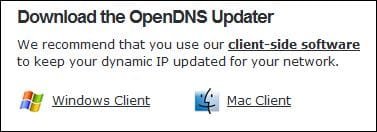
OpenDNS have an app that when installed on wireless devices, keeps your IP address upto date. https://dashboard.opendns.com/support/

Is it OK if i added Google public DNS settings to my connections?-rr.jpg
My System SpecsSystem Spec
13 Dec 2012   #6

windows7 Ultimate SP1 x32bit


Quote   Quote: Originally Posted by kbrady1979 View Post
Make sure you read up on the various security measures of the Norton DNS server. As I said before, I've not read up on it a great deal, and have never used them before.
Yes, i have read all the instructions and security levels.

Quote   Quote: Originally Posted by Roderunner View Post
I prefer OpenDNS, which I found to be the best for my location by using https://www.grc.com/dns/benchmark.htm
OpenDNS have an app that when installed on wireless devices, keeps your IP address upto date. https://dashboard.opendns.com/support/

Attachment 245470
Thank you friend your feedback, I want to give a tr.
My System SpecsSystem Spec
13 Dec 2012   #7

Windows 7 Professional 64bit SP1
Kentucky


Quote   Quote: Originally Posted by killer bee View Post
Quote   Quote: Originally Posted by kbrady1979 View Post
Make sure you read up on the various security measures of the Norton DNS server. As I said before, I've not read up on it a great deal, and have never used them before.
Yes, i have read all the instructions and security levels.
If you want, you could update this post in a week or so and let us know how the Norton DNS servers are working for ya.....I'm sure it will benefit quite a few people here to know!
My System SpecsSystem Spec
13 Dec 2012   #8

windows7 Ultimate SP1 x32bit


Quote   Quote: Originally Posted by kbrady1979 View Post
Quote   Quote: Originally Posted by killer bee View Post
Quote   Quote: Originally Posted by kbrady1979 View Post
Make sure you read up on the various security measures of the Norton DNS server. As I said before, I've not read up on it a great deal, and have never used them before.
Yes, i have read all the instructions and security levels.
If you want, you could update this post in a week or so and let us know how the Norton DNS servers are working for ya.....I'm sure it will benefit quite a few people here to know!
I use it 24 hours and there's no negative effect. So i decided to use it continue. I think it's a good service, specially person who have kids.
My System SpecsSystem Spec
Reply

 Is it OK if i added Google public DNS settings to my connections? problems?


Thread Tools


Similar help and support threads for: Is it OK if i added Google public DNS settings to my connections?
Thread Forum
Internet based shared calendar, ideally on Google, like a public folde Microsoft Office
IE and update apps not getting connections; Google Chrome is Browsers & Mail
Google doesn't keep settings! Browsers & Mail
Attack code used to hack Google now public. Security News
Google Public DNS Aims to Speed Up Your Browsing Network & Sharing


All times are GMT -5. The time now is 04:21 AM.


Seven Forums Android App Seven Forums IOS App Follow us on Facebook

Windows 7 Forums is an independent web site and has not been authorized,
sponsored, or otherwise approved by Microsoft Corporation.
"Windows 7" and related materials are trademarks of Microsoft Corp.
© Designer Media Ltd
  

1 2 3 4 5 6 7 8 9 10 11 12 13 14 15 16 17 18 19 20 21 22 23 24 25 26 27 28 29 30 31 32