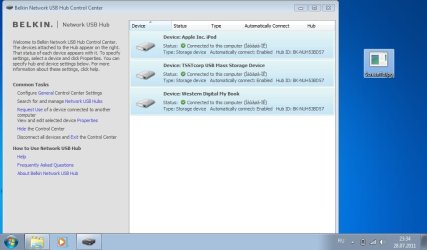
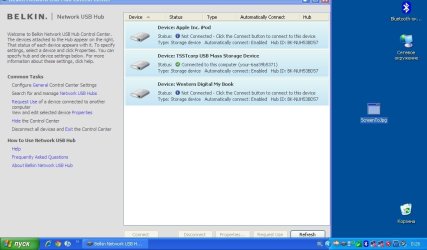
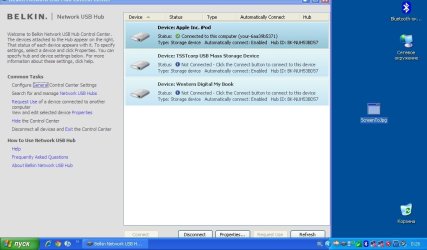
Thank you very much
This was the second wireless hub I tried, the first being flaky and practically useless. I was very disappointed to find the Belkin not running under 7. Perhaps a Sale of Goods act issue? There is no clear indication it won't. Not without Andy's help anyway! I find it astounding they actually updated the drivers for 7 then attached them to another product! Anyway the 301 drivers appear to be perfect. The only thing is the prompt to setup at startup (probably turnoffable in the registry with some delving) and the lack of more than one simultaneous user...but neither of those are biggies. Only paid £29 for it so shouldn't complain! And my laptop doesn't have to slave the externals for the network anymore so no traily wires or constant strain on the USB socket.
Thanks again
Right
Several chats by webmail with Belkin support. The numbers are their successive suggestions - I was transferred to a "Technical Support Escalation Agent" after the first couple of contacts.
1. Try deleting everything Belkin and reinstall the F5L009 software - yes, I knew it wasn't going to work, but heigh-ho.
2. Try the F5L049 software. Had to go into tools to find the F5L009 and connect to it, but got there in the end. No go, still kept disconnecting.
3. Try connecting another device - a scanner or a drive. Tried a drive - tried copying a bundle of directories - kept disconnecting.
4. Try the software for the F7D4301 Play Max router - which also has Silex USB ports. Despite having to cancel the setup program once the install was complete, able to access the USB Print and Storage Center from the Router Monitor pop-up menu. Found the hub, found the printer, installed itself as a shared printer.
Bingo! Printed a 130MB hi-res colour file with no disconnects. Transferred 7GB of files to the USB drive at the same time.
Still the problem of the router setup program appearing at each boot and having to cancel it, but at least my shared network printer is shared again.
This was the second wireless hub I tried, the first being flaky and practically useless. I was very disappointed to find the Belkin not running under 7. Perhaps a Sale of Goods act issue? There is no clear indication it won't. Not without Andy's help anyway! I find it astounding they actually updated the drivers for 7 then attached them to another product! Anyway the 301 drivers appear to be perfect. The only thing is the prompt to setup at startup (probably turnoffable in the registry with some delving) and the lack of more than one simultaneous user...but neither of those are biggies. Only paid £29 for it so shouldn't complain! And my laptop doesn't have to slave the externals for the network anymore so no traily wires or constant strain on the USB socket.
Thanks again
My Computer
At a glance
WIndows 7 64bitIntel Mobile Core 2 Duo @ 2.50GHz4.00 GB Dual-Channel DDR2 @ 332MH512MB GeForce 9800M GTS
- Computer type
- Laptop
- Computer Manufacturer/Model Number
- Clevo M57RU
- OS
- WIndows 7 64bit
- CPU
- Intel Mobile Core 2 Duo @ 2.50GHz
- Motherboard
- Clevo Co. SANTA ROSA CRB (U2E1)
- Memory
- 4.00 GB Dual-Channel DDR2 @ 332MH
- Graphics Card(s)
- 512MB GeForce 9800M GTS
- Sound Card
- Realtek High Definition Audio
- Screen Resolution
- 1920x1200
- Hard Drives
- OCZ-AGILITY3 60gb
Seagate ST9500420AS 466gb
500mb Intel turbo memory configured as pagefile
- Internet Speed
- 60mb/s
- Antivirus
- None. Frequent win 7 imaging
- Browser
- Chrome