- Local time
- 8:26 PM
- Messages
- 71
I seem to be having trouble using remote assistance to connect other peoples computers. I get them to send me the invitation but then i can never connect. Diagnosing says there is a problem with my router. I have tried searching for the correct setup my routers needs to have to allow me to connect to other people but i can't seem to find the correct steps. I have a linksys wrt54g router. I have already gone into advanced firewall settings and enabled everything having to do with remote assistance (out) Thanks for any help
My Computer
At a glance
Windows 7 Ultimate x64Intel Core i5-3350P Ivy Bridge Quad-Core 3.1GHzzHyperX XMP 10th Anniversary Series 16GBEVGA GeForce GTX 970 4GB
- Computer type
- PC/Desktop
- Computer Manufacturer/Model Number
- Custom
- OS
- Windows 7 Ultimate x64
- CPU
- Intel Core i5-3350P Ivy Bridge Quad-Core 3.1GHzz
- Motherboard
- Asus P8H77-v
- Memory
- HyperX XMP 10th Anniversary Series 16GB
- Graphics Card(s)
- EVGA GeForce GTX 970 4GB
- Sound Card
- Onboard
- Monitor(s) Displays
- Acer S241HL 24", ASUS V238h 23"
- Screen Resolution
- 1920x1080
- Hard Drives
- Kingston SSD 240GB
Samsung 2TB
- PSU
- XION AXP-700K14XE 700W ATX
- Case
- HEC 6C28BBX585 Black Steel ATX Mid Tower
- Cooling
- ZALMAN CNPS9500 AT 2 Ball CPU Cooling Fan/Heatsink
- Keyboard
- Logitech G710+
- Mouse
- Anker Wireless Vertical Mouse
- Internet Speed
- 220/20
- Antivirus
- Webroot
- Browser
- Chrome


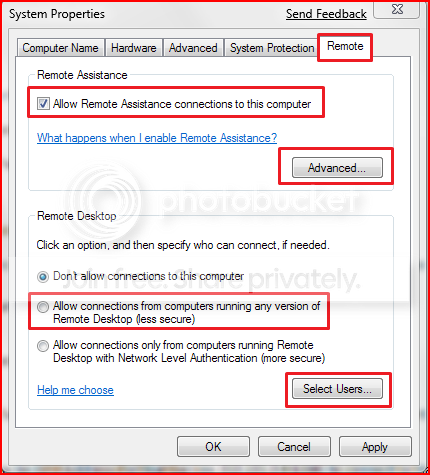
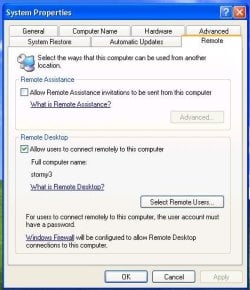


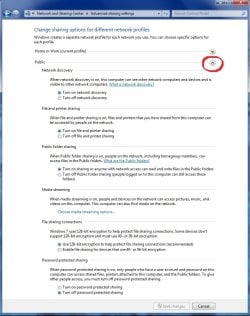
 I was easily able to use my laptop to "request" RA help from my desktop via Easy Connect, and vice versa. Would not work before. I have not been able to try a RA session to another computer across the net and behind its own router yet, but I suspect it will work now provided the other computer and router have appropriate settings.