

palz
New member
What I mean is, without getting a server OS (ex. Windows Server 2008 or 2003), can I make my desktop a server so, if you enter the name in the "Map Network Drive", you can view the files on it (from the root)?
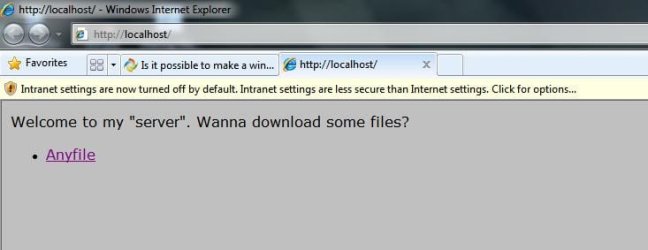
ALSO: Can I make it so a web page shows up when I enter my IP in the address bar instead of an error?
ALSO: Can I make it so a web page shows up when I enter my IP in the address bar instead of an error?
My Computer
- Computer Manufacturer/Model Number
- Acer Aspire X1700
- OS
- Windows 7 Ultimate x64 & Ubuntu 10.10 Maverick Meerkat Beta
- CPU
- Intel Pentium Dual CPU @ 2.40 GHz
- Memory
- 4GB
- Graphics Card(s)
- nVidia GeForce Ge100
- Sound Card
- Realtek HD Audio
- Monitor(s) Displays
- Dell E193FP
- Screen Resolution
- 1280 by 1024
- Hard Drives
- Western Digital
- PSU
- Acer
- Case
- Acer
- Cooling
- Acer
- Keyboard
- Acer PnP HID
- Mouse
- Acer PnP HID
- Internet Speed
- 20Mbps


 ]. Correct me if I am wrong.