New PC And "N" LAN Internal Card ?

Robert11

New member
Power User
Local time
9:06 AM
Messages
542
Hello,

Thinking of getting my son a new desktop HP PC for a birthday present.

Presently, on his old PC, he has it connected via an Ethernet cable to a "G" Router.

If I purchase the new PC (thinking a bit of the future) with an internal "N" LAN card,
will the card still work with the present "G" Router via an Ethernet cable ?

If he goes in the future with a wireless connection to the present G router, will it still work ?

Any caveats, etc. with getting the new PC with an N internal card ?

Thanks,
Bob
 

My Computer My Computer

At a glance

Windows 7 64bit
OS
Windows 7 64bit
It is going to work, N is "backwards" compatible with G. These sub-standards have nothing to do with Ethernet, they are used to tell the max. distance between a router and a NIC in a WiFi setup.

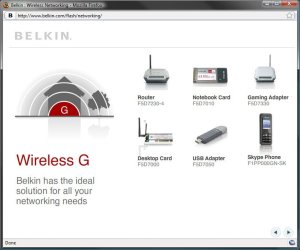
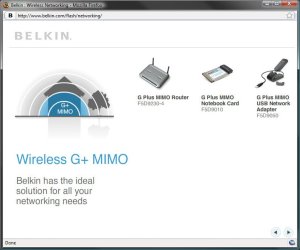
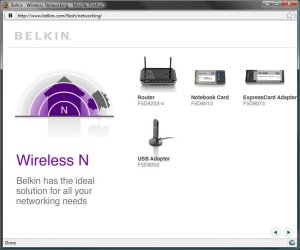
"A picture tells more than thousand words", they say, so here's some images:
G.jpg
G+ MIMO.jpg
N.jpg
N1.jpg

Kari
 

My Computer My Computer

At a glance

Windows 10 Pro x64 EN-GB1.6 GHz Intel Core i7-720QM Processor6 GBATI Mobility Radeon HD 5850 Graphics
Computer type
Laptop
Computer Manufacturer/Model Number
HP ENVY 17-1150eg
OS
Windows 10 Pro x64 EN-GB
CPU
1.6 GHz Intel Core i7-720QM Processor
Memory
6 GB
Graphics Card(s)
ATI Mobility Radeon HD 5850 Graphics
Sound Card
Beats sound system with integrated subwoofer
Monitor(s) Displays
17" laptop display, 22" LED and 32" Full HD TV through HDMI
Screen Resolution
1600*900 (1), 1920*1080 (2&3)
Hard Drives
Internal: 2 x 500 GB SATA Hard Disk Drive 7200 rpm
External: 2TB for backups, 3TB USB3 network drive for media
Cooling
As Envy runs a bit warm, I have it on a Cooler Master pad
Keyboard
Logitech diNovo Media Desktop Laser (bluetooth)
Mouse
Logitech Performance Mouse MX
Internet Speed
50/10 Mbps VDSL
Antivirus
Windows Defender 4.3.9431.0
Browser
Maxthon 3.5.2., IE11
It's much more than just wireless distance. The various standards deal primarily with speed. As Kari said it has nothing to do with ethernet itself.

802.11n is indeed downward compatible. If an 802.11n adapter associates with an 802.11g access point or wireless router, it will run at 802.11g speeds. One benefit of 802.11n is increased range, but that range will be determined by the antenna arrangement. 802.11n uses Multiple In Multiple Out (MIMO). MIMO performance depends on how many antennas are used. The more antennas, the higher the speed and possibly range. 802.11n benefits of speed are only obtained when all stations are 802.11n and all have the same antenna arrangements. You hear about 300Mbps and higher for 802.11n, but that's implementations where the adapters are all 802.11n, the access points are 802.11n and all the devices have at least a 2x3 or 3x3 MIMO arrangements.

In your case using an 802.11n adapter in the PC and keeping the existing 802.11g wireless router will get you *some* increased range but it won't be any faster. Increased range may not be dramatic though. It depends on the environment.

Now if you swap the 802.11g wireless router for an 802.11n product, you'll see a more noticeable increase in range *and* speed on the local network (not internet).
 

My Computer My Computer

At a glance

W7 Ultimate 64bit W7 Premium 64bit W7 Premium...Athlon 64X2 5000+4GBATI X1300
Computer Manufacturer/Model Number
Dell C521
OS
W7 Ultimate 64bit W7 Premium 64bit W7 Premium 32bit WXP Home 32bit
CPU
Athlon 64X2 5000+
Motherboard
Dell
Memory
4GB
Graphics Card(s)
ATI X1300
Sound Card
On Board
Monitor(s) Displays
Dell 19" Flat
Screen Resolution
1280x1024
Hard Drives
500GB Western Digital Caviar Green
Mouse
Microsoft Wireless Intellimouse Explorer 2.0
Internet Speed
SBC DSL - 6Mbps
It's much more than just wireless distance. The various standards deal primarily with speed. As Kari said it has nothing to do with ethernet itself.
Very true. Sorry to "simplify" my answer.
 

My Computer My Computer

At a glance

Windows 10 Pro x64 EN-GB1.6 GHz Intel Core i7-720QM Processor6 GBATI Mobility Radeon HD 5850 Graphics
Computer type
Laptop
Computer Manufacturer/Model Number
HP ENVY 17-1150eg
OS
Windows 10 Pro x64 EN-GB
CPU
1.6 GHz Intel Core i7-720QM Processor
Memory
6 GB
Graphics Card(s)
ATI Mobility Radeon HD 5850 Graphics
Sound Card
Beats sound system with integrated subwoofer
Monitor(s) Displays
17" laptop display, 22" LED and 32" Full HD TV through HDMI
Screen Resolution
1600*900 (1), 1920*1080 (2&3)
Hard Drives
Internal: 2 x 500 GB SATA Hard Disk Drive 7200 rpm
External: 2TB for backups, 3TB USB3 network drive for media
Cooling
As Envy runs a bit warm, I have it on a Cooler Master pad
Keyboard
Logitech diNovo Media Desktop Laser (bluetooth)
Mouse
Logitech Performance Mouse MX
Internet Speed
50/10 Mbps VDSL
Antivirus
Windows Defender 4.3.9431.0
Browser
Maxthon 3.5.2., IE11
No problem! :D
 

My Computer My Computer

At a glance

W7 Ultimate 64bit W7 Premium 64bit W7 Premium...Athlon 64X2 5000+4GBATI X1300
Computer Manufacturer/Model Number
Dell C521
OS
W7 Ultimate 64bit W7 Premium 64bit W7 Premium 32bit WXP Home 32bit
CPU
Athlon 64X2 5000+
Motherboard
Dell
Memory
4GB
Graphics Card(s)
ATI X1300
Sound Card
On Board
Monitor(s) Displays
Dell 19" Flat
Screen Resolution
1280x1024
Hard Drives
500GB Western Digital Caviar Green
Mouse
Microsoft Wireless Intellimouse Explorer 2.0
Internet Speed
SBC DSL - 6Mbps
Back
Top