Hello,
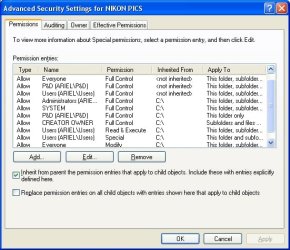
I'm having a vexing problem with an error message that pops up during file copying that basically says I dont have "permission to perform this action" See screen snip attached. This happens when I try to copy a bunch of data from my old XP machine to my new W7 build. Right now I just want to copy the files one way (XP to W7).
With many thanks to this forum, I've sucessfully got the two computers to see each other on a Workgroup connection named WORKGROUP. In most cases, I can copy data with no problem at all.
I've got about 50GB of family photos that I'm trying to copy. I managed to copy nearly all of them okay (I think). However, there are a few dozen files in a couple of folders that trigger this darn error message. In at least one of the folders that I have a problem with, some of the files copy fine. Go figure.
I've tried alot of things (thanks to this forum)...
- Using exact same username and password (blank) on both machines.
- Shared entire C drive on XP machine.
- Logged into both machines as Administrator and normal account.
- Disconnected my router and connected the computers with a switch.
- Turned Windows firewall OFF on both machines.
- Tinkered with folder share options to no end.
- Tried turning off "simple file sharing" on the XP machine.
- Changed the folder name that contained some of the problem files.
- Tried copying just one of the problem files by itself.
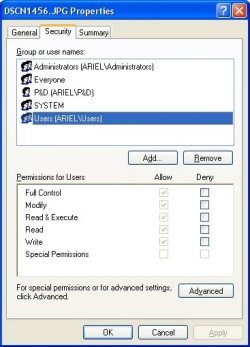
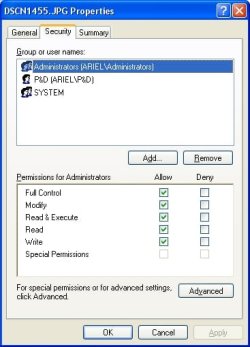
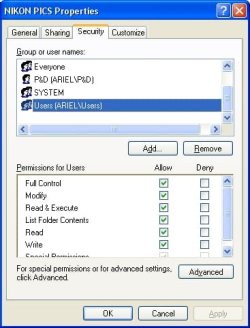
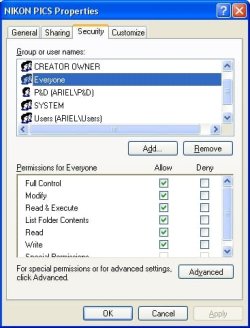
- Investigated the sharing settings of the problem folders and files.
- Check system date and time as well as BIOS date and time settings.
My set-up has both the XP and W7 machines connected to a Linksys firewall type router, which had a WAN connection to a DSL modem for internet acess. I have working internet on both machines and both machines can see each other.
I'm running out of ideas now. My big concern is loosing some of the pictures in my family photo collection, since I can't be sure what go copied or not.
Thanks
I'm having a vexing problem with an error message that pops up during file copying that basically says I dont have "permission to perform this action" See screen snip attached. This happens when I try to copy a bunch of data from my old XP machine to my new W7 build. Right now I just want to copy the files one way (XP to W7).
With many thanks to this forum, I've sucessfully got the two computers to see each other on a Workgroup connection named WORKGROUP. In most cases, I can copy data with no problem at all.
I've got about 50GB of family photos that I'm trying to copy. I managed to copy nearly all of them okay (I think). However, there are a few dozen files in a couple of folders that trigger this darn error message. In at least one of the folders that I have a problem with, some of the files copy fine. Go figure.
I've tried alot of things (thanks to this forum)...
- Using exact same username and password (blank) on both machines.
- Shared entire C drive on XP machine.
- Logged into both machines as Administrator and normal account.
- Disconnected my router and connected the computers with a switch.
- Turned Windows firewall OFF on both machines.
- Tinkered with folder share options to no end.
- Tried turning off "simple file sharing" on the XP machine.
- Changed the folder name that contained some of the problem files.
- Tried copying just one of the problem files by itself.
- Investigated the sharing settings of the problem folders and files.
- Check system date and time as well as BIOS date and time settings.
My set-up has both the XP and W7 machines connected to a Linksys firewall type router, which had a WAN connection to a DSL modem for internet acess. I have working internet on both machines and both machines can see each other.
I'm running out of ideas now. My big concern is loosing some of the pictures in my family photo collection, since I can't be sure what go copied or not.
Thanks
Attachments

My Computer
At a glance
Windows 7 ProIntel i7-920 Bloomfield6GB total, 3 x 2GB G.Skill Trident DDR3 2000 ...MSI N9600GT-MD1G GeForce 9600 GT 1GB PCI Expr...
- Computer Manufacturer/Model Number
- build-your-own
- OS
- Windows 7 Pro
- CPU
- Intel i7-920 Bloomfield
- Motherboard
- Gigabyte GA-EX58-UD3R
- Memory
- 6GB total, 3 x 2GB G.Skill Trident DDR3 2000 (PC3 16000)
- Graphics Card(s)
- MSI N9600GT-MD1G GeForce 9600 GT 1GB PCI Express 2.0 x16
- Sound Card
- none - sound is part of mother board chipset
- Monitor(s) Displays
- Samsung 24" wide screen, NEC 19"
- Hard Drives
- 2 ea in RAID1 array: Western Digital RE3 500GB 7200 RPM SATA 3GB/s 16MB Cache WD5002ABYS-01B1B0
1 ea as backup: Western Digital WD Caviar Blue
160 GB, SATA 3GB/s, 8 MB Cache, 7200 RPM WD1600AAJS-00WAA0
- PSU
- Corsair TX650
- Case
- Antec One Hundred
- Cooling
- Intel CPU cooler, 4ea 120mm case fans