Windows 7 Forums


Windows 7: How can i rename my wireless network connection?

02 Feb 2010   #1

Windows 7 32 bits.
 
 
How can i rename my wireless network connection?

Another question guys

I've made various testings today and i have this panorama:


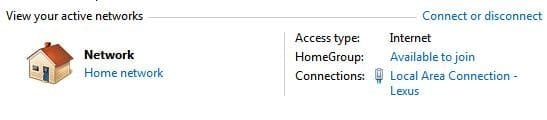
As you see my wireless network connection has the number 21 at the end... i want it back to blank again (wireless network connection)
and my wireless adapter has the number 9 at the end, again how can i make it "blank or 0" again?

In XP this was easy i could delete the names or rename the things in 7 i can't.
My System SpecsSystem Spec

02 Feb 2010   #2

Windows 7 Professional x64
Rednecksville


You will need to go into your router settings (same place you changed the channel, most likely). Take a look around, it is in there.
My System SpecsSystem Spec
02 Feb 2010   #3

Windows 7 32 bits.


Nop, i don't want to change the gateways's name.

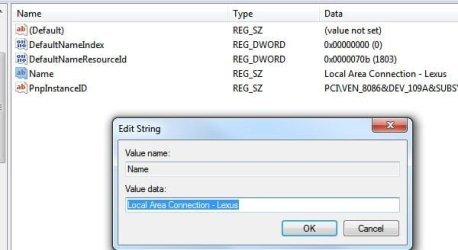
I want to change the names that windows 7 gave to my wireless adapter and wireless connections.
My System SpecsSystem Spec
.


02 Feb 2010   #4

Windows 7 Professional x64
Rednecksville


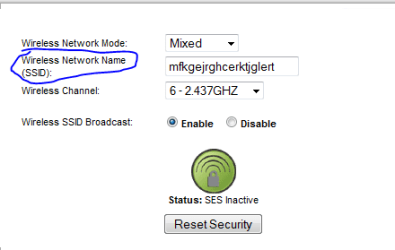
You don't have to change the gateway in the router, only the name. Here is a snip from my router:
How can i rename my wireless network connection?-capture.png

What's in blue is my connection name.
My System SpecsSystem Spec
02 Feb 2010   #5

Windows 7 32 bits.


but i don't have a router, only my ISP gateway and a wireless PC.
My System SpecsSystem Spec
02 Feb 2010   #6

Windows 7 Professional x64
Rednecksville


Try entering 192.168.1.1 or 192.168.0.1 if the first doesn't work in your address bar. If you don't know the credentials, look up the default ones.

Hopefully that will work.
My System SpecsSystem Spec
02 Feb 2010   #7

Windows® 7 Home Premium SP1 [x64]
Right now... Camp Arifjan, Kuwait.


I don't use Wireless on my laptop, but assuming Windows 7 Wireless Network List is relative to Windows XPs, I may be able to help.
  1. Right click the Network Icon in your system tray
  2. Click "Open Network and Sharing Center"
  3. In the left pane, click "Manage Wireless Networks"
  4. Select each object in the list presented and click "Remove"
  5. Restart your computer, and reconnect to your network.
  6. If things went as I assume they should have, the number suffix SHOULD reset.
Hope this helps.
My System SpecsSystem Spec
03 Feb 2010   #8

Windows 7 Professional x64
Rednecksville


I am not thinking clearly, I am tired.

Search for manage wireless networks in the start menu, right-click in your connection, and select rename.

Sorry for that, I am up too late.
My System SpecsSystem Spec
03 Feb 2010   #9
aem

Windows 7 Ultimate 64Bit


You mean the adaptor number like #9 and that? Can you show us your network devices?

Someone refers them to as bogus entries. lol
My System SpecsSystem Spec
03 Feb 2010   #10

Windows® 7 Home Premium SP1 [x64]
Right now... Camp Arifjan, Kuwait.


My System SpecsSystem Spec
Reply

 How can i rename my wireless network connection? problems?


Thread Tools


Similar help and support threads for: How can i rename my wireless network connection?
Thread Forum
Problems with wireless network adapter and network connection driver Network & Sharing
Solved Can I disable my Wireless Network Connection? Network & Sharing
PPP Adapter => Wireless Network Connection = Unidentified Network!!!!! Network & Sharing
Wireless network connection lost internet connection Network & Sharing
Wireless network connection Network & Sharing


All times are GMT -5. The time now is 08:33 PM.


Seven Forums Android App Seven Forums IOS App Follow us on Facebook

Windows 7 Forums is an independent web site and has not been authorized,
sponsored, or otherwise approved by Microsoft Corporation.
"Windows 7" and related materials are trademarks of Microsoft Corp.
© Designer Media Ltd
  

1 2 3 4 5 6 7 8 9 10 11 12 13 14 15 16 17 18 19 20 21 22 23 24 25 26 27 28 29 30 31 32