
- Local time
- 8:56 PM
- Messages
- 48
when I open up my command prompt and type 'ipconfig' without the ' and press enter it returns the line:
'ipconfig' is nto recognized as an internal or external command, operable program, or batch file
I am trying to find out the information I need in order to set up a static IP Address for port forwarding
'ipconfig' is nto recognized as an internal or external command, operable program, or batch file
I am trying to find out the information I need in order to set up a static IP Address for port forwarding
My Computer
At a glance
Windows 7ASUS GeForce 9500 GT
- Computer Manufacturer/Model Number
- Compaq Presario CQ5205Y
- OS
- Windows 7
- Graphics Card(s)
- ASUS GeForce 9500 GT
- Sound Card
- PPA 8.1 channel surround something or other


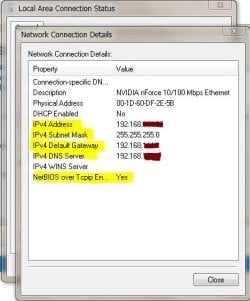
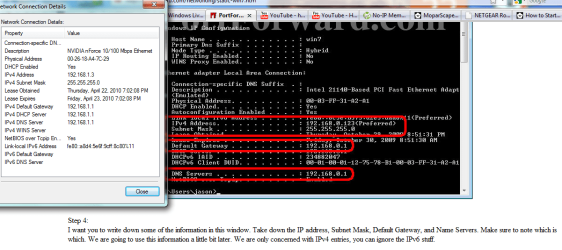
 my new static IP is set up along with my port forwarding of port 43594 for both TCP and UDP
