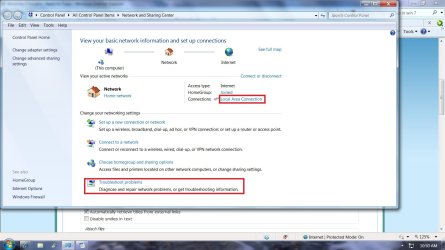
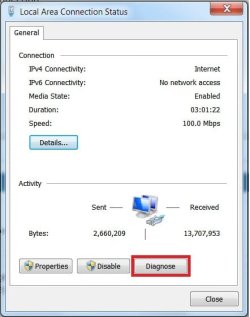
OK so I dont know much about Connections and things.. And Im new to this forum site.. So I apologize if im doing things wrong..
My problem Im having lately is Before I just plugged in my Ethernet cable to my laptop and I would have internet access. Now I just have a connection but a yellow icon saying I have No Internet Access.
I messed around a lil bit and set up a broadband connection and I have internet through that but it takes forever to connect sometimes..
I have Verizon DSL and Im using a Westel 6100 without Firmware installed
On my Local Area Connection " Network 2 " Realtek PCIe FE Family Contoller
its says...
IPv4 Connectivity - No Internet Access
IPv6 Connectivity - No Internet Access
PLEASE HELP..
My problem Im having lately is Before I just plugged in my Ethernet cable to my laptop and I would have internet access. Now I just have a connection but a yellow icon saying I have No Internet Access.
I messed around a lil bit and set up a broadband connection and I have internet through that but it takes forever to connect sometimes..
I have Verizon DSL and Im using a Westel 6100 without Firmware installed
On my Local Area Connection " Network 2 " Realtek PCIe FE Family Contoller
its says...
IPv4 Connectivity - No Internet Access
IPv6 Connectivity - No Internet Access
PLEASE HELP..
Last edited:
My Computer
At a glance
Windows 7 64Pentium(R) Dual-Core CPU T4300@ 2.10GHz3.00 GB RAM
- Computer Manufacturer/Model Number
- Dell Inspiron 1440
- OS
- Windows 7 64
- CPU
- Pentium(R) Dual-Core CPU T4300@ 2.10GHz
- Memory
- 3.00 GB RAM