|
Welcome to Windows 7 Forums. Our forum is dedicated to helping you find solutions with any problems, errors or issues you are experiencing with Windows 7. The Windows 7 forum also covers news and updates and has an extensive Windows 7 tutorial section that covers a wide range of tips and tricks.
Windows 7 - Tell us what you think about Office 2010 (Technical Pre |
07-14-2009
|
#1 | | Windows 7 Enterprise x64 SP1 |
Tell us what you think about Office 2010 (Technical Pre Quote: Using Office 2010, have something you want to tell Office? Maybe you're having trouble finding something in the UI or have a specific suggestion on how we can improve a feature. Or, maybe there's something you love and you want to make sure we know about it so that we keep it in the product. The best tool to use to give us feedback on the Office 2010 (Technical Preview) is called Send-a-Smile.
Hello and welcome to Office 2010! My name is Amanda and I am a Program Manager in Office, on my team we build Feedback tools, including Send-a-Smile. My job is to ensure the Office user has the opportunity to provide feedback (likes and dislikes) about their Office 2010 experience and then route this information to the right people on the Office teams. The teams use this information to make decisions regarding feature designs and to help prioritize bug fixes. Where can I get Send-a-Smile? Send-a-Smile automatically installs with Office 2010, you’ll see two icons added to the notifications area of the taskbar over by the clock: a Smile to click when you want to give us positive feedback and a Frown to click when there's something you don’t like. On Windows 7, you may need to go specifically add them to the list of icons you want to see in the taskbar. Do we actually read the comments? Absolutely! In fact we’ve already taken fixes to the product, which future downloaders of the Office 2010 (Technical Preview) will benefit from. Let me walk you through the process from sending a comment to someone on the Office team reviewing the comment. How does one submit a comment? As previously noted, the Send-a-Smile tool installs along with the Office 2010 (Technical Preview). After the installation is complete, you will see the Smile and Frown icons in the taskbar. Clicking on the Smile or Frown will launch the Send-a-Smile tool. There is a text box to type your comment, and optionally you can include a picture of your screen and your e-mail address (so that we can contact you if necessary.) The screenshot is a really interesting and useful part of the feedback... especially where the UI is concerned. But, of course, you can just send the text if you'd rather. After you click “Submit”, off your feedback goes to Microsoft... Where does the Smile or Frown go after you click submit and see the envelope fly away? Who reads my Smile or Frown comment? The comment goes into a database here at Microsoft. Based on the comment text, we automatically group “tag” the comments by team and by feature. This helps get your comment to the appropriate team as quickly as possible. An internal website has been created specifically for these comments. The Office teams use the website to review all the comments “tagged” to their team and features. While reviewing the comments, the teams have the option to give the comment a status to help categorize and later follow up on specific comments.  This feedback mechanism has already had a big impact on the product. Bugs have been identified and fixed. And of course, the many positive comments we receive help us not to tinker with the things that it seems we've gotten right. We cannot guarantee that we'll act on every comment (which would be impossible anyway since many of the comments directly contradict other comments), but we can promise that we read them, consider them, and use them to help make decisions about the product. The long and short of it all this, when you have feedback please click on the Smile and Frown icons...we are listening and love to receive feedback on the Office 2010 (Technical Preview). This is the most direct way for anyone in the world to get their feedback heard by the right person, with none of the barriers usually associated with trying to give feedback to a big company (phone trees, "customer service representatives", etc.)  More... | My System Specs | | System Manufacturer/Model Number z3r010 OS Windows 7 Enterprise x64 SP1 CPU Intel i7 965 Extreme Edition Motherboard ASUS Rampage II Extreme Memory 12GB Corsair Dominator DDR3, PC3-12800 (1600) Graphics Card ATI HD5870 2GB Eyefinity 6 Sound Card SupremeFX X-Fi Monitor(s) Displays 3 x27" Dell & 3 x 23" Dell Screen Resolution 3 @ 2560x1440 & 3 @ 1920x1080 Keyboard Microsoft Ergononic 7000 Mouse Logitech Performance MX PSU 1200W Gigabyte ODIN Pro V2 PSU Case Thermaltake Tai Chi Cooling Corsair Hydro H50 Hard Drives RevoDrive Hybrid - 1TB
Intel X25-M SSD - 160GB Internet Speed 34 Mb/s ADSL2+ (Bonded) Other Info WinTV NovaTD
HP CP1515n Color Laser
Sony BD-5300S-0B Blu-ray Writer
Microsoft LifeCam Cinema
APC 750i Smart UPS |
07-14-2009
|
#2 | | win 7 build 7600.16385 x64 |
can office 2010 be installed in windows xp ..
i cant it just tells current OS is not configured for this application to work!!! | My System Specs | | System Manufacturer/Model Number Custom Build OS win 7 build 7600.16385 x64 CPU AMD Athlon Dual core 7750 2.7GHz Motherboard Gigabyte GA78MA s2h Memory 4GB 800Mhz Graphics Card ATI HD 3200 IGP Monitor(s) Displays Acer 15 inch Screen Resolution 1280x720 Keyboard Logitech Mouse Logitech Hard Drives Seagate 1 TB Internet Speed Airtel DSL 2Mbps |
07-15-2009
|
#3 | | Windows 7 Build 7600 64bit/Ubuntu/Leopard |
maybe, but i know it was simplified for windows 7 | My System Specs | | System Manufacturer/Model Number Acer Aspire 8730-6951 OS Windows 7 Build 7600 64bit/Ubuntu/Leopard Memory 4 GB Graphics Card NVidia Geforce 9600m GT |
07-15-2009
|
#4 | | |
YES! I tell you in a couple of days, invitation came just now so have not installed yet.
Last edited by Kari; 07-15-2009 at 07:42 AM..
| My System Specs | | System Manufacturer/Model Number HP ENVY 17-1150eg OS Windows 7 x64 Ultimate CPU 1.6 GHz Intel Core i7-720QM Processor Memory 6 GB Graphics Card ATI Mobility Radeon HD 5850 Graphics Sound Card Beats sound system with integrated subwoofer Monitor(s) Displays 17" laptop display, 22" LCD and 32" Full HD TV through HDMI Screen Resolution 1600*900, 1680*1050 and 1920*1080 Keyboard Logitech diNovo Media Desktop Laser (bluetooth) Mouse Logitech MX1000 Laser (Bluetooth) Hard Drives Internal: 2 x 500 GB SATA Hard Disk Drive 7200 rpm
External: 2TB for backups, 3TB USB3 network drive for media Internet Speed 50/10 Mbps VDSL Other Info Windows 7 Ultimate Retail Full in English, additional Guest-user accounts in Finnish, German and Swedish (Working languages English & Swedish, Family language German, my own language, mother tongue, Finnish. I really need Ultimate to get to use Language Packs!) |
07-15-2009
|
#5 | | |
i like it visually, for the rest i'm already stumped by wordpad so i'm not much of a judge. It's very fast though compared to 2007. Whether that means this version is faster or the old version was slow as a turtle in winter..... | My System Specs | | System Manufacturer/Model Number me and myself OS vista x64/ win 7 x64 CPU phenom 9950 BE Motherboard ASUS M2A-VM HDMI Memory 8 gb Graphics Card nvidia gts 250 Sound Card realtek HD onboard Monitor(s) Displays dual hd 19" tft Screen Resolution 1440x900 Keyboard logitech g11 Mouse usb wireless MS laser 6000 Cooling standard issue Hard Drives 2 x 500 gb WDC
1 x 500 gb Seagate
1 x 1000 gb Seagate
1 80 gb raptor
1 usb 160 gb Internet Speed 18 mb (according to my provider :) |
07-15-2009
|
#6 | | Windows 7 Ultimate x64, Mint 9 |
I tried the leaked one, and it sucked. I am waiting for my invite from MS.
What I really didn't like in the preview was the lack of the standard toolbar. It did not come enabled, and for the life of me, I could not find it.
~Lordbob | My System Specs | | System Manufacturer/Model Number Hera OS Windows 7 Ultimate x64, Mint 9 CPU Intel i5-2500k Motherboard ASUS P8P67 Pro Memory 2x 4Gb Corsair VENGEANCE DDR3-1600 Graphics Card NVidia GeForce N260GTX Twin Frozr Sound Card Realtek HD OnBoard Audio Monitor(s) Displays ASUS 24" Monitor Screen Resolution 1920x1080 Keyboard Razer Tarantula Mouse Razer Lachesis PSU Cooler Master Real Power Pro 750W Case Cooler Master Haf 932 Cooling Fans Hard Drives G.SKILL Phoenix Series 60GB SATA II MLC Internal Solid State Drive (SSD)
SAMSUNG Spinpoint F3R 1TB 7200 RPM 32MB Cache SATA II Internet Speed not fast enough |
07-15-2009
|
#7 | | |

Quote: Originally Posted by Lordbob75 I tried the leaked one, and it sucked. I am waiting for my invite from MS.
What I really didn't like in the preview was the lack of the standard toolbar. It did not come enabled, and for the life of me, I could not find it.
~Lordbob wouldn't know how to use it even if i knew what you are talking about | My System Specs | | System Manufacturer/Model Number me and myself OS vista x64/ win 7 x64 CPU phenom 9950 BE Motherboard ASUS M2A-VM HDMI Memory 8 gb Graphics Card nvidia gts 250 Sound Card realtek HD onboard Monitor(s) Displays dual hd 19" tft Screen Resolution 1440x900 Keyboard logitech g11 Mouse usb wireless MS laser 6000 Cooling standard issue Hard Drives 2 x 500 gb WDC
1 x 500 gb Seagate
1 x 1000 gb Seagate
1 80 gb raptor
1 usb 160 gb Internet Speed 18 mb (according to my provider :) |
07-15-2009
|
#8 | | Windows 7 Build 7600 64bit/Ubuntu/Leopard |
| My System Specs | | System Manufacturer/Model Number Acer Aspire 8730-6951 OS Windows 7 Build 7600 64bit/Ubuntu/Leopard Memory 4 GB Graphics Card NVidia Geforce 9600m GT |
07-15-2009
|
#9 | | |
Id like to get something straight.
1. How many versions of the Office 2010 Technical Preview are there? I think there are 2 and the latest of them having install/uninstall problems. Am I correct?
2. Is the one that doesnt have install/uninstall issues stable to use?
3. I signed up at Microsoft Connect but have yet to receive an invite. How long does it take? | My System Specs | | System Manufacturer/Model Number Built OS Windows 7 RTM CPU Intel I7 920 2.67 ghz Motherboard EVGA X58 Memory 6GB CORSAIR DOMINATOR Graphics Card GeForce GTX 260 Core 216 896MB 448-bit GDDR3 PCI Express 2.0 |
07-15-2009
|
#10 | | Windows 7 Ultimate x64, Mint 9 |

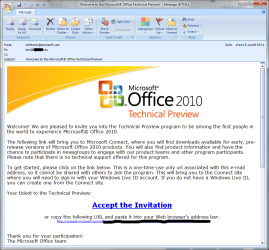
Quote: Originally Posted by 7Dreams how do i get invited ? Go to Microsoft Feedback and Bug Reporting - Product and Program Categories | Microsoft Connect and find Microsoft Office 2010 and sign up. Make sure that you are signed into MS Connect though. 
Quote: Originally Posted by BucSox79 Id like to get something straight.
1. How many versions of the Office 2010 Technical Preview are there? I think there are 2 and the latest of them having install/uninstall problems. Am I correct?
2. Is the one that doesnt have install/uninstall issues stable to use?
3. I signed up at Microsoft Connect but have yet to receive an invite. How long does it take? I signed up two days ago and have gotten nothing. You may not even be chosen. Just be patient.
~Lordbob
P.S. I am NOT patient........... | My System Specs | | System Manufacturer/Model Number Hera OS Windows 7 Ultimate x64, Mint 9 CPU Intel i5-2500k Motherboard ASUS P8P67 Pro Memory 2x 4Gb Corsair VENGEANCE DDR3-1600 Graphics Card NVidia GeForce N260GTX Twin Frozr Sound Card Realtek HD OnBoard Audio Monitor(s) Displays ASUS 24" Monitor Screen Resolution 1920x1080 Keyboard Razer Tarantula Mouse Razer Lachesis PSU Cooler Master Real Power Pro 750W Case Cooler Master Haf 932 Cooling Fans Hard Drives G.SKILL Phoenix Series 60GB SATA II MLC Internal Solid State Drive (SSD)
SAMSUNG Spinpoint F3R 1TB 7200 RPM 32MB Cache SATA II Internet Speed not fast enough All times are GMT -5. The time now is 07:17 PM. |  |