|
Welcome to Windows 7 Forums. Our forum is dedicated to helping you find solutions with any problems, errors or issues you are experiencing with Windows 7. The Windows 7 forum also covers news and updates and has an extensive Windows 7 tutorial section that covers a wide range of tips and tricks.
Windows 7 - Brand new laptop not right from the start |
11-10-2010
|
#1 | | |
Brand new laptop not right from the start I bought a new HP laptop (at work right now and don’t know the exact model number off the top of my head) just about 1 year ago, and I have been having problems with it since I bought it. The first month or so it was working great, then it just started acting funny. Any time I would click on anything to open it, or right click, it would just "hang". The hour glass would popup and stays like that, unusable, for 5 minutes or so, then the program would open or right click menu display, but the next time I clicked anything the same problem would happen. I did call HP tech support and after a long conversation, the end result was that I just reformatted and used the recovery disks to restore it to factory settings. I barley used it for a while, then about another few months later, the problem started again. This time I just formatted and restored the os like I did before, but after setup was complete this time, the problem started again immediately. I called tech support again and they wanted me to pay $160 for a software diagnosis. I refused to pay and find it very hard to believe that this is a software/driver issue due to the problem happening right after reinstalling windows. I have only about 2 weeks left on my warranty. The first time I talked to tech support they did not charge me and also told me that if it was determined that this is a hardware problem, then they would fix/replace it under warranty. So, I am asking... Does anybody know of why this can be happening? I don’t want to, but i can pay the $160 for HP to diagnose my computer, and they may "fix" it, but I am sure that after a few months the problem will come back (like it has twice already). Then by that time my hardware warranty will be expired, and i would be out the $160 plus the costs to fix the hardware. What should I do? | My System Specs | | OS Windows 7 Premium 64 bit |
11-10-2010
|
#2 | | Windows 7 Home Premium SP1, clean install, upgrade disc |
My first hunch is memory problems
Run memtest for 8 runs
and if problems are shown test each slot with a known good ram Download memtest86 and test RAM www.sevenforums.com/tutorials/105647-ram-test-memtest86.html But even before the test try a clean boot. http://support.microsoft.com/kb/929135 | My System Specs | | System Manufacturer/Model Number Dell XPS 420 OS Windows 7 Home Premium SP1, clean install, upgrade disc CPU Intel Core2 processsor Q8200(2.33Ghz 1333FSB) Quad Core Tech Motherboard Dell Memory 6 gb Graphics Card ATI Radeon 256MB HD3650 Sound Card Intergrated 7.1 Channel Audio Monitor(s) Displays Dell SP2009W 20" Keyboard Dell USB Keyboard Mouse Dell Premium Optical USB Cooling Fan Hard Drives 640 GB Serial ATA Hard drive Internet Speed DSL 2.85 |
11-10-2010
|
#3 | | |
Hi Buratti, welcome to the Seven Forums.
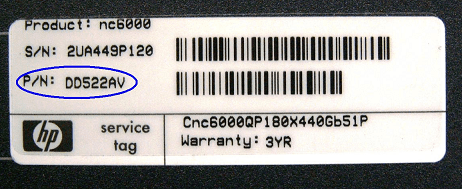
When you are home, check the product number of your laptop and post it here. I think it's the best way to start to look for your issue. You can find the product number from a sticker on the bottom of your laptop. Please notice it's the product number (P/N) I'm asking, not the serial number (S/N).
Kari | My System Specs | | System Manufacturer/Model Number HP ENVY 17-1150eg OS Windows 7 x64 Ultimate CPU 1.6 GHz Intel Core i7-720QM Processor Memory 6 GB Graphics Card ATI Mobility Radeon HD 5850 Graphics Sound Card Beats sound system with integrated subwoofer Monitor(s) Displays 17" laptop display, 22" LCD and 32" Full HD TV through HDMI Screen Resolution 1600*900, 1680*1050 and 1920*1080 Keyboard Logitech diNovo Media Desktop Laser (bluetooth) Mouse Logitech MX1000 Laser (Bluetooth) Hard Drives Internal: 2 x 500 GB SATA Hard Disk Drive 7200 rpm
External: 2TB for backups, 3TB USB3 network drive for media Internet Speed 50/10 Mbps VDSL Other Info Windows 7 Ultimate Retail Full in English, additional Guest-user accounts in Finnish, German and Swedish (Working languages English & Swedish, Family language German, my own language, mother tongue, Finnish. I really need Ultimate to get to use Language Packs!) |
11-10-2010
|
#4 | | |
Thanks for both of your responses. I will try the memtest suggestion as soon as I get home. As for the product number I know it starts with "DV7" and the rest of it may be 3108US, but I could be wrong. I'll find out for sure when I get home. On another note. If I start the computer in safe mode, the problem does not happen, which does indicate a software/ driver problem, however though I'm no novice to computers and have even fixed a few friends computers over the years, and an "all else fails" reinstall of windows fixed the problem every time, but NOT in this case, which is why I am torn between determining it as a software or hardware problem. I'll keep you posted on the status | My System Specs | | OS Windows 7 Premium 64 bit |
11-10-2010
|
#5 | | Windows 7 Home Premium SP1, clean install, upgrade disc |
If reinstall does not work, sounds like hardware. First place to look is memory
Test MB, too. Take a good stick and test each slot, using memtest, for about 4 passes. On original test make 8 | My System Specs | | System Manufacturer/Model Number Dell XPS 420 OS Windows 7 Home Premium SP1, clean install, upgrade disc CPU Intel Core2 processsor Q8200(2.33Ghz 1333FSB) Quad Core Tech Motherboard Dell Memory 6 gb Graphics Card ATI Radeon 256MB HD3650 Sound Card Intergrated 7.1 Channel Audio Monitor(s) Displays Dell SP2009W 20" Keyboard Dell USB Keyboard Mouse Dell Premium Optical USB Cooling Fan Hard Drives 640 GB Serial ATA Hard drive Internet Speed DSL 2.85 |
11-10-2010
|
#6 | | Vista 64 bit and 32 bit (SP2) |
Buratti, no matter what your laptop's problem turns out to be, I can tell you from experience with HP (I've got an HP Pavillion dv5t) -- you have to keep pressuring them and do not let up!!! You have to keep calling about your problem, and make sure you get a ticket number. Keep asking for a next level higher support person -- Eventually they will assign you a case manager, and then you will start to see some results. Also, I don't want this to sound biased or prejudiced in any way, but whenever you call, keep calling until you get US based support people. For some reason, it is generally found that with HP, you will get much better results, both in the tech support department and in customer service.
I purchased my dv5t about 1 1/2 years ago and the first one that I got had all kinds of problems (probably similar to yours). I had purchased mine on line, and I knew that if I asked for a repair or replacement, that I would be without a system for a long time. I finally had to demand a replacement because it just wasn't fixable. The good news was that because of my relentless badgering of the customer service department, I finally did reach a relatively high-level support person, and he did not require me to send my system into HP repair. He just went ahead and replaced it.
During that whole period of time, (about a month or more), I became very familiar with quite a few other people who were having similar kinds of issues with their new HP laptops, and we all concurred that the best way to get results was to get connected to the US based personnel, and try to keep moving up the ranks to higher and higher level service people. | My System Specs | | System Manufacturer/Model Number HP Pavillion dv5t (generation 1) OS Vista 64 bit and 32 bit (SP2) CPU Intel(R) Core(TM)2 Duo Processor T9400 (2.53 GHz Memory 4GB DDR2 System Memory (2 Dimm) Graphics Card 512 MB NVIDIA GeForce 9600M GT Monitor(s) Displays 15.4" diagonal WSXGA+ High-Definition HP BrightView Widescre Screen Resolution 1680 x 1050 Keyboard Built-in HP Mouse Built in - Synaptics TouchPad V6.5 on PS/2 Port Hard Drives 320GB 5400RPM SATA Hard Drive with HP ProtectSmart Hard Drive Protection Internet Speed Max Other Info ~ Intel Next-Gen Wireless-N Mini-card w/Bluetooth ~ Blu-Ray ROM DVD+/-R/RW ~ Integ. HDTV Hybrid Tuner ~ 12 Cell Battery ~ MS Office (Home Premium) 2007 ~ |
11-10-2010
|
#7 | | Windows 7 Home Premium 64bit |
Buratti,
You might want to try this also........... SFC /SCANNOW Command - System File Checker
But like Imperfect1 states be relentless and go UP the food chain for help.
Do not stop until you get results that you are happy with. | My System Specs | | System Manufacturer/Model Number HP M9077c OS Windows 7 Home Premium 64bit CPU Intel(R)Core(TM)2 quad Q6600@2.4GHz 2.39GHz Motherboard ASUSeK Memory 6GB DDR2 6400 Graphics Card GeForce 8500/512MB Sound Card Realtek High Def Audio Monitor(s) Displays HP w2408 LCD 24" widescreen Screen Resolution 1920x1200 Keyboard MS wireless Inteli Mouse MS wireless Inteli Cooling 6 pack of Bud |
11-10-2010
|
#8 | | |
Ok, so I'm home now and working on the computer, (writing this on a different computer than the problem one) Came home, booted up and no problems, YET! Since it is currently symptom free at the moment, I figured it wouldn't be possible to diagnose the problem with a clean boot, so I went straight for the memtest tool. I am currently running that (50% through pass one as of the time writing this) . Keep you posted. BTW the model number is dv7-3065dx (only slightly off from my guess before) | My System Specs | | OS Windows 7 Premium 64 bit |
11-11-2010
|
#10 | | |
if your laptop is not showing the problems you describe while in safe boot mode, i would suggest clean booting to find the problem. How to Troubleshoot a Problem by Performing a Clean Startup in Windows 7 or Vista
EDIT: apologies to richc46, I guess I only saw the memtest suggestion
Last edited by Brink; 08-05-2011 at 03:50 AM..
| My System Specs | | System Manufacturer/Model Number HP dv6519tx OS Windows 7 Ultimate x64 CPU 1.80 GHz Intel Core 2 Duo processor T7100 Memory 3 gig ddr2 Graphics Card NVIDIA GeForce 8400M GS Sound Card Realtek High Definition Audio Monitor(s) Displays 15.4” WXGA High Definition BrightView Widescreen Screen Resolution 1280 x 800 Keyboard 101 key compatible Mouse Touch Pad with On/Off button and dedicated vertical Scroll PSU 90 W AC Power Adapter Cooling Kitchen plate under the lappy Hard Drives Hitachi 320 GB (5400 rpm) Internet Speed Three Wireless internet prepaid using E160G USB dongle Brand new laptop not right from the start problems? All times are GMT -5. The time now is 07:45 PM. |  |