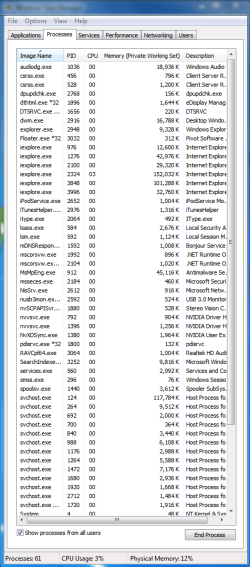
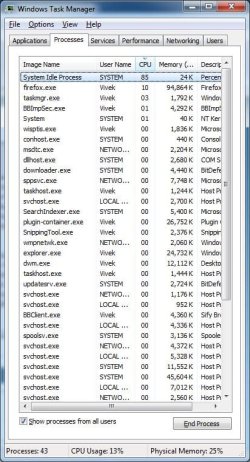
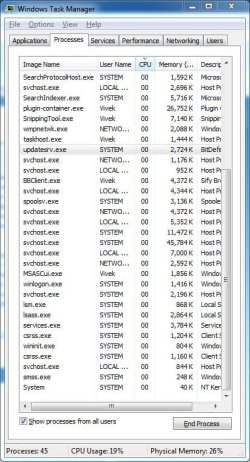
Hello, I have a HP 6910tx which was purchased 2 years back. I have installed Windows 7 Ultimate RC7600 on it at the moment. Few days back, I had a system crash and the Tech guys at HP said my laptop had multiple problems, and I eventually had my hard disk and Nvidia Graphics Card replaced. I am still facing nagging issues with my laptop for which I have no answers to.
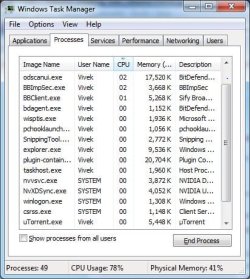
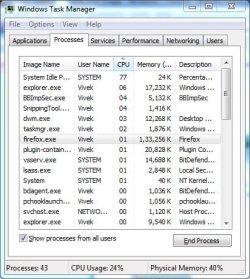
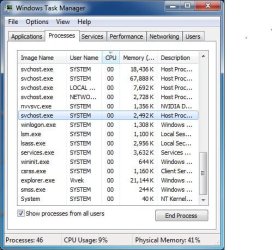
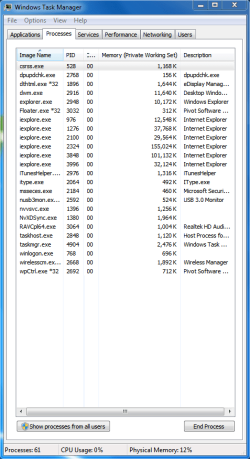
I have done a clean install of Win 7 and my laptop at the moment doesn't have any software or application that is capable of sucking the memory out. But I still see 100% CPU usage sometimes even though the system is practically idle. This is resulting in overheating of my laptop which is very worrying. My guess is that it may be because of assembling the laptop incorrectly which is causing the problem, but it's just an educated guess at the most. I am really concerned about the health of my laptop as it was running in top notch condition just a few weeks back. I am attaching the system specs with a HijackThis log taken a while back. Can anybody please help me out and advice before it's too late. I shall be much obliged.
Regards,
Viv
System: Hp DV6910tx, Intel Core 2 Duo, 2Ghz, 3GB Ram, 320 GB Hard disk, Nvidia GE Force 8400GS Graphics Card
I have done a clean install of Win 7 and my laptop at the moment doesn't have any software or application that is capable of sucking the memory out. But I still see 100% CPU usage sometimes even though the system is practically idle. This is resulting in overheating of my laptop which is very worrying. My guess is that it may be because of assembling the laptop incorrectly which is causing the problem, but it's just an educated guess at the most. I am really concerned about the health of my laptop as it was running in top notch condition just a few weeks back. I am attaching the system specs with a HijackThis log taken a while back. Can anybody please help me out and advice before it's too late. I shall be much obliged.
Regards,
Viv
System: Hp DV6910tx, Intel Core 2 Duo, 2Ghz, 3GB Ram, 320 GB Hard disk, Nvidia GE Force 8400GS Graphics Card
Code:
Logfile of Trend Micro HijackThis v2.0.4
Scan saved at 09:37:04, on 19-12-2010
Platform: Windows 7  (WinNT 6.00.3504)
MSIE: Internet Explorer v8.00 (8.00.7600.16385)
Boot mode: Normal

Running processes:
C:\Windows\system32\taskhost.exe
C:\Windows\system32\Dwm.exe
C:\Windows\Explorer.EXE
C:\Program Files\uTorrent\uTorrent.exe
C:\Program Files\Sify Broadband\BBClient.exe
C:\Program Files\Sify Broadband\BBImpSec.exe
C:\Program Files\Mozilla Firefox\firefox.exe
C:\Program Files\Mozilla Firefox\plugin-container.exe
C:\Windows\system32\wuauclt.exe
C:\Program Files\SpeedFan\speedfan.exe
C:\Windows\system32\taskmgr.exe
C:\Windows\system32\SearchFilterHost.exe
E:\hijackthis\Trend Micro\HiJackThis\HiJackThis.exe

R1 - HKCU\Software\Microsoft\Internet Explorer\Main,Search Page = [URL="http://go.microsoft.com/fwlink/?LinkId=54896"]Bing[/URL]
R0 - HKCU\Software\Microsoft\Internet Explorer\Main,Start Page = [URL="http://www.sify.com"]India News | Indian Business, Finance News | Sports: Cricket India | Bollywood, Tamil, Telugu Movies |Sify Mail,Astrology, Indian Recipes[/URL]
R1 - HKLM\Software\Microsoft\Internet Explorer\Main,Default_Page_URL = [URL="http://go.microsoft.com/fwlink/?LinkId=69157"]MSN.com[/URL]
R1 - HKLM\Software\Microsoft\Internet Explorer\Main,Default_Search_URL = [URL="http://go.microsoft.com/fwlink/?LinkId=54896"]Bing[/URL]
R1 - HKLM\Software\Microsoft\Internet Explorer\Main,Search Page = [URL="http://go.microsoft.com/fwlink/?LinkId=54896"]Bing[/URL]
R0 - HKLM\Software\Microsoft\Internet Explorer\Main,Start Page = [URL="http://go.microsoft.com/fwlink/?LinkId=69157"]MSN.com[/URL]
R0 - HKLM\Software\Microsoft\Internet Explorer\Search,SearchAssistant =
R0 - HKLM\Software\Microsoft\Internet Explorer\Search,CustomizeSearch =
R0 - HKCU\Software\Microsoft\Internet Explorer\Toolbar,LinksFolderName =
O4 - HKCU\..\Run: [uTorrent] "C:\Program Files\uTorrent\uTorrent.exe"
O4 - HKCU\..\Run: [SifyBB] C:\Program Files\Sify Broadband\BBImpSec.exe
O4 - HKUS\S-1-5-19\..\Run: [Sidebar] %ProgramFiles%\Windows Sidebar\Sidebar.exe /autoRun (User 'LOCAL SERVICE')
O4 - HKUS\S-1-5-19\..\RunOnce: [mctadmin] C:\Windows\System32\mctadmin.exe (User 'LOCAL SERVICE')
O4 - HKUS\S-1-5-20\..\Run: [Sidebar] %ProgramFiles%\Windows Sidebar\Sidebar.exe /autoRun (User 'NETWORK SERVICE')
O4 - HKUS\S-1-5-20\..\RunOnce: [mctadmin] C:\Windows\System32\mctadmin.exe (User 'NETWORK SERVICE')
O16 - DPF: {FFB3A759-98B1-446F-BDA9-909C6EB18CC7} (PCPitstop Exam) - [URL]http://utilities.pcpitstop.com/Optimize3/pcpitstop2.dll[/URL]
O17 - HKLM\System\CCS\Services\Tcpip\..\{C3E70A2E-3131-4566-A36C-750E300B685F}: NameServer = 202.144.95.4,202.144.66.6
O23 - Service: NVIDIA Driver Helper Service (NVSvc) - NVIDIA Corporation - C:\Windows\system32\nvvsvc.exe

--
End of file - 2571 bytes
My Computer
At a glance
Windows 7 Ultimate, 32-bit3gb ram
- Computer Manufacturer/Model Number
- HP dv6910tx
- OS
- Windows 7 Ultimate, 32-bit
- Memory
- 3gb ram