- Local time
- 7:13 PM
- Messages
- 2,039
I agree with stormy that this is not OS issue.
I have always used Intel and smaller Arctic Cooler heatsink fans with 0 problems. Since I don't overclock, I never buy monster heatsinks and tend to stay away from MSI/Gigabyte/Asus motherboards because their BIOS is blotted with OCing features. I have used ECS boards with very good success - granted they have less features in BIOS but what little it does - does well and quite stable of a motherboard in my opinion. You don't really need that monster heatsink unless you plan to OC (mainly for games).Additionally, the heatsink I used is a monster of a heatsink, shouldn't have listened to a friends recommendation on that.
Try that.Just for fun, have you tried loosening off the heatsink yet?
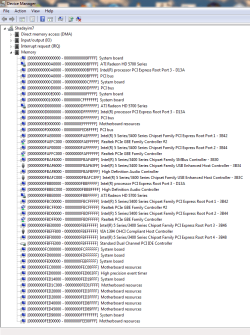
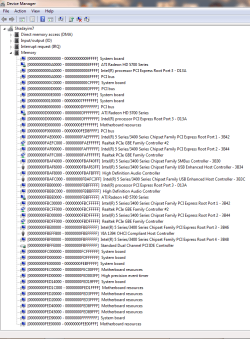
And try running the RAM on single channel mode? Another thing that beats me is according to OP, MemTest86+ is able to see and test all 4 GB of RAM. :huh: My suspicion goes towards your CPU (being improperly seated or damaged or whatever) and then to your motherboard.
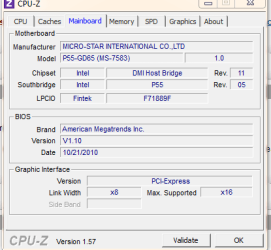
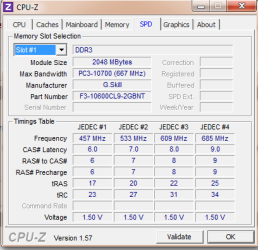
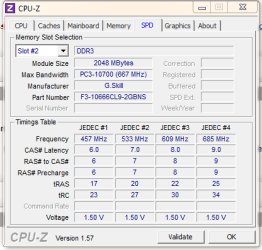
Some of those things are definitely possible, but it is more likely to be incorrect RAM. We got about two cases a week regarding this problem, and all due to technicians using RAM they thought would work, but didn't. Windows can see it, the board can obviously see it, various tests will show it and test it, but Windows can't use it.
Of course, there are major problems trying to troubleshoot such problems per posts. It could be a number of things, some of which could be quite easily eliminated, but there is no way of knowing what exactly the person concerned is actually doing. Also, not everybody has a collection of suitable RAM lying around.
Will be interesting to hear how the problem is eventually cured. Hopefully the OP will let us know.
Regards....Mike Connor
My Computer
At a glance
Several, including Windows 7 x64 Ultimate
- OS
- Several, including Windows 7 x64 Ultimate
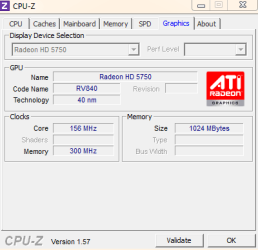
 If that is it just remover the driver for the graphics, even if all of it isnt there it will free like 100mb if not used..