|
Welcome to Windows 7 Forums. Our forum is dedicated to helping you find solutions with any problems, errors or issues you are experiencing with Windows 7. The Windows 7 forum also covers news and updates and has an extensive Windows 7 tutorial section that covers a wide range of tips and tricks.
Windows 7 - Start Menu Shortcuts - Permanent MRU! |
05-14-2011
|
#1 | | Windows 7 Ultimate SP1 (64 bit), Windows XP SP3, Ubuntu 10.04 |
Start Menu Shortcuts - Permanent MRU! Occasionally when I install programs, they create permanent shortcuts in the MRU area of the Start Menu.
Normally I can delete them by deleting the original icon (in All Programs) and making a new one to replace it.
Scumbag companies (e.g. EPSON, Samsung) seem to have "wised up" to this tactic and now it is impossible to remove certain icons.
When you make a replacement icon, the permanent MRU icon returns.
Does anyone know which Reg Keys to delete/edit to eliminate this blight? | My System Specs | | System Manufacturer/Model Number n/a OS Windows 7 Ultimate SP1 (64 bit), Windows XP SP3, Ubuntu 10.04 CPU AMD Phenom II x6 1055T, 2.8 GHz Motherboard ASRock 880GMH-LE/USB3 Memory 4 GB DDR3 1333 G-Skill Graphics Card NVIDIA GeForce 8500 GT Sound Card Realtek? Monitor(s) Displays Analog Silicon Graphics Screen Resolution 1600x1200 Mouse Wired Optical Case Tower Hard Drives Western Digital 1 TB (SATA), Western Digital 1.5 TB (SATA) Internet Speed DSL Other Info System Upgraded - 2011-05-21, 2010-07-14
HDD Upgraded - 2010-08-11 |
05-14-2011
|
#2 | | Windows 7 Ultimate X86 SP1 |
Try this, right click on the Start menu or Windows orb and...
Of course this will clear the MRU's.
Last edited by Brink; 06-22-2011 at 11:53 PM..
Reason: removed broken image link
| My System Specs | | System Manufacturer/Model Number Brittechnologies II OS Windows 7 Ultimate X86 SP1 CPU i5-2550K differing speeds depending on the day Motherboard ASUS P8X68-V PRO/GEN3 Memory 16GB G.Skill Sniper 2133MHz, 4X4GB Graphics Card ASUS ENGTX460 DirectCU/2DI/1GD5 GeForce GTX 460 Sound Card Onboard Realtek 5-1 Monitor(s) Displays Samsung P2570HD Screen Resolution 1920x1080 Keyboard Old Dell USB From 10 yrs Ago Mouse Gigabyte m6900 wired PSU Corsair HX650W Case Inwin Dragon rider Cooling Hyper 212 EVO w/two Noctua fans @1300 RPM Hard Drives TBA Internet Speed 8-19 Mbs down, 3-4 Mbs up Comcast Cable Other Info 5 fans, LG Bluray/R/RE, ASUS DVD/R/RW |
05-14-2011
|
#3 | | Windows 7 Ultimate SP1 (64 bit), Windows XP SP3, Ubuntu 10.04 |
Hi Britton30 Thanks for your suggestion.
I can "remove" the icons that way, however it means that no programs will place icons in the MRU area (occasionally I find them handy).
Also if I re-enable the options the permanent shortcuts return.
I have also tried cleaning with CCleaner and Glary Utilities (with the options selected and de-selected) without luck.
Sometimes rogue icons will go away: - If you choose Remove from this list in the context menu and then reboot.
- If you run the program and then choose Remove from this list in the context menu and then reboot.
Note:
Normally the rogue icons remain until AFTER I reboot (using the actions above).
Neither of these actions worked this time (the icons remain/reappear after rebooting).
Last edited by lehnerus2000; 05-14-2011 at 11:09 AM..
Reason: Correction
| My System Specs | | System Manufacturer/Model Number n/a OS Windows 7 Ultimate SP1 (64 bit), Windows XP SP3, Ubuntu 10.04 CPU AMD Phenom II x6 1055T, 2.8 GHz Motherboard ASRock 880GMH-LE/USB3 Memory 4 GB DDR3 1333 G-Skill Graphics Card NVIDIA GeForce 8500 GT Sound Card Realtek? Monitor(s) Displays Analog Silicon Graphics Screen Resolution 1600x1200 Mouse Wired Optical Case Tower Hard Drives Western Digital 1 TB (SATA), Western Digital 1.5 TB (SATA) Internet Speed DSL Other Info System Upgraded - 2011-05-21, 2010-07-14
HDD Upgraded - 2010-08-11 |
05-14-2011
|
#4 | | Windows 7 Ultimate X86 SP1 |
Second method, which I use, is to disable as in the screenshot then select "Pin To Start Menu" by right clicking the program's .exe file. That way there will be a quick link to the programs you use.
Here's mine.
Last edited by Brink; 06-22-2011 at 11:53 PM..
Reason: removed broken image link
| My System Specs | | System Manufacturer/Model Number Brittechnologies II OS Windows 7 Ultimate X86 SP1 CPU i5-2550K differing speeds depending on the day Motherboard ASUS P8X68-V PRO/GEN3 Memory 16GB G.Skill Sniper 2133MHz, 4X4GB Graphics Card ASUS ENGTX460 DirectCU/2DI/1GD5 GeForce GTX 460 Sound Card Onboard Realtek 5-1 Monitor(s) Displays Samsung P2570HD Screen Resolution 1920x1080 Keyboard Old Dell USB From 10 yrs Ago Mouse Gigabyte m6900 wired PSU Corsair HX650W Case Inwin Dragon rider Cooling Hyper 212 EVO w/two Noctua fans @1300 RPM Hard Drives TBA Internet Speed 8-19 Mbs down, 3-4 Mbs up Comcast Cable Other Info 5 fans, LG Bluray/R/RE, ASUS DVD/R/RW |
05-14-2011
|
#5 | | Windows 7 Ultimate SP1 (64 bit), Windows XP SP3, Ubuntu 10.04 |
Pinned Items The programs that I use daily are pinned to the Task Bar.
Programs that I use regularly are pinned to my Start Menu.
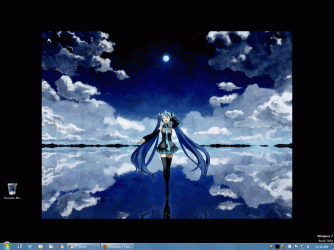
The rest are in All Programs. My Desktop, Start Menu, All Programs & Desktop (Click thumbnails for animation and large wallpaper) 
As you can see I have a few items pinned to the Task bar and a lot pinned in the Start Menu.
I have created category folders in the All Programs section to reduce chaos.
Note:
In this gif a shortcut called ASSDraw3 (Aegisub) is in the MRU area.
This icon is "permanent".
I deleted the original EPSON and Samsung icons from All Programs, which eliminated them from the MRU area. | My System Specs | | System Manufacturer/Model Number n/a OS Windows 7 Ultimate SP1 (64 bit), Windows XP SP3, Ubuntu 10.04 CPU AMD Phenom II x6 1055T, 2.8 GHz Motherboard ASRock 880GMH-LE/USB3 Memory 4 GB DDR3 1333 G-Skill Graphics Card NVIDIA GeForce 8500 GT Sound Card Realtek? Monitor(s) Displays Analog Silicon Graphics Screen Resolution 1600x1200 Mouse Wired Optical Case Tower Hard Drives Western Digital 1 TB (SATA), Western Digital 1.5 TB (SATA) Internet Speed DSL Other Info System Upgraded - 2011-05-21, 2010-07-14
HDD Upgraded - 2010-08-11 |
06-22-2011
|
#6 | | Windows 7 Ultimate SP1 (64 bit), Windows XP SP3, Ubuntu 10.04 |
They go away eventually The shortcuts go away after an undetermined number of reboots/days. | My System Specs | | System Manufacturer/Model Number n/a OS Windows 7 Ultimate SP1 (64 bit), Windows XP SP3, Ubuntu 10.04 CPU AMD Phenom II x6 1055T, 2.8 GHz Motherboard ASRock 880GMH-LE/USB3 Memory 4 GB DDR3 1333 G-Skill Graphics Card NVIDIA GeForce 8500 GT Sound Card Realtek? Monitor(s) Displays Analog Silicon Graphics Screen Resolution 1600x1200 Mouse Wired Optical Case Tower Hard Drives Western Digital 1 TB (SATA), Western Digital 1.5 TB (SATA) Internet Speed DSL Other Info System Upgraded - 2011-05-21, 2010-07-14
HDD Upgraded - 2010-08-11 |
06-23-2011
|
#7 | | Windows 7 Ultimate X86 SP1 |
Glad you have it fixed if not figured out. Windows has always had some spookiness to it, such as IE opening as a postage stamp size at will. | My System Specs | | System Manufacturer/Model Number Brittechnologies II OS Windows 7 Ultimate X86 SP1 CPU i5-2550K differing speeds depending on the day Motherboard ASUS P8X68-V PRO/GEN3 Memory 16GB G.Skill Sniper 2133MHz, 4X4GB Graphics Card ASUS ENGTX460 DirectCU/2DI/1GD5 GeForce GTX 460 Sound Card Onboard Realtek 5-1 Monitor(s) Displays Samsung P2570HD Screen Resolution 1920x1080 Keyboard Old Dell USB From 10 yrs Ago Mouse Gigabyte m6900 wired PSU Corsair HX650W Case Inwin Dragon rider Cooling Hyper 212 EVO w/two Noctua fans @1300 RPM Hard Drives TBA Internet Speed 8-19 Mbs down, 3-4 Mbs up Comcast Cable Other Info 5 fans, LG Bluray/R/RE, ASUS DVD/R/RW |
06-23-2011
|
#8 | | Windows 7 Ultimate SP1 (64 bit), Windows XP SP3, Ubuntu 10.04 |
C'est la vie I wouldn't necessarily say the problem is solved.
I actually want to be able to eliminate these shortcuts at a time of my choosing.
I'm sure there must be a section in the Registry, which keeps track of these shortcuts.
C'est la vie. | My System Specs | | System Manufacturer/Model Number n/a OS Windows 7 Ultimate SP1 (64 bit), Windows XP SP3, Ubuntu 10.04 CPU AMD Phenom II x6 1055T, 2.8 GHz Motherboard ASRock 880GMH-LE/USB3 Memory 4 GB DDR3 1333 G-Skill Graphics Card NVIDIA GeForce 8500 GT Sound Card Realtek? Monitor(s) Displays Analog Silicon Graphics Screen Resolution 1600x1200 Mouse Wired Optical Case Tower Hard Drives Western Digital 1 TB (SATA), Western Digital 1.5 TB (SATA) Internet Speed DSL Other Info System Upgraded - 2011-05-21, 2010-07-14
HDD Upgraded - 2010-08-11 Start Menu Shortcuts - Permanent MRU! problems? All times are GMT -5. The time now is 06:32 PM. |  |