

- Local time
- 2:19 PM
- Messages
- 211
Just wondering if anyone else had tried MINIMEM??
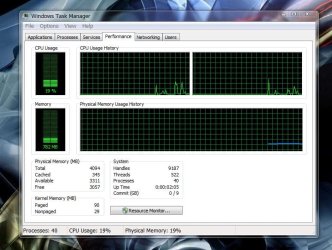
A small app that minimizes memory usage
it seems to work for me
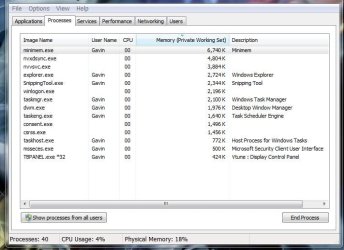
as you can see explorer.exe and dwm.exe are reduced
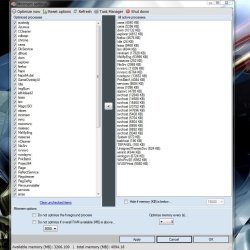
if you want to give it a try run your programs,then refresh minimem
and hit the arrow to move them to optimized process and apply
i run it as start with windows
thought it might come in handy,see what you think??
A small app that minimizes memory usage
it seems to work for me
as you can see explorer.exe and dwm.exe are reduced
if you want to give it a try run your programs,then refresh minimem
and hit the arrow to move them to optimized process and apply
i run it as start with windows
thought it might come in handy,see what you think??
Attachments
My Computer
At a glance
Windows 7 X64 BitIntel(R) Core(TM)i7-4771 CPU @ 3.50GHCorsair 4x8 Vengeance (32GB)NVIDIA GeForce GTX780
- Computer type
- PC/Desktop
- OS
- Windows 7 X64 Bit
- CPU
- Intel(R) Core(TM)i7-4771 CPU @ 3.50GH
- Motherboard
- Asus Sabertooth Z87
- Memory
- Corsair 4x8 Vengeance (32GB)
- Graphics Card(s)
- NVIDIA GeForce GTX780
- Monitor(s) Displays
- LG
- Screen Resolution
- 1920x1080
- PSU
- Corsair CX750
- Case
- Corsair 200 series
- Cooling
- H80i Liquid Cooler
- Keyboard
- Microsoft
- Mouse
- Microsoft
- Internet Speed
- good times-500-850 kbs bad times-50-100 kbs


