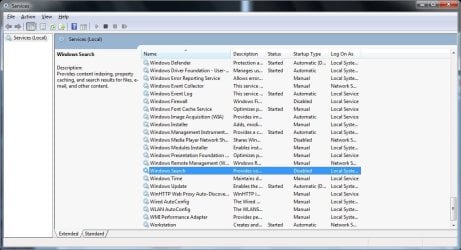
Hi, I was wondering if someone could help me out with my predicament. Recently my search index hasn't been working. When I type in a common word or the name for a file it tells me "no items match your search" I know the files are there even when I go to the folder it's in, when I type in the name it comes up as it's not found. I've tried fix it and can't seem to actually FIX IT. So help is appreciated 
Also I didn't know if I should have put this in general or not so I put it in Performance & Maintenance since I need some fixing on the search index.
Also I didn't know if I should have put this in general or not so I put it in Performance & Maintenance since I need some fixing on the search index.
My Computer
At a glance
Windows 7 Professional 64-bit (6.1, Build 760...Intel(R) Core(TM) i5 CPU M 480 @ 2.67GHz (4 C...8192MB RAMIntel(R) HD Graphics (Core i5)
- Computer Manufacturer/Model Number
- Dell Inc. Inspiron N5010
- OS
- Windows 7 Professional 64-bit (6.1, Build 7601) Service Pack 1
- CPU
- Intel(R) Core(TM) i5 CPU M 480 @ 2.67GHz (4 CPUs), ~2
- Memory
- 8192MB RAM
- Graphics Card(s)
- Intel(R) HD Graphics (Core i5)
- Sound Card
- Speakers / Headphones (IDT High Definition Audio CODEC)
- Screen Resolution
- 1366x768