Windows 7 Forums


Windows 7: explorer.exe

28 Aug 2009   #1

I'm a PC
out their!!
 
 
explorer.exe

Hi all, not sure if this is the right place to post this, if not am sure a mod will move it to the relevant section, right this is my prob, have been using Windows 7 build 7100 for a few months now and generally find it very good apart from one thing on occasions it slows down quite a bit, so when i go into task manger to see what is using the cpu up i find that i have more than one explorer.exe open using different amounts of memory i have had several explorer.exe.s open at any one time, so i close all but the one using the most mem, all the others i can safety close without the pc crashing or locking up has anyone else had this prob or is it just mine.

Specs

AMD64 athlon
3gig mem
asus mobo
asus ati graphics card
3 hd's 1ide, 2sata
ext hd
habu mouse
g15 keyboard
hp printer

if u need any more info just ask.

tia.

My System SpecsSystem Spec

28 Aug 2009   #2

Windows® 8 Pro (64-bit)
Mumbai, India


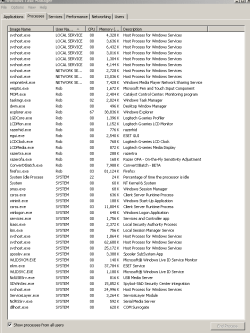
Hi and welcome to the Forums. Could you post a screen shot of task manager (Processes tab)?
My System SpecsSystem Spec
28 Aug 2009   #3

Windows 7 Professional x64
Trinidad and Tobago


Clearly your computer seems to be infected with something. Your best bet would be to back up, format , install.

If you don't want to you can download Malwarebyte Anti-Malware and SuperAntiSpyware and scan your machine.

Download Malwarebytes Anti-Malware 1.40 - FileHippo.com

Download SuperAntiSpyware 4.27.1002 - FileHippo.com

What anti-virus do you have installed?
My System SpecsSystem Spec
.


28 Aug 2009   #4

I'm a PC
out their!!


@dinesh will do m8


@TGSoldier, have eset32 v4, antivirus installed as well as malwareantibytes1.4 and spybot search and destroy 1.6.2 have run scans with all three programs apart form usual cookies pc is clean as whistle, i do run regular scan every week with S&D and Antibytes Nod32 runs everynight at 2 in morning.
My System SpecsSystem Spec
28 Aug 2009   #5

Windows® 8 Pro (64-bit)
Mumbai, India


I dont think this is an infection. Something is fishy.
My System SpecsSystem Spec
28 Aug 2009   #6

I'm a PC
out their!!


@Dinesh how do u mean something fishy?? please elaborate!!

if by that u mean a dodgy copy of Windows 7 then you would be wrong i downloaded it from the MS web site and got the key from them direct.
My System SpecsSystem Spec
28 Aug 2009   #7

Windows® 8 Pro (64-bit)
Mumbai, India


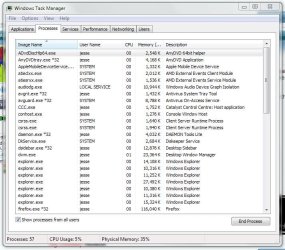
No i mean that i was suspecting that it could be because of some virus. But when you said that you've got NOD32, Spybot and MBAM, i guess that its not a virus. Use Snipping tool and capture a screenshot of Task manager and upload it here.

To use snipping tool, open task manager and click on Processes tab. Now click start, in the search box, type snip and press Enter. Using your mouse, cut the taskmanager and save it.

Then click on the pin and upload it here. (See screen shot below)

explorer.exe-capture.png
My System SpecsSystem Spec
28 Aug 2009   #8

I'm a PC
out their!!


ok m8 my mistake.

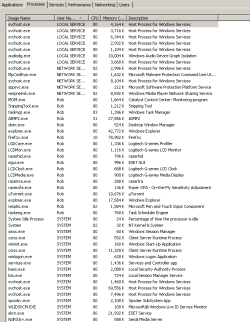
here is screen shot of process
Attached Thumbnails
explorer.exe-task-capture.png  
My System SpecsSystem Spec
28 Aug 2009   #9

Windows 7 Professional x64
Trinidad and Tobago


I only see one explorer.exe running...
My System SpecsSystem Spec
28 Aug 2009   #10

I'm a PC
out their!!


yea that becasue i closed a lot down will upload another screener when their are more running, i forgot i closed them down
My System SpecsSystem Spec
Reply

 explorer.exe problems?


Thread Tools


Similar help and support threads for: explorer.exe
Thread Forum
Solved my windows explorer move with a frame but not the whole explorer General Discussion
Solved Windows Explorer (Not Internet Explorer) Causing problems General Discussion
Explorer Will Not Load, States Explorer.exe Contains Virus System Security
Windows explorer (not Internet explorer) is crashing BSOD Help and Support
Windows Explorer (explorer.exe) is constantly crashing BSOD Help and Support


All times are GMT -5. The time now is 12:38 PM.


Windows 7 Forums is an independent web site and has not been authorized,
sponsored, or otherwise approved by Microsoft Corporation.
"Windows 7" and related materials are trademarks of Microsoft Corp.
© Designer Media Ltd