I got two questions about paging files:
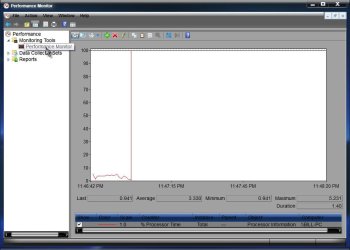
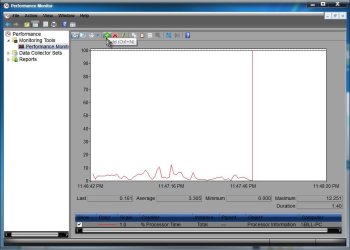
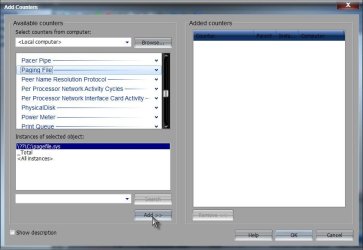
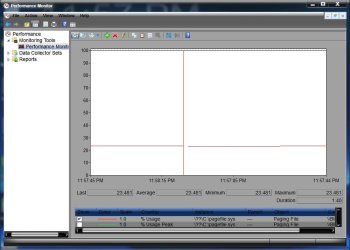
- Is there a command in Windows 7 (or even earlier versions of Windows) that will tell you how much of the total Windows paging file is being used? For example, you might have a total of 10,000MB of virtual memory, but 7000MB might only be used. The Advanced Settings tab under Computer Properties only tells you the total amount of virtual memory you have, but not how much of it is actually being used.
- If you have multiple internal hard disks, and you decide to spread the virtual memory workload around, you would create a small amount of paging file in several of those drives. So for example, if you have 4GB of RAM and 4 drives, you might give each drive a minimum of 1GB each. My question is how does Windows make use of each of those separate paging files? Does it do it sequentially, where it uses up all of the space in first drive's paging file, and then uses up the second drive's paging file, etc.? Or does it do it simultaneously, where it uses each file in each drive simultaneously, allocating them in some sort of round-robin fashion?
My Computer
- Computer Manufacturer/Model Number
- Homebuilt
- OS
- Windows 7 Ultimate x64
- CPU
- AMD Phenom II X6 1100T Black Edition
- Motherboard
- Asus M4A785-M
- Memory
- 8GB DDR2 Corsair PC2-6400
- Graphics Card(s)
- AMD Radeon HD 6870
- Monitor(s) Displays
- LG W2343 23" monitor
- Screen Resolution
- 1920 x 1080 (1080p)
- Hard Drives
- system boot: Corsair Force 3 240GB.
additional: Seagate 750GB, Samsung 750GB, Hitachi 1.0TB, WDC 1.5TB, Seagate 1.5TB.
- PSU
- OCZ-ZT750W
- Case
- Cooler Master Haf X
- Keyboard
- Logitech 920 Illuminated Keyboard
- Internet Speed
- 25Mbps