x BlueRobot
Closed by request
- Local time
- 12:08 PM
- Messages
- 6,784
Hey,
I run my laptop without a battery, just use the power adapter from the mains, to put strain upon the battery and the power adapter, which I have found to produce excessive heat when the battery is charging.
Also, I have the air vents fully unobstructed and make sure their clean by blowing with air by lung power
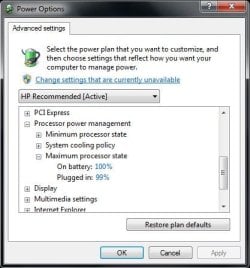
The power settings have been changed to maximum CPU state of 99% to reduce the temperature of the CPU (from what I've heard).
Anyone know any other good tips?
I run my laptop without a battery, just use the power adapter from the mains, to put strain upon the battery and the power adapter, which I have found to produce excessive heat when the battery is charging.
Also, I have the air vents fully unobstructed and make sure their clean by blowing with air by lung power
The power settings have been changed to maximum CPU state of 99% to reduce the temperature of the CPU (from what I've heard).
Anyone know any other good tips?
My Computer
- Computer type
- Laptop
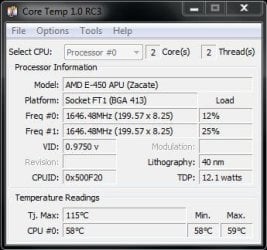
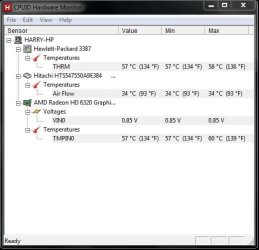
 The temperature is with Google Chrome (Windows Seven Forums) open.