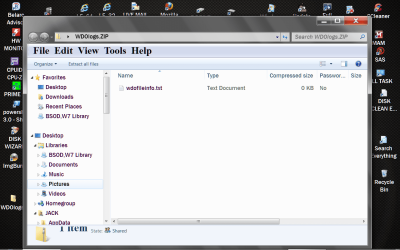
thiskent,
Run the attached script and upload the wdologs.txt file which is placed on your desktop.
# **********************INSTRUCTIONS**************************
# STEP 1 ** RUN POWERSHELL AS ADMINISTRATOR ******************
# ************************************************************
#
# WIN key | type POWERSHELL | do NOT hit ENTER |
# in the PROGRAMS list, right-click on WINDOWS POWERSHELL |
# choose "Run as administrator" |
# Click on the YES button (if such appears)
#
# WIN key = key with Microsoft log on top
#
# for the guru:
# WIN | type POWERSHELL | CTRL+SHIFT+ENTER key combo | ALT+Y keycombo
# ************************************************************
# STEP 2 ** COPY AND PASTE ***********************************
# ************************************************************
#
# COPY the script using CTRL+C,
# COPY every line of script down thru both EXIT statements
#
# PASTE into Powershell
#----Right-Click at the PowerShell Prompt
#----(Ctrl+V does not work)
#
# Start copying with first script line without a # at start of the line
# Note: Actually, you can paste the entire file if you rather
#-------Lines starting with a # are ignored by PowerShell
# ************************************************************
# STEP 3 ** SCRIPT OUTPUT & SCRIPT PURPOSE *******************
# ************************************************************
# --The script output and purpose is given at the very front of the script
#
# --The script output and purpose is given at the very front of the script
#
# ************************************************************
# ***************** NOTE - POWERSHELL VERSION*****************
# if you receive this error msg:
#--The system can not find the path specified
# you may need to update your PowerShell
# you must be using Powershell 2.0 or later.
#
# To determine your Powershell version:
#---Run PowerShell
#---enter $host.version
#---you should see at least:
# Major Minor Build Revision
# ----- ----- ----- --------
# 2......0......-1.....-1
#
# If you do not see the above, update your Vista/Win 7.
# ************************************************************
# *************** NOTE - EXECUTION POLICY*********************
# If you haven't set the execution policy, you may need to:
#---Run PowerShell
#---enter SET-EXECUTIONPOLICY -EXECUTIONPOLICY REMOTESIGNED
# ************************************************************
PHP:
# ************************************************************
# Zips up files from Windows Defender Offline
# Places WDOlogs.ZIP on your Desktop
# ************************************************************
function New-Zip {
param([Parameter(Mandatory=$true,Position=0,ValueFromPipeline=$true)]
[String]$Path,[Switch]$PassThru,[Switch]$Force )
Process {$force = $true
if (Test-Path $path) {if (-not $Force) { return } }
Set-Content $path ("PK" + [char]5 + [char]6 + ("$([char]0)" * 18))
$item=Get-Item $path;$item.IsReadOnly=$false;if($passThru){$item}}}
function Copy-ToZip{param(
[Parameter(Mandatory=$true,Position=0,`
ValueFromPipelineByPropertyName=$true)]
[Alias('FullName')][String]$File,[Parameter(Mandatory=$true,Position=1)]
[String]$Zfile,[Switch]$HideProgress,[Switch]$Force )
Begin {$HideProgress = $false;$force = $true;
$ShellApplication = New-Object -ComObject Shell.Application
if (-not (Test-Path $Zfile)) {New-Zip $Zfile -verbose:$false `
-ea:silentlycontinue -force:$true};$Path= Resolve-Path $Zfile;
$ZipPackage = $ShellApplication.Namespace("$Path") }
Process {$afile = Get-Item $File;if (-not $afile) {return}
if (-not $hideProgress) {$perc +=5;if ($perc -gt 100) { $perc = 0 }
Write-Progress "Copying" $afile.FullName -PercentComplete $perc}
$Flags = 0; if ($force) {$flags = 16 -bor 1024 -bor 64 -bor 512 };
Write-Verbose $afile.Fullname;
$ZipPackage.CopyHere($afile.Fullname, $flags);
Start-Sleep -Milliseconds 500 } }
$divider = "#" * 79
$WDO = join-path $env:TEMP \wdofileinfo.txt
IF (test-path $WDO) {del $WDO -ea:silentlycontinue -force:$true}
$dir = $env:windir + '\Microsoft Antimalware\Support'
$a = dir $dir -rec -force -ea:silentlycontinue | sort lastwritetime |
where {$_.extension -eq '.log'} |
select name, lastwritetime, creationtime, lastaccesstime,  fullname
$arr = @();$arr += $a
$a | foreach ($_.fullname) {$c = $divider;$d = $_.fullname;
$e = get-content -path $_.fullname;$arr += $c, $d, $e }
$arr | out-file $WDO
$zip = $env:userprofile + '\desktop\WDOlogs.ZIP'
new-zip $zip -verbose:$false -ea:silentlycontinue -force:$true
copy-tozip  $WDO $zip -verbose:$false; del $WDO

EXIT
EXIT

 i can't install it in safe mode either..