Hello, I hope you are doing well.
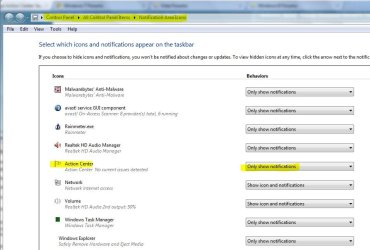
I think the Action Center is not too bad, so I'd rather have it running. However, is there any way I can not have the icon show up in the system tray unless there is a suggested action that I should take?
Thank you,
Vic
I think the Action Center is not too bad, so I'd rather have it running. However, is there any way I can not have the icon show up in the system tray unless there is a suggested action that I should take?
Thank you,
Vic
My Computer
- Computer Manufacturer/Model Number
- Dell Vostro 1500
- OS
- Windows 7 Professional
- CPU
- Intel Core2Duo T5270
- Memory
- 3072MB
- Graphics Card(s)
- nVidia GeForce 8400M GS
- Hard Drives
- Western Digital 320GB Scorpio Blue SATAII
- Mouse
- Logitech VX Revolution
- Internet Speed
- Comcast Performance High Speed Internet