Windows 7 Forums


Windows 7: O% CPU Usage, 54 Physical Memory

07 Oct 2012   #11

Windows 7


I would not know how to do that. And I just beeped twice as I'm typing this. I am on a laptop, BTW.

My System SpecsSystem Spec

07 Oct 2012   #12

Windows 7 Ultimate x64
Mumbai & Bangalore


Wait for suggestion from other members of the forum.
My System SpecsSystem Spec
07 Oct 2012   #13

win7 ultimate 32bit


to check your RAM see this link

How to Install RAM in Your Acer Laptop | eHow.com

'most' ACER machines have a memory access door on the bottom of the machine (read your manual or tell us here what the model number is) and the above linked instructions should apply--note that RAM can get loose if a laptop is bounced around a bit

note: Be aware, though, that Acer is also notorious for its "hidden memory compartment" under the keyboard, which will be 'more difficult' to check
My System SpecsSystem Spec
.


07 Oct 2012   #14

Windows 7


Model # is X73S. I don't really bounce the laptop around much, but you never know, I guess. If it's easily accessible, I could probably take a look (and save the million dollar charge at MicroCenter).
My System SpecsSystem Spec
07 Oct 2012   #15

win7 ultimate 32bit


no one really bounces their laptop around--but--just riding in a vehicle or being carried in a backpack can cause bouncing--Acer doesn't appear to make an X73S--but Asus does--so which is it? IF Acer there should be an access door on bottom.

in an earlier post someone mentioned using CPU ID--it's free and you can get it here:

CPUID - System & hardware benchmark, monitoring, reporting


download install and run it--it will show tons of info about your ram, motherboard, cpu and BIOS version which makes it easy to diagnose beep codes.

once you know what version BIOS (Mainboard Tab in CPU-Z) you have you can look up the beep codes here:
How To Troubleshoot Beep Codes
Attached Thumbnails
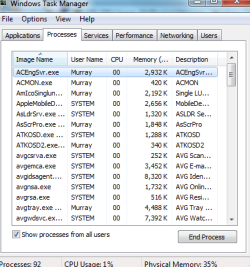
O% CPU Usage, 54 Physical Memory-capture.jpg  
My System SpecsSystem Spec
07 Oct 2012   #16

Win 7 Pro 64-bit 7601
Italy


Quote   Quote: Originally Posted by hybucket View Post
Pedroc-
Keep in mind I am not a computer wiz. I am not sure what you mean by "speccy or cpu id"
"speccy" is a program that goes and looks at what hardware you have.
We have the forum's own program for that, that will automatically fill the "my specs" table (scroll down to the 7th step of that tutorial) so we can see it and provide more tailored help.
My System SpecsSystem Spec
07 Oct 2012   #17

Windows 7 Home Premium 64 bit. SP-1
Northern Ohio


My System SpecsSystem Spec
Reply

 O% CPU Usage, 54 Physical Memory problems?


Thread Tools


Similar help and support threads for: O% CPU Usage, 54 Physical Memory
Thread Forum
Solved Physical Memory Usage Performance & Maintenance
Physical Memory Usage Performance & Maintenance
Physical Memory Usage never above 33% Performance & Maintenance
Windows 7 random CPU usage and high physical memory usage!!! Performance & Maintenance


All times are GMT -5. The time now is 01:50 PM.


Seven Forums Android App Seven Forums IOS App Follow us on Facebook

Windows 7 Forums is an independent web site and has not been authorized,
sponsored, or otherwise approved by Microsoft Corporation.
"Windows 7" and related materials are trademarks of Microsoft Corp.
© Designer Media Ltd
  

1 2 3 4 5 6 7 8 9 10 11 12 13 14 15 16 17 18 19 20 21 22 23 24 25 26 27 28 29 30 31 32