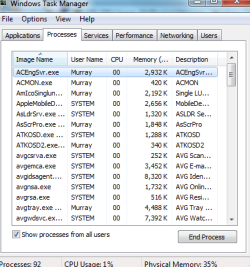
Don't know much about computers, but...just started occasionally getting one short beep or two short beeps every once in a while. Read thru a few forums, and found some responses concerning memory. Checked my Task Manager (I'm on Windows 7 on an Acer laptop a few months old) and all the CPU usage was at 0, but the usage at the bottom was changing from 9% to maybe 45%. I checked off show processes from all users, but it didn't make a difference. Also, the physical memory reads anywhere from 35-45%. Aside from a small slowdown in things like typing on a website (or here), there are no significant problems. I ran a virus scan, and rebooted, to no avail. But if it's beeping, there must be something wrong. Is it time to consider repair shop? Any one with any ideas?
My Computer
At a glance
Windows 7
- OS
- Windows 7