
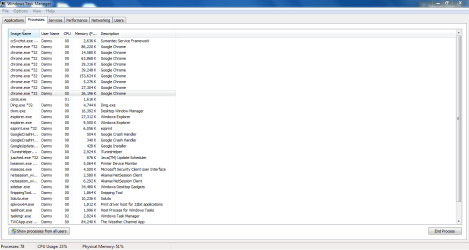
I have a Toshiba Satellite C655 running Windows 7 64 bit. A week and a half ago it started taking over a minute to shut down. It started around the time I installed optional updates for Microsoft Security Essentials, my anti-virus program. I uninstalled it, shut the computer down and it still takes over a minute to shut down. Went into safe mode and reinistalled it there, still took over a minute to shut down. My drivers are all up to date. I think that it may have something to do with an application taking to long to finish uo what it's doing. When looking at processes under task manager, there are 9 separate processes for Google Chrome. I'm attaching a screen shot of task manager.
Attachments
My Computer
At a glance
Microsoft Windows 7 Home Premium 64-bit 7601 ...AMD Athlon(tm) II P340 Dual-Core Processor4.00 GBATI Mobility Radeon HD 4200 Series
- Computer type
- PC/Desktop
- OS
- Microsoft Windows 7 Home Premium 64-bit 7601 Multiprocessor Free Service Pack 1
- CPU
- AMD Athlon(tm) II P340 Dual-Core Processor
- Motherboard
- TOSHIBA Portable PC
- Memory
- 4.00 GB
- Graphics Card(s)
- ATI Mobility Radeon HD 4200 Series
- Sound Card
- Conexant CX20671 SmartAudio HD
- Screen Resolution
- 1366 x 768 x 32 bits (4294967296 colors) @ 59 Hz
- Hard Drives
- ST9250315AS ATA Device


