Windows 7 Forums


Windows 7: Slow bootup (Win7 64bit)

11 Dec 2012   #1

Windows 7 x64
 
 
Slow bootup (Win7 64bit)

Issue:
After reformat, it's been taking my laptop 10-15 minutes to boot.

What I've done so far:
- Brought it to tech support, and they've determined it wasn't a hardware issue.
- Updated all device drivers

What's happening:
Instead of the usual Microsoft Windows message with the Windows logo, the boot screen is always this


and it's been like that no matter how much I restart.

Thank you very much for your time!


Last edited by Brink; 11 Dec 2012 at 11:10 AM.. Reason: fixed image
My System SpecsSystem Spec

11 Dec 2012   #2
whs

Vista, Windows7, Mint Mate, Zorin, Windows 8
Florida in winter, Black Forest/Germany


Can you put the system specs inti your profile (CPU, Graphics, HD, etc.). That would help. The logo matter could be a graphics problem.

Have you tried to boot in safe mode and how long does that take.
My System SpecsSystem Spec
11 Dec 2012   #3

Windows 7 x64


I've updated System Specs with as much information as I know. Would it help to know that the bootup time was fine before I reformatted it?

Trying safe mode now. Will post results.
EDIT1: Safe Mode took about 8-10 minutes to boot.
EDIT2: Will check back in about 8 hours.
My System SpecsSystem Spec
.


11 Dec 2012   #4
whs

Vista, Windows7, Mint Mate, Zorin, Windows 8
Florida in winter, Black Forest/Germany


Check in msconfig > Boot tab whether Safe Boot is checked. If yes, uncheck it.
My System SpecsSystem Spec
11 Dec 2012   #5

Windows 7 x64


It's unchecked. I'm on normal boot.
My System SpecsSystem Spec
11 Dec 2012   #6
whs

Vista, Windows7, Mint Mate, Zorin, Windows 8
Florida in winter, Black Forest/Germany


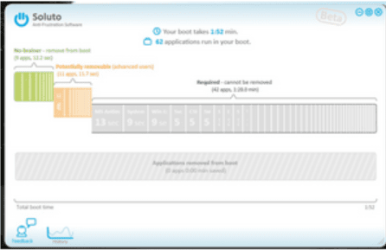
You could run Soluto to find out what is holding it up: http://download.cnet.com/Soluto/3000...-75446583.html
My System SpecsSystem Spec
12 Dec 2012   #7

Windows 7 x64


Just installed Soluto. What do I do with it? Sorry for this question, just have to make sure what I'm doing XD
My System SpecsSystem Spec
12 Dec 2012   #8
whs

Vista, Windows7, Mint Mate, Zorin, Windows 8
Florida in winter, Black Forest/Germany


If you reboot, you'll see. It will appear on the bottom left of the screen.
My System SpecsSystem Spec
12 Dec 2012   #9

Windows 7 x64


I'm not sure I get it. It's there, and it opens up on my browser when I double click it. Which information do I need?

Last edited by revya; 12 Dec 2012 at 09:27 PM..
My System SpecsSystem Spec
13 Dec 2012   #10

Windows 7 x64


bumping this for visibility
My System SpecsSystem Spec
Reply

 Slow bootup (Win7 64bit) problems?


Thread Tools


Similar help and support threads for: Slow bootup (Win7 64bit)
Thread Forum
Slow Internet Speed in Win7 Home Premium 64bit Network & Sharing
Solved Slow transfer rate from USB to desktop(win7 64bit) Hardware & Devices
Solved Slow Logon...Black screen...Icons refresh!! Win7 64BIT Performance & Maintenance
Very Slow Bootup Help? Hardware & Devices
Win7 64bit pc icon images loading very slow General Discussion


All times are GMT -5. The time now is 01:23 PM.


Seven Forums Android App Seven Forums IOS App Follow us on Facebook

Windows 7 Forums is an independent web site and has not been authorized,
sponsored, or otherwise approved by Microsoft Corporation.
"Windows 7" and related materials are trademarks of Microsoft Corp.
© Designer Media Ltd
  

1 2 3 4 5 6 7 8 9 10 11 12 13 14 15 16 17 18 19 20 21 22 23 24 25 26 27 28 29 30 31 32