| Windows 7: Constant hard drive activity? |
29 Oct 2009
|
#1 | | Windows 7 Ultimate 64-bit and 32-bit |
Constant hard drive activity? Hi,
I installed Windows 7 RC. When ever I am booted into Windows 7 one of my hard drives (probably not system drive - sounds like my secondary storage drive) is constantly working. Not very much but still making sounds.
I have completely turned off indexation, there is no automatic defrag going on. I have set a constant size to the paging file and there is no antivirus activity going on. The hard drive is making noise even when the system is idle for a long time and also when I am using it.
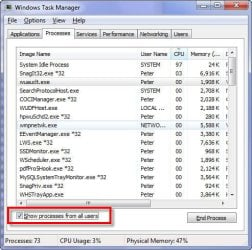
The processes tab in the task monitor shows no process that is using CPU.
What can this hard drive activity be?
Thanks! | My System Specs |
| System Manufacturer/Model Number built it myself OS Windows 7 Ultimate 64-bit and 32-bit CPU Intel i7 950 Motherboard Asus Sabertooth X58 Memory 6GB Graphics Card Gigabyte Radeon HD6850 Windforce Sound Card onboard Realtek HD audio chip Monitor(s) Displays Dell 2209WA and an old Acer 17" Screen Resolution 1680x1050 and 1280x1024 PSU SeaSonic x650 Case Fractal Design R3 case Cooling Magehalems rev. B CPU cooler Hard Drives 1TB Samsung Spinpoint F1
2TB Western Digital Caviar Green
80 GB Maxtor |
29 Oct 2009
|
#2 | | |
Windows Search service perhaps? | My System Specs | | System Manufacturer/Model Number self built OS 7600.20510 x86 CPU P4 550 3.4 GHz HT running at 3.5 GHz Motherboard MSI PM8M3-V (MS-7211 v1.x) Micro-ATX mainboard Memory OCZ 2 GB(2x1GB) DDR400mHz running @ 414 mHz Graphics Card HIS Radeon HD 3850 IceQ 3 Turbo HDMI Dual DL-DVI AGP Sound Card MOTU Traveler firewire studio interface 192 kHz 24 bit Monitor(s) Displays 22" widescreen Acer X223W LCD, 17" Compaq P75 CRT Screen Resolution 1680x1050 and 1280x1024 Keyboard Logitch Classical Keyboard 200 Mouse Logitech Mediaplay cordless PSU 350W generic Case Cybertronpc, it glows blue Cooling stock cpu fan, Ice-Q 3 gpu and system, many case fans Hard Drives SATA I x2 WD, 400 GB and 120 GB, SATA 2 WD Caviar Black 1 TB Internet Speed 1792/448 kbits/sec Other Info SATA II PCI fake RAID adapter, 1 GB Readyboost, original ATI Remote Wonder (even works with WMC perfectly), Logitech Rumblepad 2 game controller x2 |
29 Oct 2009
|
#3 | | 7 Ultimate, Debian Squeeze, #! Statler Austin, TX |
I get this same problem sometimes as well. | My System Specs | | System Manufacturer/Model Number Dell Dimension 3100, iMac G3, Custom built OS 7 Ultimate, Debian Squeeze, #! Statler CPU AMD 4450e 2.4GHz, Intel P4 3.0GHz, PowerPC 400MHz |
29 Oct 2009
|
#4 | | Windows 7 Pro x64 New York, USA |
When I had this question recently I installed SysInternals (a group of talented MS programmers) free Process Monitor to see the disk access and responsible processes in real-time. Perhaps this might be of help in your case: SysInternals Process Monitor | My System Specs | | System Manufacturer/Model Number Dell Vostro 420 OS Windows 7 Pro x64 CPU 3.00 GHz Intel Core2 Quad Q9650 Memory 4 GB Graphics Card ATI Radeon HD 3400 Series Monitor(s) Displays DELL 2405FPW Screen Resolution 1920x1200 Hard Drives System: 80GB WDC WD800JD-22MSA1
Data: 500GB Hitachi HDP725050GLA360 Internet Speed Verizon FiOS 20/5 mbps Other Info Computing is primarily business use with off-time troubleshooting practice: Remote desktop, scanning and producing invoices, some minor graphics work. |
29 Oct 2009
|
#5 | | Windows 7 Ultimate 64-bit and 32-bit |
I have disabled WSearch as well so it is not Windows search.
I will try SysInternals Process Monitor. | My System Specs | | System Manufacturer/Model Number built it myself OS Windows 7 Ultimate 64-bit and 32-bit CPU Intel i7 950 Motherboard Asus Sabertooth X58 Memory 6GB Graphics Card Gigabyte Radeon HD6850 Windforce Sound Card onboard Realtek HD audio chip Monitor(s) Displays Dell 2209WA and an old Acer 17" Screen Resolution 1680x1050 and 1280x1024 PSU SeaSonic x650 Case Fractal Design R3 case Cooling Magehalems rev. B CPU cooler Hard Drives 1TB Samsung Spinpoint F1
2TB Western Digital Caviar Green
80 GB Maxtor |
29 Oct 2009
|
#6 | | Windows 7 Professional x64 |
Ill be interested in what you find to be the cause of this. I too have the same issue. I always have my PC on and overnight when im not using it, it seems to go busy, sometimes just for a few moments, other times all night. Odd thing is though is when i start doing something it noise stops... | My System Specs | | OS Windows 7 Professional x64 CPU Intel Q6600 Motherboard TPower i45 Memory 4gb (2x2gb) Corsair Graphics Card ATI Radeon HD4870 |
29 Oct 2009
|
#7 | | |
Others have posted about this only to conclude that it is a mystery and the only solution is a solid-state drive. So let us know if you solve it. | My System Specs | | OS Win7 ultimate CPU i5 750 running at 4.0Ghz (20x200mhz) Motherboard MSI P55-GD80 Memory 2 x 2GB G.Skill Ripjaws DDR2 2000 Graphics Card 2 x Sapphire 100255U Silent 4670 Monitor(s) Displays 1 x 37" Vizio 120HZ LCD, 3 x 20" Samsung 204B Screen Resolution 1 at 1280x768, 3 at 1280x960 Keyboard Adesson MCK-86 mini Mouse Belkin 5-button USB PSU SilverStone Nightjar ST45NF 450Watt Fanless Case no case, horizontal mount on custom platform Cooling Thermalright IFX-14, 2 x 140mm LED fans at 7v Hard Drives 1TB Seagate ST31000333AS Internet Speed 30mbs down Other Info Bose Companion 2 Series II PC speakers |
29 Oct 2009
|
#8 | | Windows 7 Pro x64 New York, USA |

Quote: Originally Posted by johnhoh Others have posted about this only to conclude that it is a mystery and the only solution is a solid-state drive. So let us know if you solve it. That is bizarre. In those threads did the others admit that the problem went away when a SSD was installed in place of the disk-based HD or just that it wasn't noticeable?
Assuming the activity were caused by an OS process and not by virtue of the device type I would be even more eager to search for the cause if I had an SSD installed. Aren't SSD lifespans limited by a finite number of read/write cycles or is that just rumor? | My System Specs | | System Manufacturer/Model Number Dell Vostro 420 OS Windows 7 Pro x64 CPU 3.00 GHz Intel Core2 Quad Q9650 Memory 4 GB Graphics Card ATI Radeon HD 3400 Series Monitor(s) Displays DELL 2405FPW Screen Resolution 1920x1200 Hard Drives System: 80GB WDC WD800JD-22MSA1
Data: 500GB Hitachi HDP725050GLA360 Internet Speed Verizon FiOS 20/5 mbps Other Info Computing is primarily business use with off-time troubleshooting practice: Remote desktop, scanning and producing invoices, some minor graphics work. |
29 Oct 2009
|
#9 | | |

Quote: Originally Posted by BeechV35Pilot 
Quote: Originally Posted by johnhoh Others have posted about this only to conclude that it is a mystery and the only solution is a solid-state drive. So let us know if you solve it. In those threads did the others admit that the problem went away when a SSD was installed in place of the disk-based HD or just that it wasn't noticeable? The conclusion was that it does not go away, so your only choice is to silence it by removing the moving parts which make noise. | My System Specs | | OS Win7 ultimate CPU i5 750 running at 4.0Ghz (20x200mhz) Motherboard MSI P55-GD80 Memory 2 x 2GB G.Skill Ripjaws DDR2 2000 Graphics Card 2 x Sapphire 100255U Silent 4670 Monitor(s) Displays 1 x 37" Vizio 120HZ LCD, 3 x 20" Samsung 204B Screen Resolution 1 at 1280x768, 3 at 1280x960 Keyboard Adesson MCK-86 mini Mouse Belkin 5-button USB PSU SilverStone Nightjar ST45NF 450Watt Fanless Case no case, horizontal mount on custom platform Cooling Thermalright IFX-14, 2 x 140mm LED fans at 7v Hard Drives 1TB Seagate ST31000333AS Internet Speed 30mbs down Other Info Bose Companion 2 Series II PC speakers |
29 Oct 2009
|
#10 | | Windows 7 Professional x64 |
System idle process on XP was silent... could it be that its that just being noisy?
(yes im picking at straws, but it may jolt some good ideas) | My System Specs | | OS Windows 7 Professional x64 CPU Intel Q6600 Motherboard TPower i45 Memory 4gb (2x2gb) Corsair Graphics Card ATI Radeon HD4870 Constant hard drive activity? problems? All times are GMT -5. The time now is 04:14 PM. | |