Windows 7 Forums


Windows 7: What's your memory assessment speed?

16 Mar 2009  
SIW2

Vista x64 / 7 X64
7,916 posts


Hi,

Are you the only one posted so far using build 7000?

You can have a go with this - might want to make a copy of your existing ones first


cmd2009.zip
My System SpecsSystem Spec

16 Mar 2009  
darkassain

Windows 7 Ult x64(x2), HomePrem x32(x4), Server 08 (+VM), 08 R2 (VM) , SuSe 11.2 (VM), XP 32 (VM)
2,959 posts
In a ∞ Portal


Quote   Quote: Originally Posted by bloke View Post
why am i like the only one with 2006 version of cmd?
people with (i believe 7022 changes the copywright) 7022 up have the 2009 date
while the 7000 (and down?) have the 2006 copywright date...

while doesn't really matter (2009 is not really bringing new functionality)....

and also siw you should upload the conhost file as this is also part of the cmd
there you go..
conhost.zip

Quote   Quote: Originally Posted by Coldout View Post
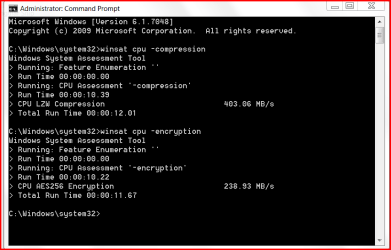
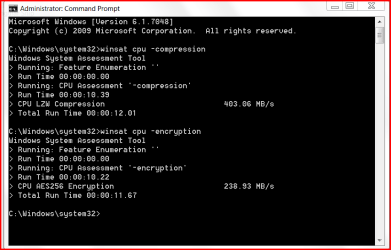
Just popped in "winsat cpu" to see what would happen, and found you can run two tests using -encryption and -compression
ie: winsat cpu -encryption

not sure if this was posted before somewhere but anyways...
nice for those of who like another benchmarking tool.
not posted before here but know if i remember correctly from vista...

Last edited by darkassain; 16 Mar 2009 at 09:29 PM..
My System SpecsSystem Spec
17 Mar 2009  
Firestrider

Linux (Debian, Android)
339 posts


Dual channel DDR2-800 at stock speeds:

What's your memory assessment speed?-memspeed.jpg
My System SpecsSystem Spec
.


17 Mar 2009  
bloke

Windows 7 7600 x64 (16385) Ultimate,Windows Vista x64 Ultimate
461 posts
Australia


Quote   Quote: Originally Posted by Firestrider View Post
Dual channel DDR2-800 at stock speeds:

Attachment 5957
10,000? hmm maybe i should just throw all my gear in the bin and start again? lol

Smarteyeball, you mentioned INTERLEAVED, can you tell me what this is exactly?
My System SpecsSystem Spec
17 Mar 2009  
Mark

Windows 7 Ultimate Vista Ultimate x64
4,665 posts
QLD, Cairns


Quote   Quote: Originally Posted by Firestrider View Post
Dual channel DDR2-800 at stock speeds:

Attachment 5957
Whats the make and model of that RAM, I think I want some.

Sorry don't worry I just read your specs, Crucial Ballistix DDR2-800 4 G, will have to check it out as I was going to go up to 8 Gigs and they don't do my Model anymore.

What's your memory assessment speed?-23817_large.jpg
Crucial BL2KIT25664AL804 Ballistix Tracer 4GB Kit (2x2GB) DDR2 PC2-6400 800mhz with Heatspreader & LEDs, 4-4-4-12
Model: BL2KIT25664AL804 Cash Price (inc GST): $155.00

http://www.scorptec.com.au/computer/...2kit25664al804

Last edited by Mark; 17 Mar 2009 at 04:19 AM..
My System SpecsSystem Spec
17 Mar 2009  
Bare Foot Kid

W 7 64-bit Ultimate
24,328 posts
The Lowcountry


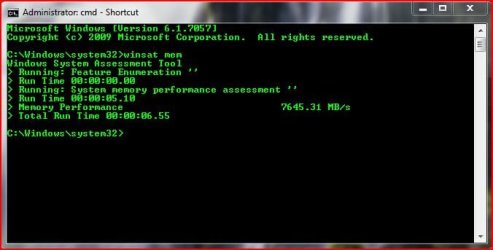
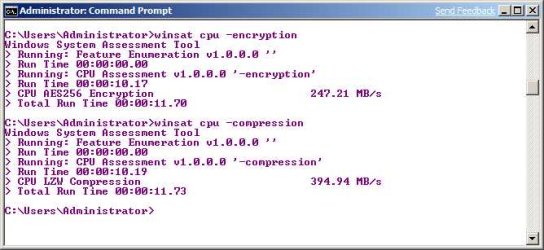
Here's mine.

What's your memory assessment speed?-ram_cmd.jpg What's your memory assessment speed?-cpu_cmd.jpg


Later Ted
My System SpecsSystem Spec
17 Mar 2009  
Mark

Windows 7 Ultimate Vista Ultimate x64
4,665 posts
QLD, Cairns


Quote   Quote: Originally Posted by Bare Foot Kid View Post
Here's mine.

Attachment 5960 Attachment 5961

Later Ted
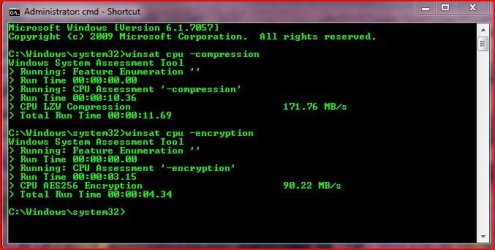
Just ran the CPU test on my Dual Core, might have to think about getting a Quad Core

What's your memory assessment speed?-2009-03-17_192221.jpg
My System SpecsSystem Spec
17 Mar 2009  
bloke

Windows 7 7600 x64 (16385) Ultimate,Windows Vista x64 Ultimate
461 posts
Australia


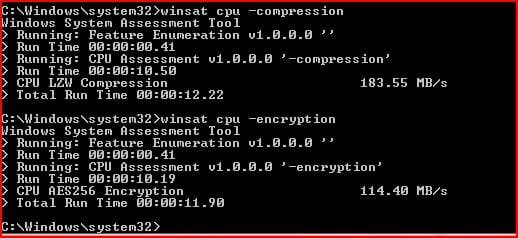
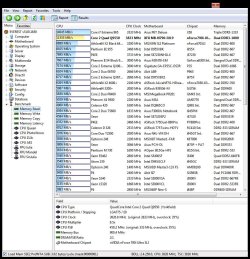
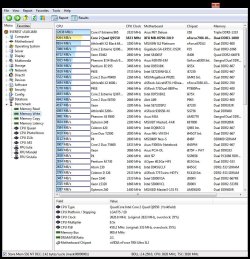
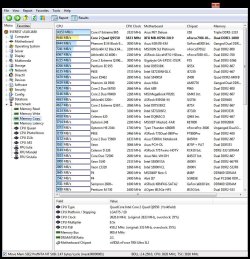
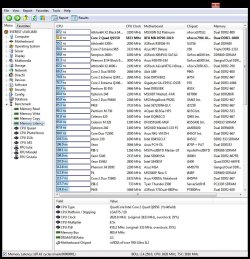
well i just switched and swapped my dimm's around, even if they arnt in the corresponding dual channels i still get the same 8500mb/s result. something is stopping my ram from entering duel channel i think. or maybe it has something to do with that interleave thingy. either way im doing my head in.. here is my cpu ass-esmant


im asking xfx support using their live support, they take a while to reply tho, but are quick to ask twice if you are still there. phft

this was the convo i had with "PaulV"

PAULV
Hi. Welcome to XFX-Live. How can I help?
PAULV
May I help?
RICK
hi, i have the 790i ultra with 1800mhz ddr3 ram, can you tell me what interleave means? it shows it while the system is at post. also how do i get my ram in dual channel mode? they are in the corresponding dual channel slots.
PAULV
interleave is basically a feature of the RAM which allows for use of multiple threads, Providing that you have the RAM is the corresponding slots this should be operating in Dual Channel mode, this is an automatic feature
PAULV
more mainboards will show interleave in the post as it is used with later RAM types, but has been around for a while
RICK
so it does not state at post if dual channel is enabled? i have ran several benchmarks for ram bandwidth and it does not change when i have them in dual channel mode or in slots like 0 1 which is not dual channel?
PAULV
Are you using different RAM sizes, per module? cant see how this wouldnt be enabled aside if it is not Dual channel, but pretty sure the RAM is here,
PAULV
Also depends on the benchmark to be honest, the best benchmarks will only find a 5% difference between the two
PAULV
give or take I suppose but the difference between the two is minimal
RICK
no they are a matched pair of 2gbx2 ddr3 1800mhz 8/8/8/24 2T this is why i cannot figure out why the bandwidth will not increase from 8500mb/s when in either channel mode.
RICK
ok so in case it is not the benchmark tool, would there be a reason as to why it might not be activating dual channel?
PAULV
Im pretty sure it is here, as we have not come accross a case where it does not unless using awkward configs, ie different mem modules and sizes etc, but the config you currently have set up is fine as we have similar in effect ourselves, In testing however the difference between the two configs has been pretty minimal in all cases though


wth? dual channel shows minimal difference?
My System SpecsSystem Spec
17 Mar 2009  
swarfega

Windows 7 Professional 64-bit
5,130 posts


So do you have your sticks in slots 1 and 3?
My System SpecsSystem Spec
17 Mar 2009  
bloke

Windows 7 7600 x64 (16385) Ultimate,Windows Vista x64 Ultimate
461 posts
Australia


yeh 1+3 but made no diff which slots they were in.
My System SpecsSystem Spec
Closed Thread

 What's your memory assessment speed? problems?


Thread Tools


Similar help and support threads for: What's your memory assessment speed?
Thread Forum
What's your memory assessment speed? [2] Performance & Maintenance
Memory speed Performance & Maintenance
What's your hard drive assessment speed? Performance & Maintenance
Memory Assessment Speed Performance & Maintenance
Memory speed Hardware & Devices


All times are GMT -5. The time now is 09:52 PM.


Windows 7 Forums is an independent web site and has not been authorized,
sponsored, or otherwise approved by Microsoft Corporation.
"Windows 7" and related materials are trademarks of Microsoft Corp.
© Designer Media Ltd