Im trying to format my pc and keep some files but i dont have a flash drive or anything to store theam on so I wanna know is it possible to split my c drive into 2 sections one section to be recovered and the other section just so i can store the files i wanna keep http://img401.imageshack.us/img401/6196/50670186.png
My Computer
At a glance
Microsoft Windows 7 Professional 64-bitIntel Xeon E3 @ 3.30GHzIntel(R) Xeon(R) CPU E...16.00GB Single-Channel DDR3 @ 666MHz (9-9-9-24)ATI Radeon HD 7950
Im trying to format my pc and keep some files but i dont have a flash drive or anything to store theam on so I wanna know is it possible to split my c drive into 2 sections one section to be recovered and the other section just so i can store the files i wanna keep http://img401.imageshack.us/img401/6196/50670186.png
Yes, most newer disk management suites (Partition Wizard) can resize and split partitions without loss of data. However, you should always backup your hard drive before doing this sort of thing because no program is perfect.
My Computer
At a glance
W7 Ult. x64 | OS XIntel Mobile Core 2 Duo 2.93Ghz [T9800 Penryn]4096MB Samsung DDR3 Dual Channel [PC3-8500F 1...NVIDIA GeForce 9600M GT 512MB [G96M Rev. C1]
Im trying to format my pc and keep some files but i dont have a flash drive or anything to store theam on so I wanna know is it possible to split my c drive into 2 sections one section to be recovered and the other section just so i can store the files i wanna keep http://img401.imageshack.us/img401/6196/50670186.png
Before installation and loading of files... Yes, the windows 7 installer gives you the opportunity to partition right at the beginning of the install.
After installing and loading files... Nope. Well, not without taking some significant risk of data loss... You can use third party partitioning tools to resize your C: partition and create a new one in the newly unused space. You can then format the drive and copy stuff over to it. BUT... be warned, this is not all great and rosey... if your primary drive has files scattered all over the place or is nearly full, it's not going to work and you may even suffer data loss...
My Computer
At a glance
XP Pro SP3 X86 / Win7 Pro X86Amd 64 x2 4200 (2.4ghz)Kingston DDR2 800 2gbNvidia GF-8400
Computer Manufacturer/Model Number
Homebrew
OS
XP Pro SP3 X86 / Win7 Pro X86
CPU
Amd 64 x2 4200 (2.4ghz)
Motherboard
Asus M2N-MX SE Plus
Memory
Kingston DDR2 800 2gb
Graphics Card(s)
Nvidia GF-8400
Sound Card
Realtek on Motherboard
Monitor(s) Displays
Acer x-193bw
Screen Resolution
1440 x 900
Hard Drives
Western Digital 500g
PSU
350watt In-Win
Case
In-Win
Cooling
Air
Keyboard
yes
Mouse
yes
Internet Speed
5mpbs
Other Info
Also ASRock ION 330 as HTPC (on XP).
Acer Aspire as GP netbook (on XP).
You can shrink C with Disk Management and create a new partition. I have never lost any data that way. The shrinkage will stop anyhow at the MFT which sits in the middle of the partition - so you can shrink only about half of the available space. I made this video which will tell you how to do it. Ignore the part about moving the folders - unless you want to do that.
My Computer
At a glance
Vista, Windows7, Mint Mate, Zorin, Windows 8from 1.6GHz Duo to i7
Computer Manufacturer/Model Number
HP, Dell, Gateway, Toshiba - 4 laptops and 2 desktops
thanks for all the extremely quick responses iwill be trying some of these methods and will ask if i need help which most likely i will
My Computer
At a glance
Microsoft Windows 7 Professional 64-bitIntel Xeon E3 @ 3.30GHzIntel(R) Xeon(R) CPU E...16.00GB Single-Channel DDR3 @ 666MHz (9-9-9-24)ATI Radeon HD 7950
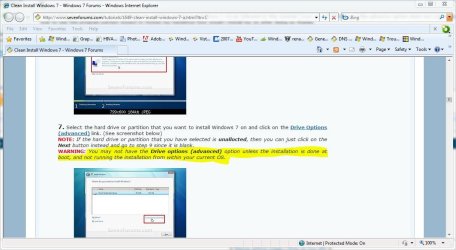
i dont think its possible for me to format my system useing my windows 7 cd as followed in this tutorial http://www.sevenforums.com/tutorials/1649-clean-install-windows-7-a.html?ltr=C the advance option does not come up as stated in step seven and i wanted to know if i was to use the program partion wizard to format my harddrive how would i install my os after doing so thanks
My Computer
At a glance
Microsoft Windows 7 Professional 64-bitIntel Xeon E3 @ 3.30GHzIntel(R) Xeon(R) CPU E...16.00GB Single-Channel DDR3 @ 666MHz (9-9-9-24)ATI Radeon HD 7950
Give Away of the day for a few more hours !!! Free
EASEUS Partition Master Professional Edition is all-in-one partition solution including three main features: Partition Manager, Partition Recovery Wizard and Disk & Partition Copy to solve all partition problems.
It helps extend system partition, copy partition, have better disk space management, do partition recovery to get data back, etc. Moreover, bootable CD supported!
Win7 Enterprise, Win7 x86 (Ult 7600), Win7 x6...AMD fx8350 4ghz, AMD-32 2400mhz, AMD-64 3200m...2gb, 4gb on the Ult 7600, 4gb on Technet RTM,...Draw my own Graphics, several nVidia cards
Computer type
PC/Desktop
Computer Manufacturer/Model Number
Built them myself, Science Experiments !
OS
Win7 Enterprise, Win7 x86 (Ult 7600), Win7 x64 Ult 7600, TechNet RTM on AMD x64 (2.8Ghz)
6 pata Ide HD's & 2 Sata HD's
added 80gb external on Ult 7600 computer,
numerous extra 1tb, 2TB, 3Tb SATA HD's
A collection of ext HD Docks w/ HDs
PSU
430w, 550w, 600w, 700, 800, etc
Case
All Generic Full Towers
Cooling
Open Air & a few fans, some w/ colored LEDs
Keyboard
Compaq & Dell recycled from GoodWill
Mouse
Made in China Optical Wired Mouse
Internet Speed
Fast Cable InterNet
Antivirus
AVG Free on 24 different Desktops, NO Problems!
Browser
IE 8 is preferred, but use FireFox sometimes
Other Info
Linksys Routers, switches, & Hubs
Too Many USB Flash Drives to count, Biggest is 64GB !
Eight computers in my home network.
Sixteen computers at my business network.
Linked via TeamViewer !
Lots of old used spare computer parts everywhere!